14
Doc. HD40-0007-02 En-Eu L-4
3. The Z1 will power up and cycle through a series of
startup displays.
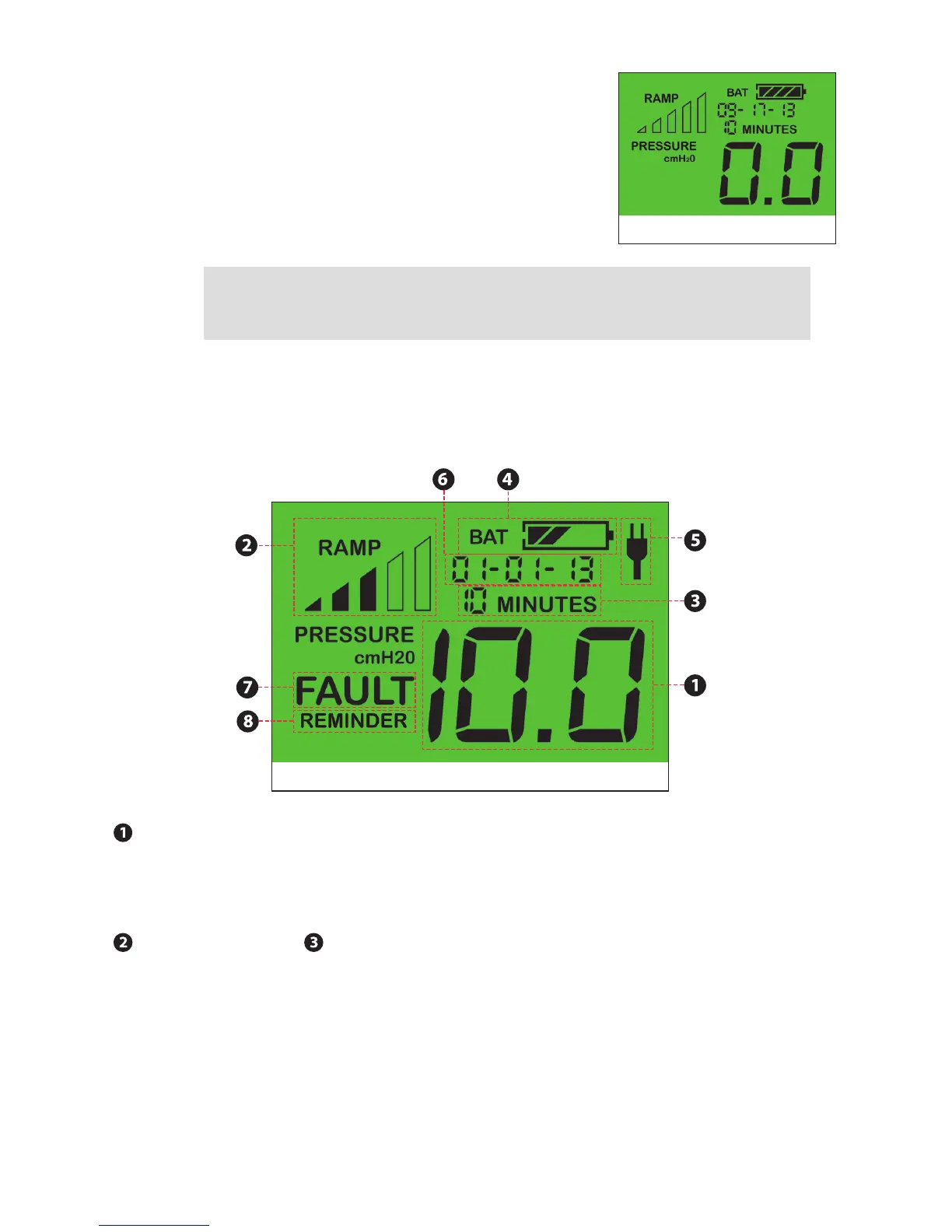
4. After about 10 seconds, the Z1 will enter standby
mode. The display will read 0.0. (Figure 8)
NOTE: Remove the Battery from the PowerShell when the Z1 is not in use, unless
the Power Supply is plugged into the PowerShell to charge the Battery. Otherwise
the Z1 and PowerShell will drain the battery completely within 2-3 days.
Using Your Z1
LCD Display
Treatment Pressure Display
The current treatment pressure is shown on the LCD display. Once set, the prescribed treatment
pressure will be retained in the Z1’s memory even during loss of power. For example, a treatment
pressure setting of 10.0 cmH
2
O is displayed in Figure 9.
Ramp Progress & Ramp Time Remaining Indicators
Ramp Mode allows you to gradually acclimate to the prescribed treatment pressure. Ramp Mode
gradually increases the pressure from a low initial starting pressure to the prescribed treatment
pressure over a programmed interval of time. See “Programming Ramp Mode”.
If you program the Z1 for Ramp Mode, the Ramp Progress and Ramp Time Remaining indicators
will appear on the LCD display. For example, Figure 9 indicates that the Ramp is just over half
complete, with a Ramp Time remaining of 10 minutes.
Figure 8
Treatment Pressure
Display
Ramp Progress
Ramp Time
Remaining
AC Power Indicator
Battery Status Display (PowerShell Only)General Status Display
Fault
Reminder
Figure 9



 To Next Page