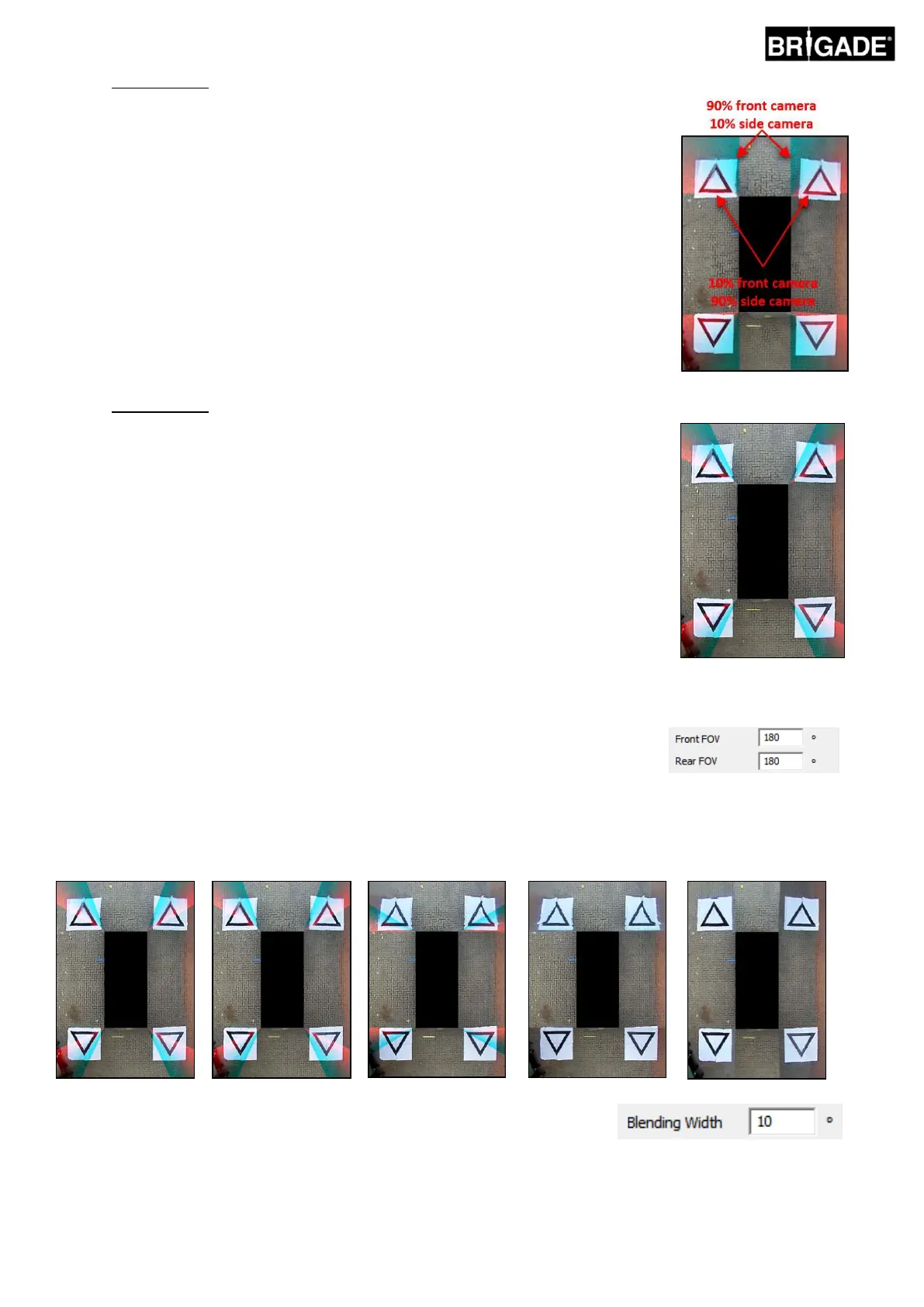
Blending Auto is Brigades recommended option as it gives the most ideal blend for most
typical installations, e.g. standard rectangular/box shaped vehicles.
A gradual blend is applied across the overlapping areas using 10% of the front/rear
camera image (shown in red) and 90% of the side camera image (shown in green) at
the edge of the vehicle mask.
Blending FOV gives the user much more control of the blended, allowing the user to
choose where the blend starts and how hard or soft the blend is. This is especially
useful in cases where parts of the vehicle body obscure camera views e.g. overhanding
side mirrors etc.
The blend applied to this view differs from the Blending Auto option, in this instance
100% of the front/rear camera is used at the edge of the vehicle mask (where the FOV
starts).
When choosing this option the Front FOV, Rear FOV and Blending Width options can
be adjusted.
Note: it may only be necessary to change the FOV setting for one of either the
Front or Rear cameras e.g. to avoid front wing mirrors. For the area that the FOV
does not need to be adjusted Brigade recommends setting the FOV for that
camera to 140° and the Blend Width to 10°, these values may need to be adjusted
depending on the calibration but typically give the closest match to the Blend
Auto option.
Changing the Front and Rear FOV options adjusts the amount of the front and rear
camera that is used (i.e. the Field of View).
The images below show the effect of changing the FOV. The area in green indicates the portion of the surround view
image that is taken from the front/rear camera. As the FOV is increased, so does the amount of front/rear camera
image that is used to form the surround view image.
The “Blending Width” is the size of the blended area, i.e. the area that where
two camera images overlap to create the surround view image.
Reducing the value here will give a “harder” blend, this may look better in the Preview window but in real world
operation objects in this area may be hidden or appear distorted. A larger Blending Width will use both camera
images over a larger area reducing any blind zones that might be seen with a narrow blend width but may cause
the blended areas to appear heavily distorted.



 To Next Page