26
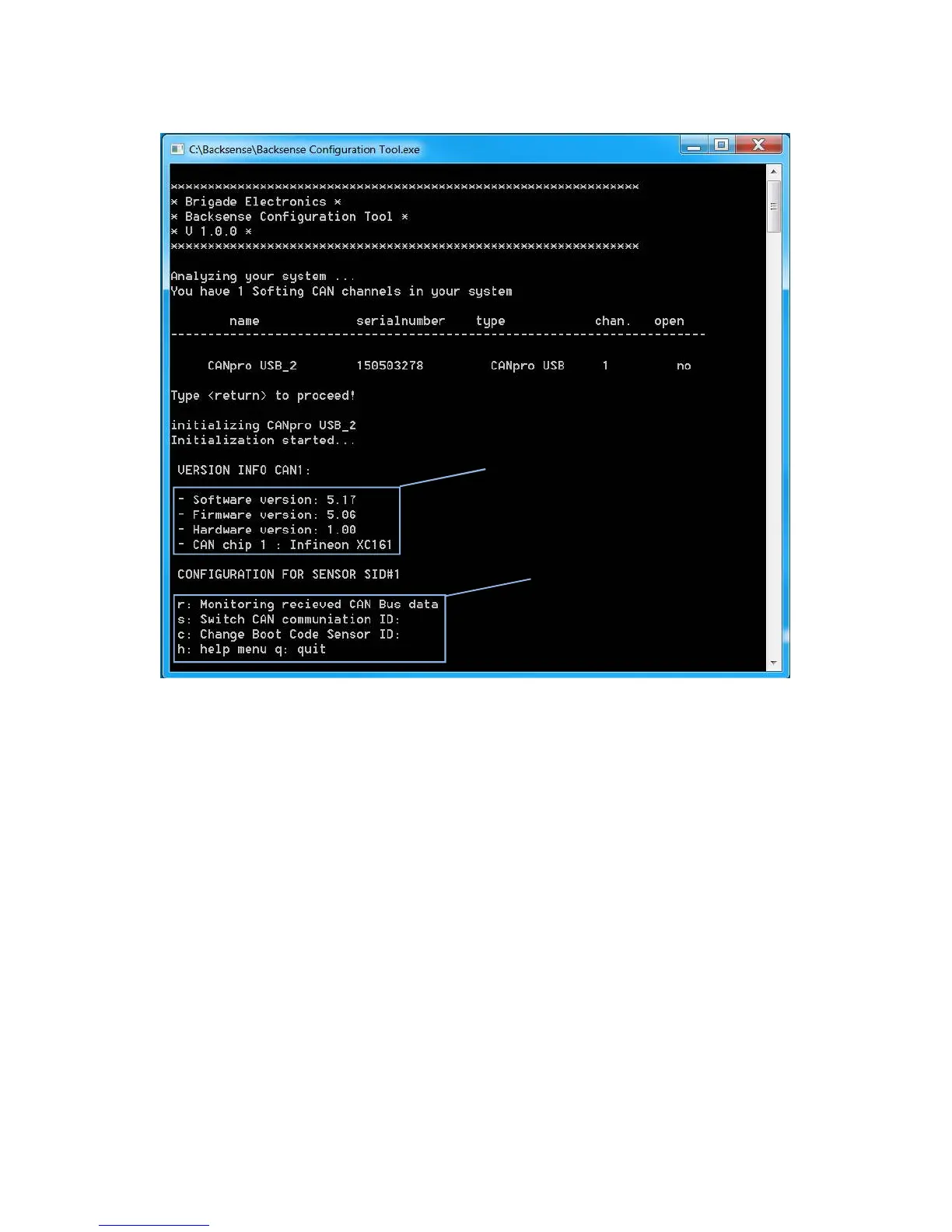
7.6.4 The Initialisation screen of the Backsense Configuration Tool will appear as below.
Command options are displayed on the screen:
The Configuration Tool Command Options are as follows:
r
Monitor CAN Bus Data – Allows the user to view all CAN data that
appears on the bus.
Space Bar
Pause live view of CAN Bus Data.
s
Switch CAN ID for connected sensor – Allows the user to select the
sensor ID number that is to be re-configured.
c
Change Boot Code Sensor ID – User must select the desired target
sensor ID number that is to be configured for the connected sensor.
h
Display help menu – Configuration Tool Command Options will be re-
displayed.
q
Exit Configuration Tool application.
Configuration Tool



 To Next Page