BrightDrop Zevo 600 Owner Manual (GMNA-Localizing-U.S./Canada-
16569273) - 2023 - CRC - 11/3/22
Instruments and Controls 69
.
An z allowing you to close the Charge
Complete By dialog. Settings made here
are automatically saved when the dialog
is exited.
Drag the appropriate sections of the time
selector to set the Charge Complete By time.
Touch
z to exit the Charge Complete By
dialog and accept the changes made. When
the dialog closes, the charging information
listed on the Charging screen will update to
reflect any changes made. If the time
specified does not allow the vehicle enough
time to reach the desired Charge Level, a
message displays and you can choose to
alter either Charge Complete By time or
desired Charge Level.
To adjust desired Charge Level in Charge
Later mode, see “Charge Now” earlier in this
section.
Setting the Cabin Preconditioning preference:
Touch the switch to turn on Cabin
Preconditioning. Cabin Preconditioning
temperature can be set in Settings, or by
touching Cabin Preconditioning on this
screen.
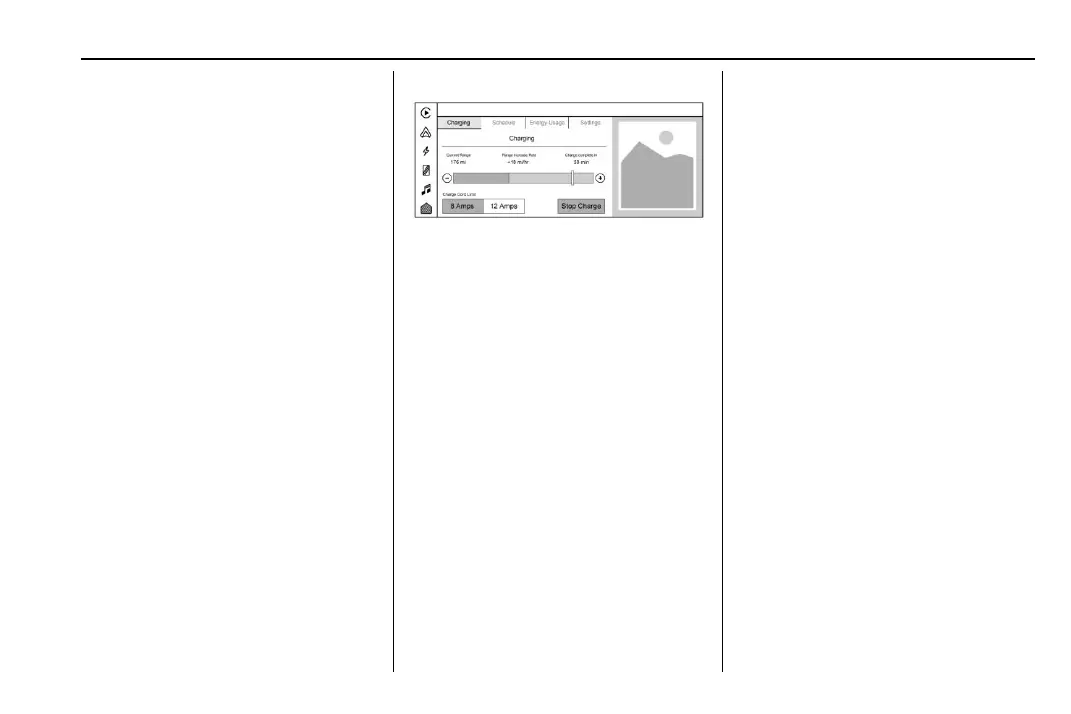
Active Charging
During an active charging session, the
Charging screen displays and continuously
updates the following items:
.
Text indicating the vehicle’s current
charging status.
.
Current Range: The range the vehicle is
capable of driving at the current charge
level.
.
Range Increase Rate: How much range is
accumulating per hour of charging.
.
Charge Complete at/in: The estimated
time at which the vehicle will reach the
desired Charge Level.
.
The Charge Level Gauge with a portion
displaying the vehicle’s current charge
level. Use
1 and 0 or drag the white
marker to adjust the desired Charge Level.
To update the desired Charge Level for the
active charging session, drag the marker on
the Charge Level Gauge or touch the
1
and 0.
Touching the Stop Charge button at any
time ends the active charging session and
presents a summary of the current vehicle
Range, Charge Level, and amount of Range
Gained during the charging session. For
information on beginning a charging session,
see Plug-In Charging 0 160.
For Level 1 chargers, you can also select the
appropriate Charge Cord Limit of either
8 amps or 12 amps. This determines how
much current can flow from an electrical
outlet to the vehicle battery. It also ensures
proper charge time estimates.
When the Charge Cord Limit is changed
from 8 amps to 12 amps on a 120V circuit a
notification is displayed.
If no Home Charge Location is set, the Level
1 Cord Limit will revert to 8 amps every
time the vehicle is shifted out of (P) Park.


 To Next Page
 Loading...
