64
VI. Audio data interface
Dismantling:
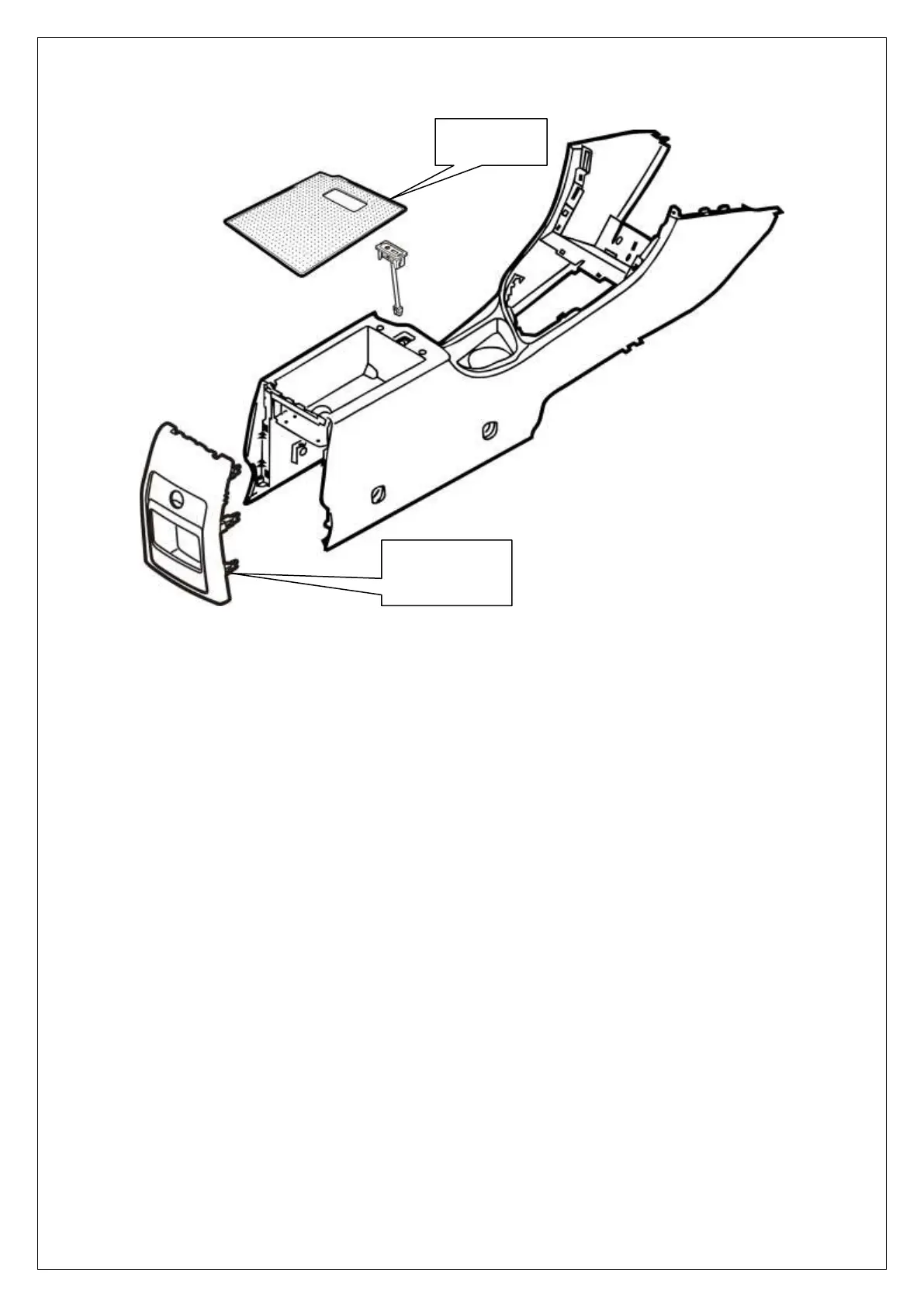
1. Dismantle rear decorative sheet of central control panel
2. Disconnect the connection harness of audio data interface under central control panel
3. Take rubber pad out of handrail box
4. Pull out the audio data interface (snapping structure is adopted in interface. Please use hand to
press the snaps at both ends of data interface in lower part of handrail).
Mounting:
Mount the display in sequence opposite to dismantling.
Rubber pad in
handrail box
Rear decorative
sheet of central
control panel



 To Next Page