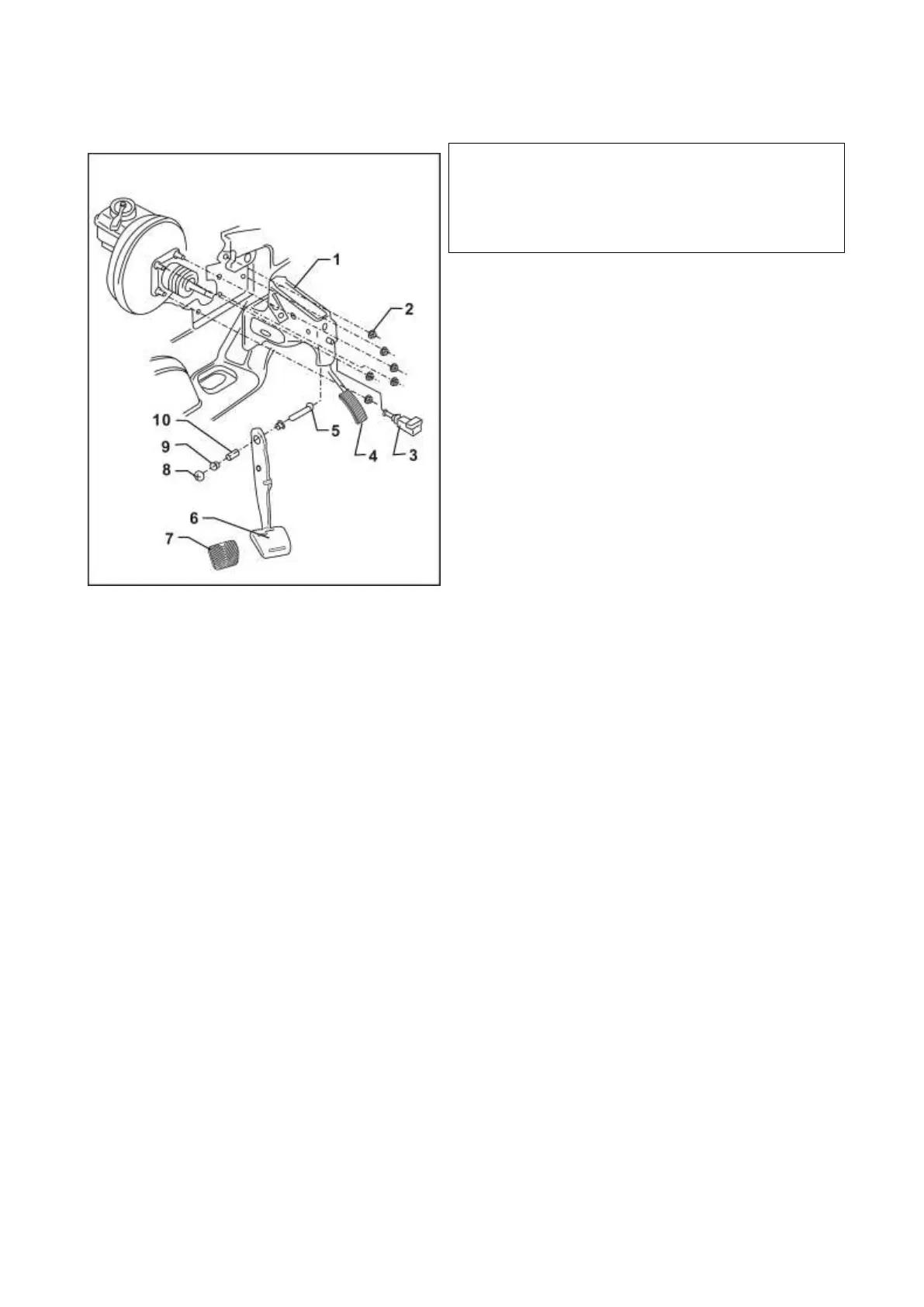
III. Brake pedal – assembling drawing
1 - Bracket
2 - Hexagon locknut, 20Nm
3 - Stop light switch
◆ Prior to installing stop light, connect brake pedal
with braking booster push rod
◆ Prior to mounting, pull out piston completely
◆ Manually press down brake pedal as much as
possible
◆ Insert stop light switch into mounting hole (only
one mounting position) and rotate it
90°clockwise for fixing
◆ Unplug stop light switch
◆ Check brake light function
4 - Accelerator pedal
5 - Hexagon nut
6 - Brake pedal
7 - Pedal cushion
8 - Hexagon self-locking bolt, 20Nm
9 - Support sleeve
10 - Support pin


 To Next Page