EasyManua.ls Logo

BRIO Signature Series - User Manual

BRIO Signature Series
8 pages
Print Icon
To Next Page IconTo Next Page
Loading...
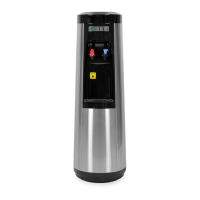
WATER COOLER
USER’S MANUAL
Thank you for purchasing a Brio water cooler. Please read this user’s
manual thoroughly for using the water coolers safely and appropriately.
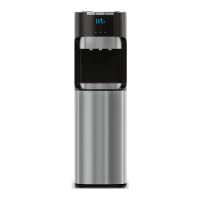
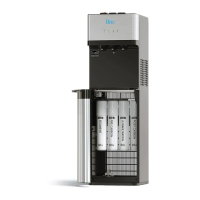
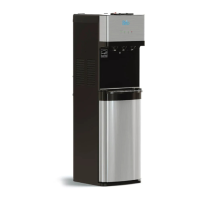
Hot & Cold, Stainless Steel
CL800U Signature Series
Point of Use Cooler
R

Questions and Answers

  • K
    Kimberly HaleyAug 5, 2025
    Why is my BRIO Signature Water Dispenser leaking?
    • A
      Anthony RayAug 5, 2025
      If your BRIO Water Dispenser is leaking, several factors could be the cause. Check if the hot or cold faucet is loose and firmly fasten them. Ensure the cap of the hot water drain is securely fastened. Verify that blue locking “C” clips are installed on all water lines. Make sure the filter is properly secured and locked. Finally, ensure the drain plug is secure and tighten the drain cap.
  • C
    Christine SmithAug 11, 2025
    What to do if hot water does not come out of my BRIO Signature?
    • M
      Matthew CoffeyAug 11, 2025
      If hot water isn't dispensing from your BRIO Water Dispenser, check these potential causes: Ensure the power cord is properly plugged in. Verify that the power is on and the circuit breaker is closed by checking the plug board. If you've exceeded the dispenser's hot water capacity, reduce your consumption. Also, check if the hot water switch on the back is turned off and turn it on.
  • S
    Scott AndersenAug 17, 2025
    What to do if cold water does not come out of my BRIO Signature Water Dispenser?
    • J
      jeffrey44Aug 17, 2025
      If cold water isn't dispensing from your BRIO Water Dispenser, here are some things to check: Make sure the power cord is plugged in. Check the distribution board to ensure power is appropriately supplied and the circuit breaker hasn't tripped. If you've exceeded the dispenser's cold water capacity, reduce your consumption. Ensure the dispenser is in a well-ventilated area, away from direct sunlight. Clean any dust from the radiator condenser on the back. Finally, ensure the back of the dispenser is at least 15cm away from the wall to allow for proper cooling.
  • W
    William TaylorAug 22, 2025
    What to do if no water comes out of my BRIO Signature?
    • S
      Savannah KramerAug 23, 2025
      If no water is coming out of your BRIO Water Dispenser (neither cold nor hot), make sure all water shut-off valves are open. Also, press and hold the lever until the water comes out through the hot water faucet.
  • M
    Melissa ThompsonAug 29, 2025
    How to fix a noisy BRIO Water Dispenser?
    • T
      timothyleonAug 29, 2025
      If your BRIO Water Dispenser is making noise, especially a vibrating noise, ensure it's installed on a level, solid, horizontal surface. Also, make sure the dispenser isn't in contact with a wall or other products; keep it away from walls and other items.

Summary

Safety Precautions

Cautions

Important safety advice and warnings for proper operation and installation.

Remove Air from Hot Water Tank

Cleaning Case and Drip Tray

Instructions for cleaning the dispenser exterior and drip tray with mild soap.

Radiator Condenser Maintenance

Guidance on cleaning the radiator condenser for optimal cooling efficiency.

Power Cord and Plug Inspection

Steps to inspect the power cord and plug for safety and damage.

Leakage Checks

Procedure to check for and address potential water leaks from the dispenser.

Dispenser Operation

Child Lock Lever Usage

Instructions on how to use the child lock lever for hot water dispensing.

Installation and Initial Use

Steps for proper installation and initial setup before using the dispenser.

Filter Installation and Replacement

Dual Float Valve Explanation

Description of the dual float valve system for water level adjustment.

Filter Replacement Procedure

Step-by-step guide for replacing the water filter and restoring water flow.

Cleaning Procedures

Cleaning the POU Cooler

Detailed steps for cleaning the exterior and internal components of the cooler.

Sanitizing the Cooler Reservoir

Procedure for sanitizing the reservoir using a bleach solution.

Troubleshooting Guide

Water Dispensing Issues

Solutions for problems like no water, or cold/hot water not dispensing.

Leakage and Noise Issues

Troubleshooting steps for dispenser leaks and unusual noises.

Parts and Specifications

Component Identification

Diagram and list of the cooler's main parts and their functions.

Technical Specifications

Detailed specifications including model, size, weight, power, and tank capacities.

BRIO Signature Series Specifications

General IconGeneral
Power Consumption (Heating)500W
Power Consumption (Cooling)65W
Child Safety LockYes
Energy Saving ModeYes
TypeCountertop
Water TemperaturesHot, Cold, Room Temperature
Hot Water TemperatureUp to 194°F
Cold Water Temperature5°C (41°F)
Dimensions12 x 12 x 15 inches
Weight9.9 lbs
MaterialStainless Steel

Related product manuals