Model 428 User’s Manual REMOTE USER INTERFACE
Bristol Instruments, Inc. 25
7 To connect using USB, manually enter the COM port for the instrument and click
“Connect.” If the COM port is unknown, click “Scan for Instruments” to locate the
instruments that are connected to the PC. Double click on the desired instrument
from the list to populate the COM port field, and click “Connect.” To connect via an
Ethernet network, manually enter the IP address for the instrument using the
keyboard, and click “Connect.”
The status text at the bottom-left corner of the screen should change to
“Connected.” If an error message is displayed, check that the instrument is
running and connected to the PC.
Spectrum Screen
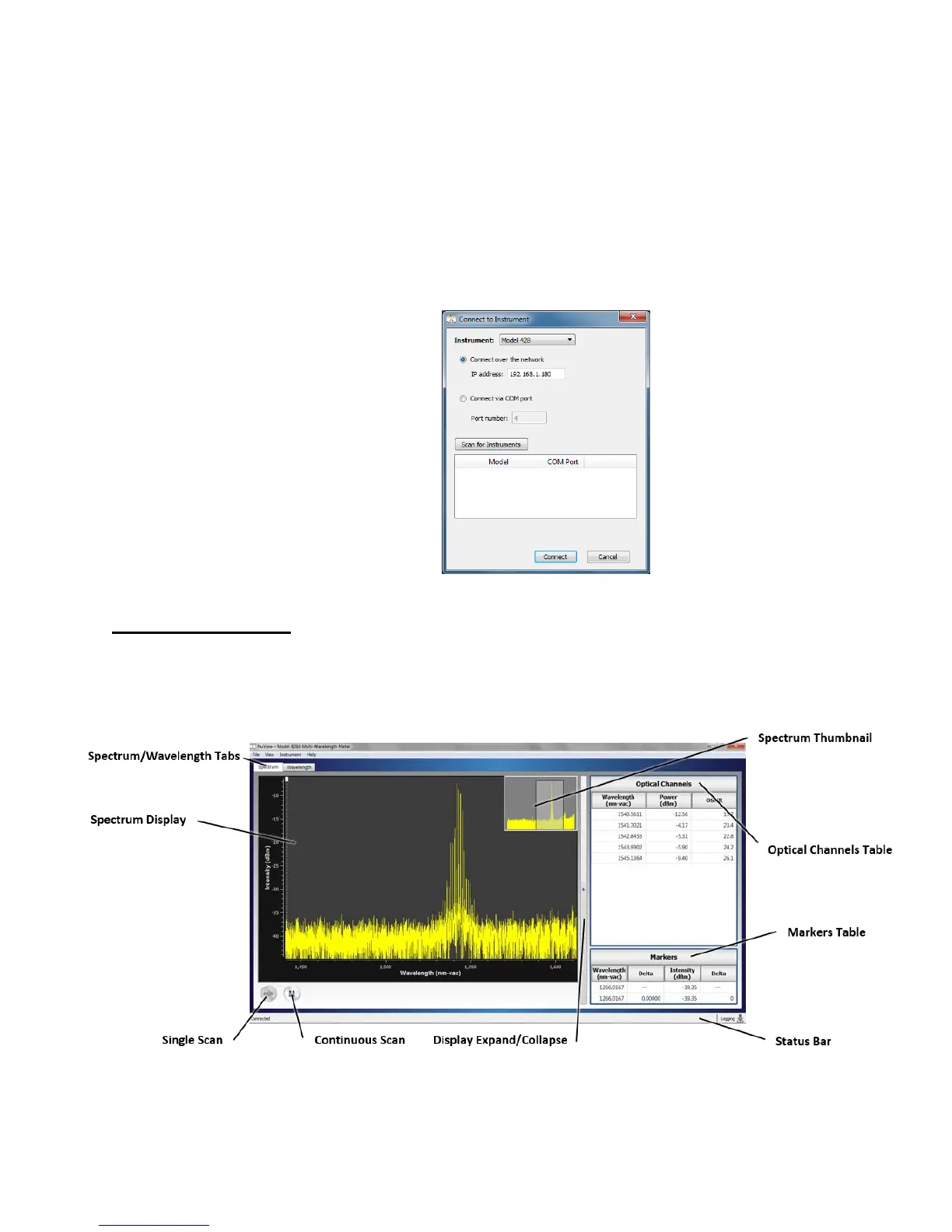
The Spectrum Screen of the NuView Display Software displays the measured spectrum
of the optical input signal and quantitative data collected from the 428 system. Its display
features are described in this section.
Figure 4.2: Components of the Spectrum Screen



 To Next Page