Model 428 User’s Manual REMOTE COMMUNICATIONS
Bristol Instruments, Inc. 39
Connecting Using Telnet
A Telnet session example from a networked PC running Windows 8, 7, Vista or XP is
given below.
1 Click on Start/Programs/Accessories/Command Prompt, or type “cmd” into the
Search bar.
2 To start a Telnet session, type “Telnet” at the command prompt followed by the 428
system’s IP address displayed on Configuration Screen 4.
C:\>Telnet 192.168.1.109
MityDSP Telnet Server
Copyright 2005, Critical Link LLC
Ctrl-D – Exit
Ctrl-E _ Toggle Echo
Bristol Instruments
*IDN?
Bristol Wavemeter, 428A, 1109, 0.79
:MEAS:POW?
-15.44
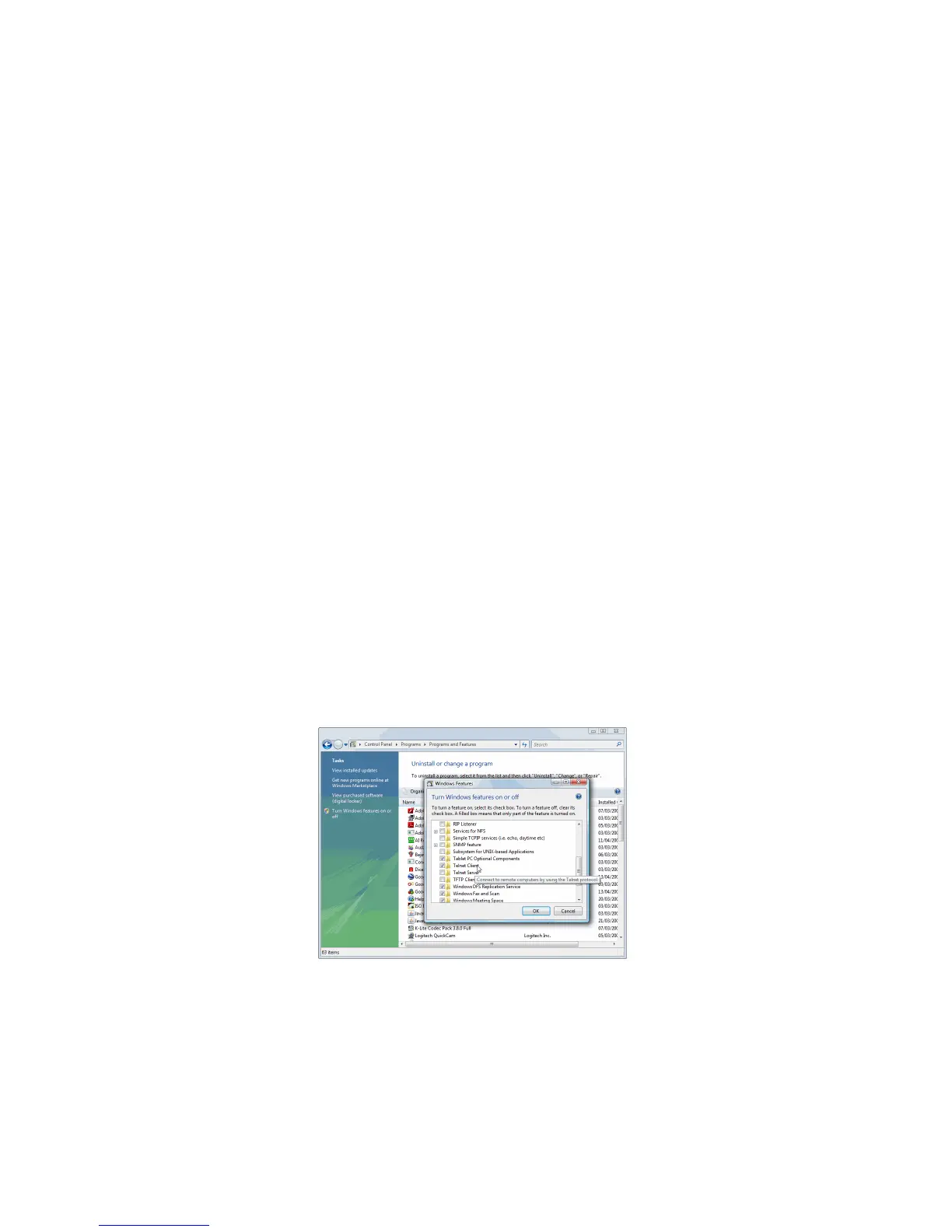
Telnet must be explicitly installed on a PC running Windows Vista, using the following
instructions.
1 Go to the Start Menu, then click Control Panel.
2 Select Programs and Features.
3 Click “Turn Windows features on or off,” found in the left column.
4 Check the box next to Telnet Client, and click OK.



 To Next Page