Model 671 User’s Manual USING THE LASER WAVELENGTH METER
Bristol Instruments, Inc. 23
• Exit - Exits out of the NuView software.
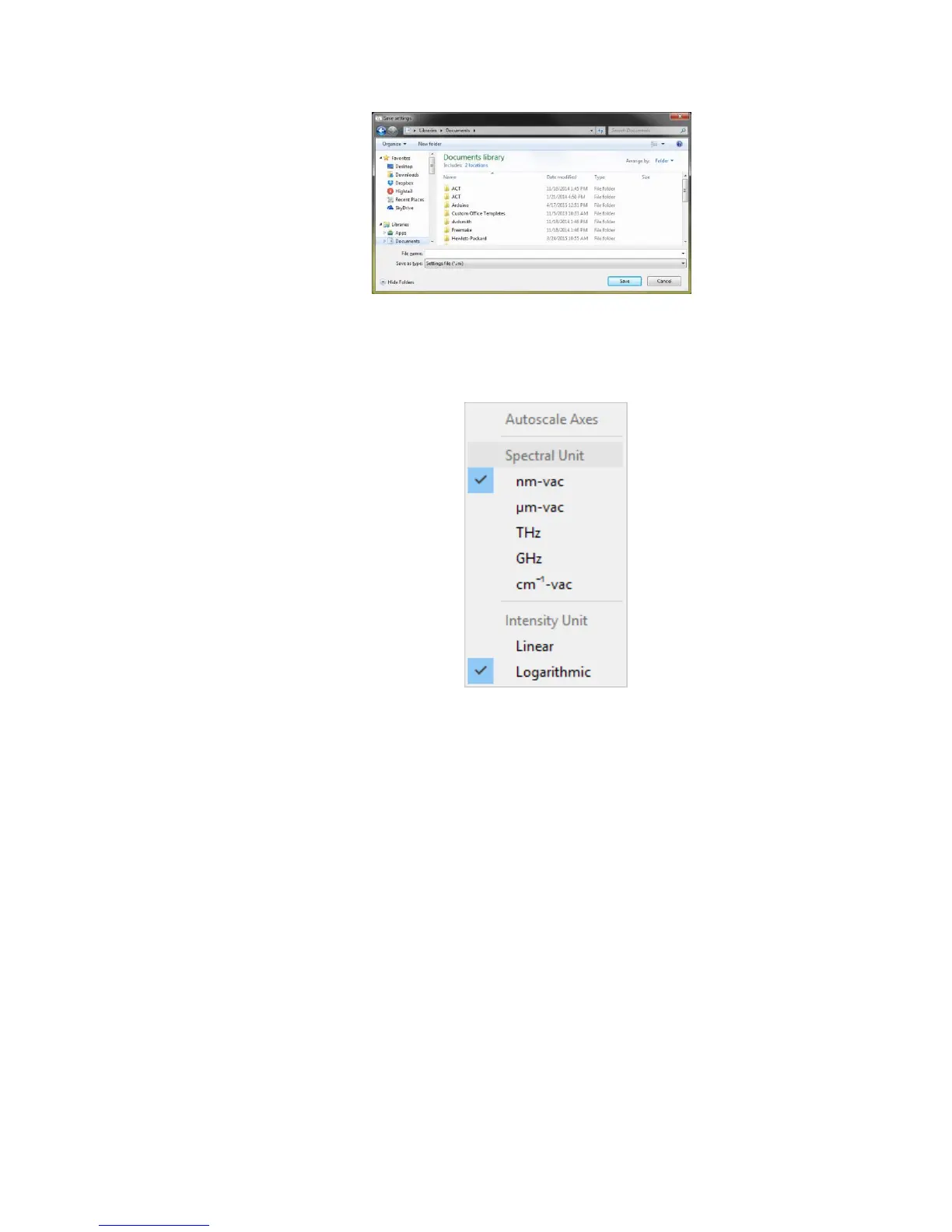
View Menu
• Autoscale Axes – Automatically and continuously expands the x and y axes of the
Trend Graph as necessary to fit the updating trending data into the display area.
Autoscale Axes is only available on the Trend Screen, and appears grayed out on
the Wavelength Screen.
• Spectral Unit – Allows the user to select the measurement unit for the Wavelength
Screen and Trend Screen.
• nm-vac – Sets the measurement unit to nanometers (vacuum values).
• µm-vac – Sets measurement unit to micrometers (vacuum values).
• GHz – Sets the measurement unit to gigahertz.
• THz – Sets the measurement unit to terahertz.
• cm
-1
-vac – Sets the measurement unit to wavenumbers (vacuum values).
NOTE: In other scientific publications, the units of nanometers, micrometers, and
wavenumbers may refer to the values in an air, standard air, or vacuum
environment. The 671 Laser Wavelength Meter provides measurements as
values in a vacuum environment, and units that are dependent on environment
are given a “-vac” suffix to emphasize this fact.



 To Next Page