11
3.3 Installer Setup
Interconnection of Brivis Heating and/or Cooling appliance(s) shall
be complete prior to entering INSTALLER SETUP. If your system
contains one Brivis Touch, one heater (no zoning) and/or one
evaporative cooler no network parameters need to change.
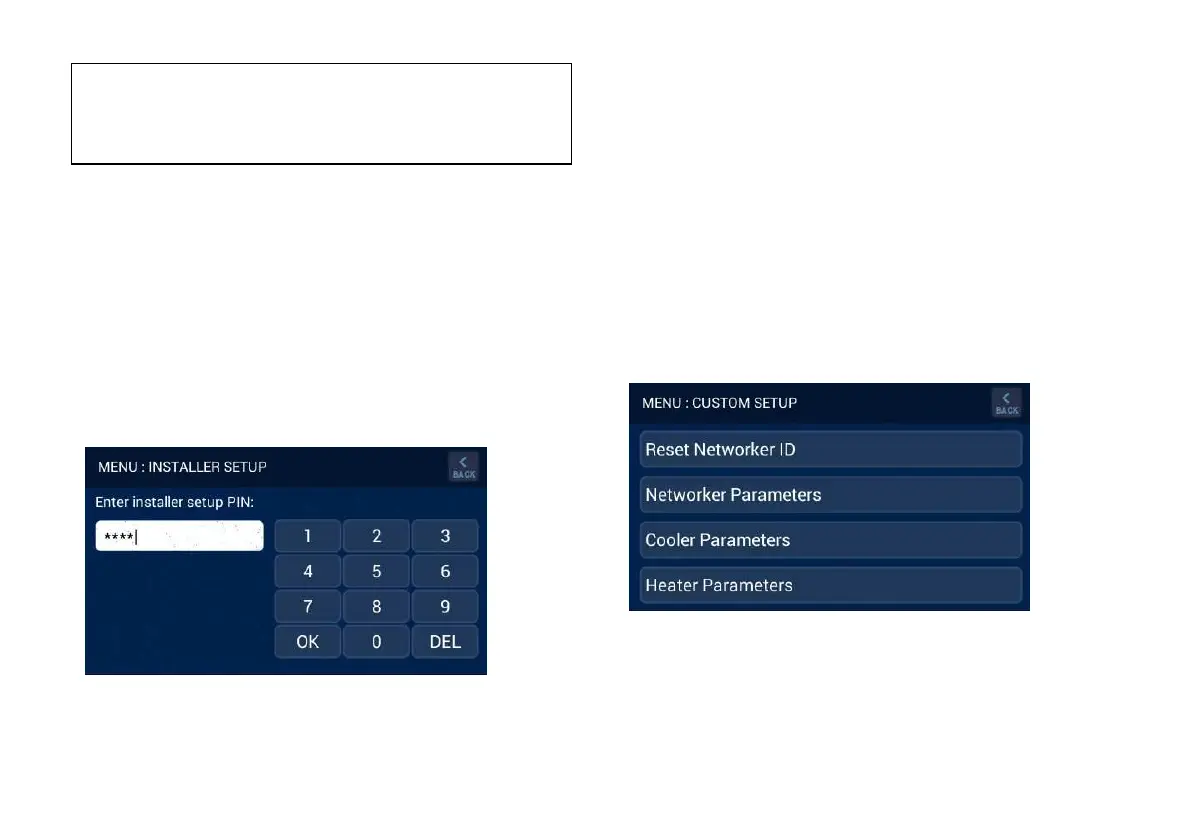
To enter installer setup, enter PIN 5240 and press ‘OK’, refer
Diagram 15.
Diagram 15: Brivis Touch INSTALLER SETUP
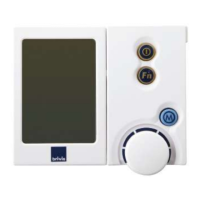
When accessing the CUSTOM SETUP screen through the Master
Brivis Touch Controller the following options may be available,
and is dependent on connected appliances.
1. Reset the identification of the Brivis Touch Controller (only
required if more than one Brivis Touch Controller is fitted).
2. Access the installer parameters (system functionality).
3. Access the evaporative cooler installer parameters if an
evaporative cooler exists on the system.
4. Access the heater installer parameters if a heater exists on the
system, refer Diagram 16.
Diagram 16: Master Brivis Touch Controller CUSTOM SETUP
: If multiple
are installed, only the
Master Controller has the ability to set the day and time. The Master
Controller can be identified by the letter "M" in the bottom right hand
corner on the home screen.


 To Next Page