Brivo ACS300 Installation Manual Page 11
© 2017 Brivo Systems LLC. All rights reserved. Rev 1
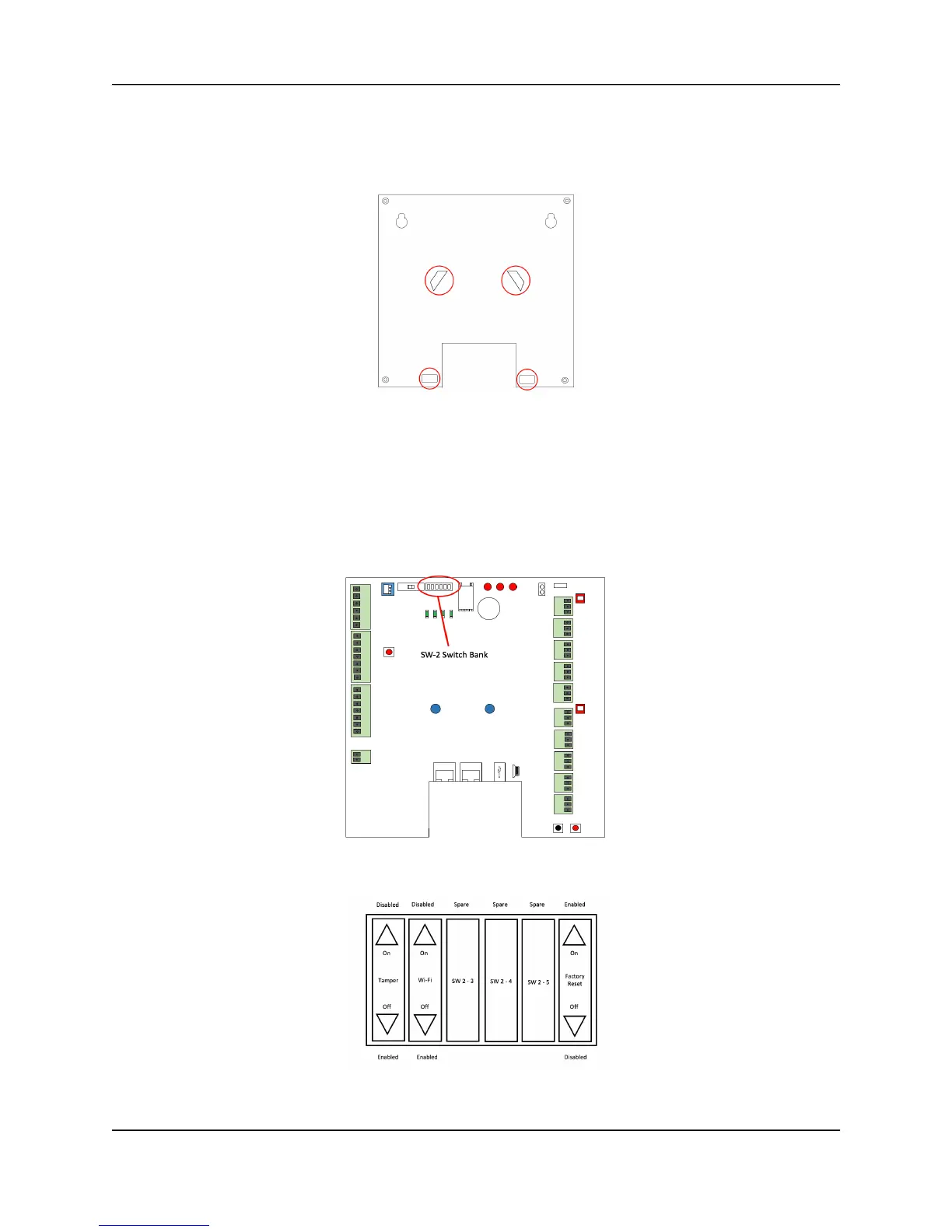
c) Option 3
• Looking at the back of the enclosure, using the provided cutouts, mount
the ACS300 enclosure to a 4-gang junction box.
ACS300 Mounting Option 3
5. Verify presence of optical tamper reflector on the inside lid of the ACS300.
6. OPTIONAL: Install the physical tamper switch in the ACS300.
a) Install the tamper switch in the ACS300.
Confirm the SW-2 switch settings are in the correct positions
ACS300 SW-2 Switch Bank Location
ACS300 SW-2 Switch Settings



 To Next Page