Brivo ACS300 Installation Manual Page 16
© 2017 Brivo Systems LLC. All rights reserved. Rev 1
a) The LAN port is a 10/100 Ethernet interface with an RJ45 jack for connecting the
MAIN BOARD to a Local Area Network in order for it to gain connectivity to the
Internet.
b) Use a straight, (i.e., non-crossover) cable to connect this port to a local hub,
switch or router.
Wire Doors
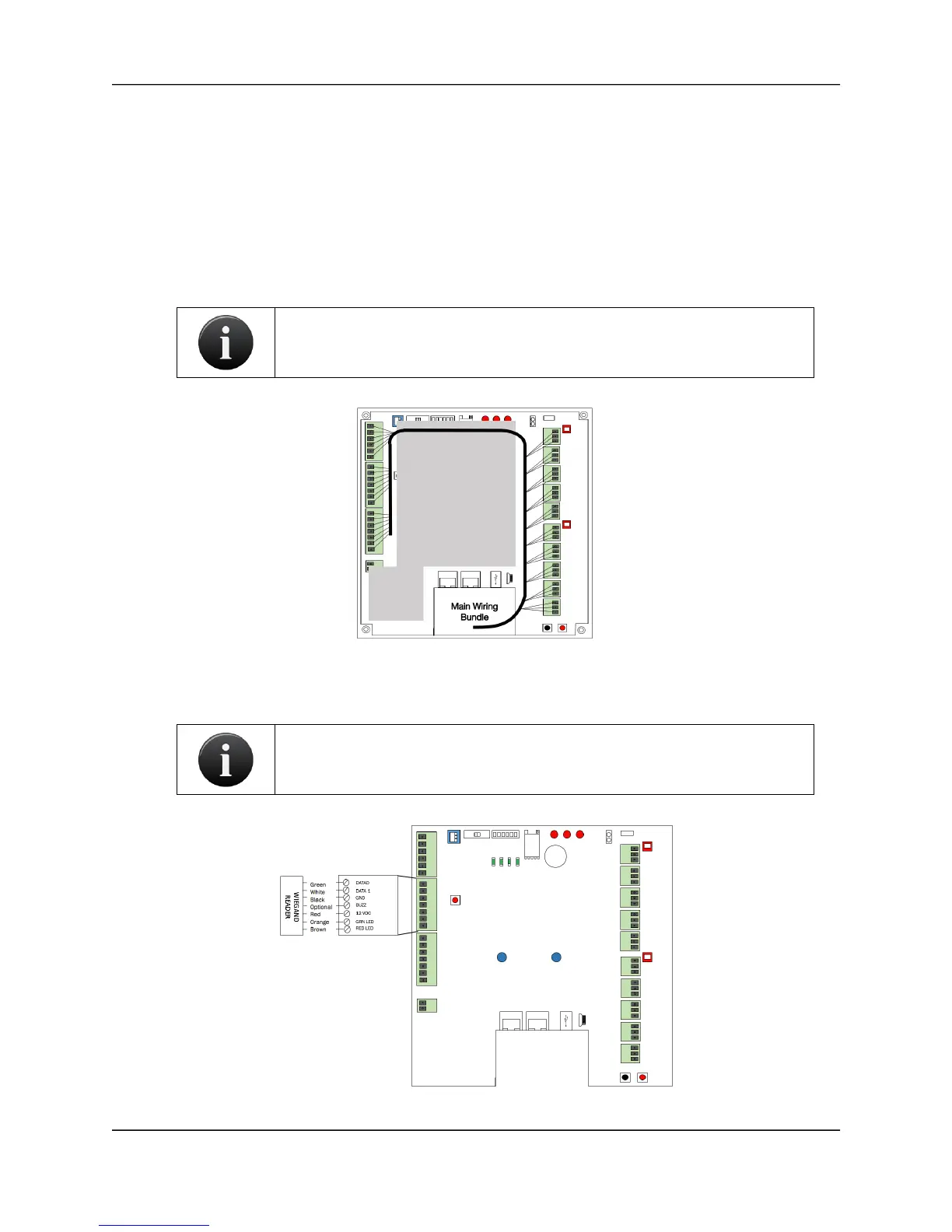
Provided below is a diagram recommending how to appropriately run wiring within the ACS300
unit.
ACS300 Wiring Recommendation
For each node to be used for controlling a door, as indicated in the completed Installation
Worksheet, make the following connections.



 To Next Page