Brivo ACS300 Installation Manual Page 22
© 2017 Brivo Systems LLC. All rights reserved. Rev 1
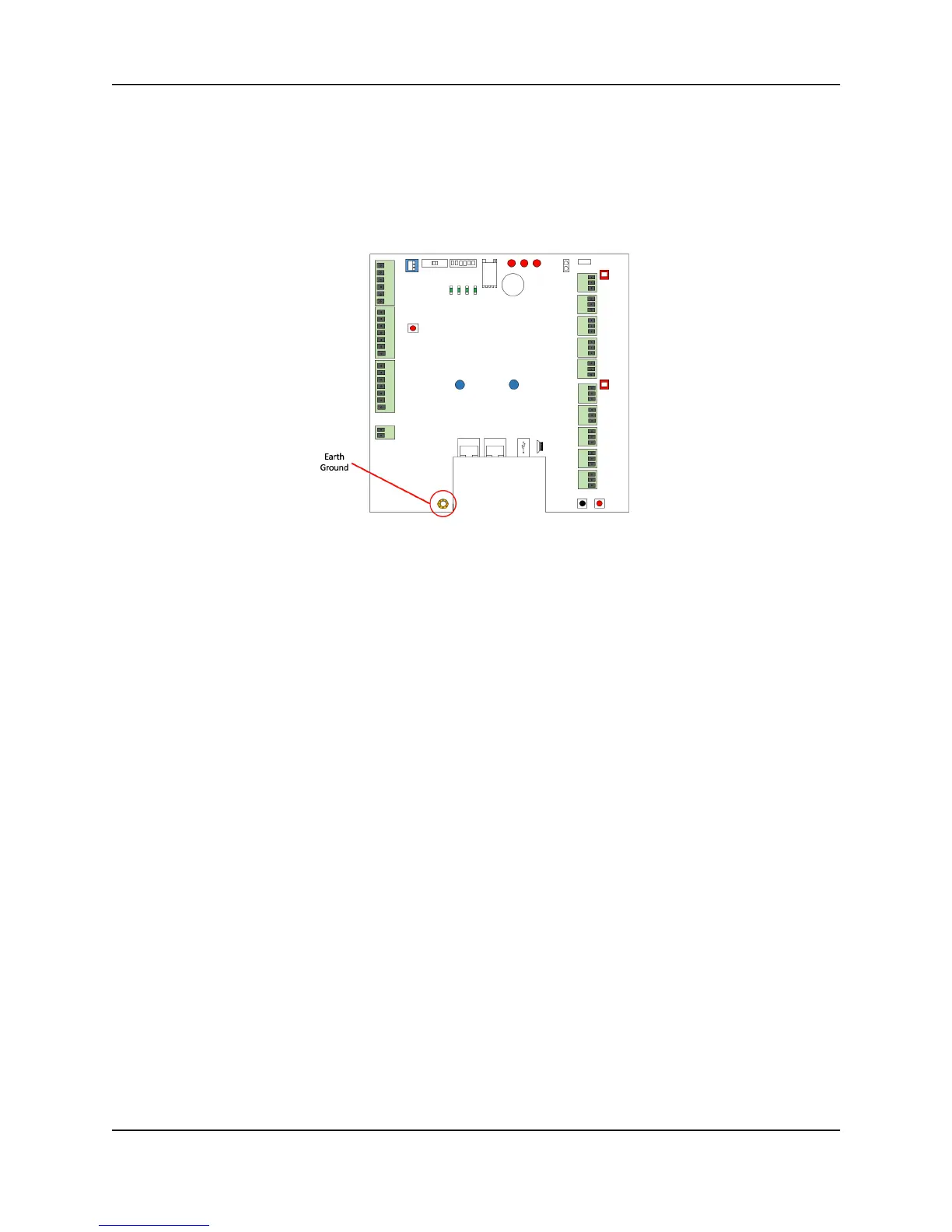
Ground the ACS300.
1. When grounding the ACS300 unit, use 18 AWG or larger wire to connect the ACS300 to
a suitable earth ground.
2. The ground contact point is the copper ringed screw point located in the lower left
corner of the ACS300 board.
ACS300 Earth Ground



 To Next Page