12
As the Administrator, you have the ability to manage and access all aspects of your Ocesuite® system. This section covers the functions and features you have the ability to manage
and control for your company, from anywhere.
Administering the System
SETTING UP HOW CALLS COME
INTO YOUR BUSINESS
All incoming phone calls are sent to a
specic phone number in the system.
Calls can be sent to individual phones,
to an auto attendant, or to a call group.
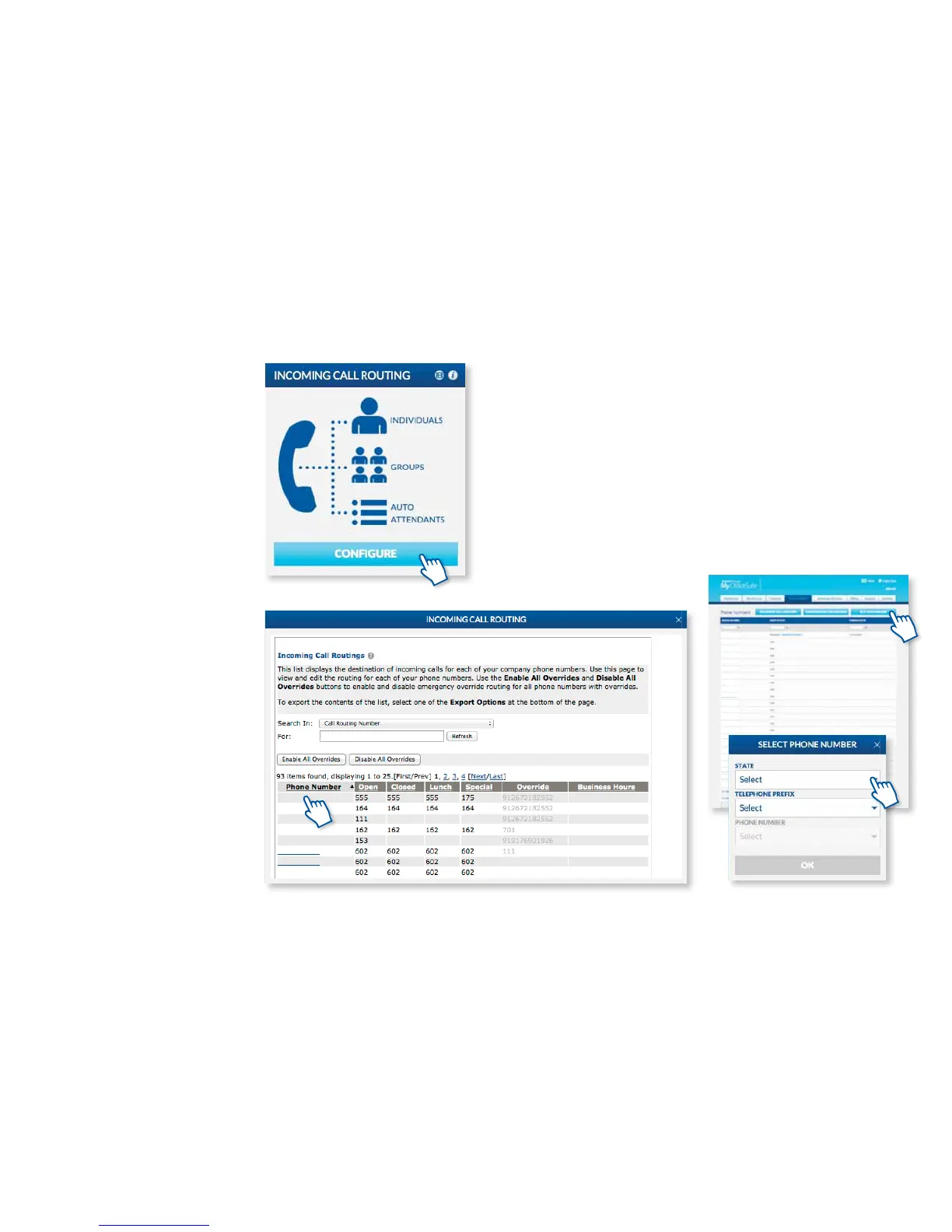
The rst step is to make sure that your
phones and phone numbers are set up
the way you wish. To set up or change
the incoming call routing for any phone
number, click the Congure button
on the Incoming Call Routing widget.
On the left, you will see a list of all the
phone numbers on your system. To add
or update the call routing, simply click
any of the phone numbers listed. Next,
assign that phone number a name, like
main phone number or sales department
and select the appropriate business
hours prole. These proles can be set or
updated in the Business Hours widget
(See p.16 for Business Hours).
Now, simply move through the page to
determine where you’d like the calls to
go when that particular phone number
is called throughout the day. You can
have dierent call routes for when you
are open for business, closed for the day
or during lunch breaks or other special
hours.
* Emergency override allows you to
re-route your calls to a pre-determined
business location, for example: mobile
phones, other branch locations or a
designated emergency override number
to ensure that you do not experience any
down time in the event of an emergency
like a ood, storm or re. Please make
sure to complete the Emergency Override
Routing for each phone number listed.
Doing so will give you the ability to re-
route calls with the single click of a button
when it matters most.
YOUR PHONE NUMBERS
A list of your phone numbers and any
temporary phone numbers assigned
while your phone numbers are moving
to your new phone system can be found
by clicking Phone Numbers under
the Phone System tab. The process
of moving phone numbers from your
previous telecommunication provider to
Broadview is called porting and can take
up to two weeks to complete. You can
add additional phone numbers on this
page by clicking on Buy New Number.



 To Next Page