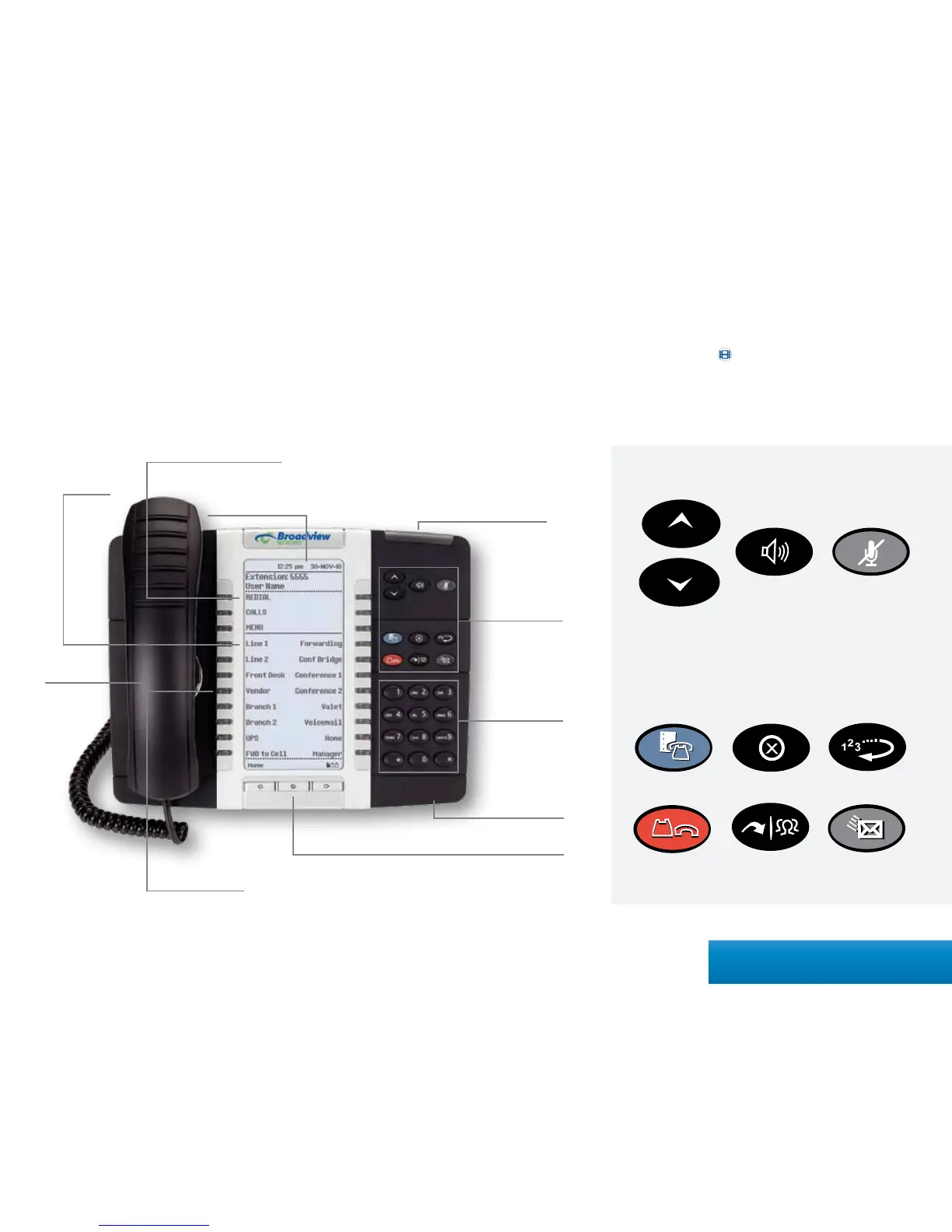
All of your phone’s features and settings will be managed through the phone itself
and through our intuitive, online customer portal called MyOceSuite®. An account
has been created for you upon purchase in which you will receive an activation email
instructing you to set your password. Once activated, you can login to the portal at
http://MyOceSuite.broadviewnet.com to view and manage your system and features.
Quick Start Guide
This quick start guide is designed to provide you with a brief overview of the system.
For more detailed instructions, please reference the Index on page 35 and search by
the topic. You can also watch the helpful videos conveniently displayed on each
of the widgets for visual step-by-step instructions.
Volume/Ring Volume/
Contrast Scroll
Action Keys
Mute Key
Speakerphone Key
Settings Key Cancel Key Redial Key
Hold Key Transfer &
Conference Key
Voicemail Key
Information Area Display
Action Keys
Key Page and Navigation Buttons
Phone Key Pad
Date/Time Display
Voicemail Light
Soft Keys
Memory Keys
Microphone
Speaker
3Quick Start Guide



 To Next Page