8
Activating Your Phone
Press the Activate soft key and enter
your extension and PIN, then press Enter
or the # key. Your extension was created
by Broadview Networks when your
account was created and when you rst
logged into MyOceSuite®, you created
your numeric pin.
Making Calls
EXTERNAL CALLS
For calls outside your oce, simply pick
up the handset or press any line key to
activate the speakerphone and dial 9 +
the 10-digit phone number.
Example: 9 + 1 + 800 + 555 + 1212
INTERNAL CALLS
For calls inside your oce, simply pick
up the handset or press any line key and
dial the 3 or 4 digit extension of your
colleague. To use the company directory
press Menu, then Directory and type
in the rst few letters of the party’s last
name using your phone’s keypad, or scroll
to nd their name, then press Dial.
INTERNATIONAL CALLS
To call outside of the United States dial
9 + 011 + Country Code + City Code +
Number, then the phone number of the
party you wish to call. Example: 9 + 1 + 52
+ 55 + 5130 + 5300
NOTE: OceSuite® allows companies to
restrict International calls so if you cannot
make an international call, please contact
your local administrator.
Setting Up Voicemail and
Getting Messages
Press the Voicemail key on your
phone and enter the temporary passcode
of 1234. Then, follow the voice prompts
to set up your mailbox and change your
passcode.
NOTE: Please choose a password that is
easy to remember for you, but dicult for
others to guess.
RECORDING YOUR
VOICEMAIL GREETING
To record or change your voicemail
greeting, hit the key on your phone
and log in with your passcode followed
by the # sign. Then, select option 9 and
follow the prompts.
CHANGING YOUR VOICEMAIL
GREETING
To change your voicemail greeting, click
the key on your phone or simply
call your phone number and press the
Star (*) key when you hear your current
greeting.
Then, enter your voicemail passcode and
follow the instructions.
RETRIEVING VOICEMAIL FROM
YOUR OFFICESUITE® PHONE
When you have a message, your phone
indicator light will glow an orange-red
color on your phone. Then, push the
key and enter your passcode.
Using Your OceSuite® Phone
MAKING A THREEWAY CALL OR CONFERENCE CALL
You can initiate multiple party phone calls right from your OceSuite® Phone. Dial the
rst party’s number, then press the twice (or the Conf soft key once). Then, dial
the second party and press the function key once (or the Conf soft key) to join the
parties.
USING REDIAL
Press the function key (or the Redial soft key). Then, select the number you wish to
call by using the Arrow keys and press the Dial soft key.
Volume Control
ADJUSTING THE SPEAKER VOLUME
Press to adjust the volume of the handset, headset and speakerphone during a call.
ADJUSTING THE RINGER VOLUME
Press when the phone is ringing.
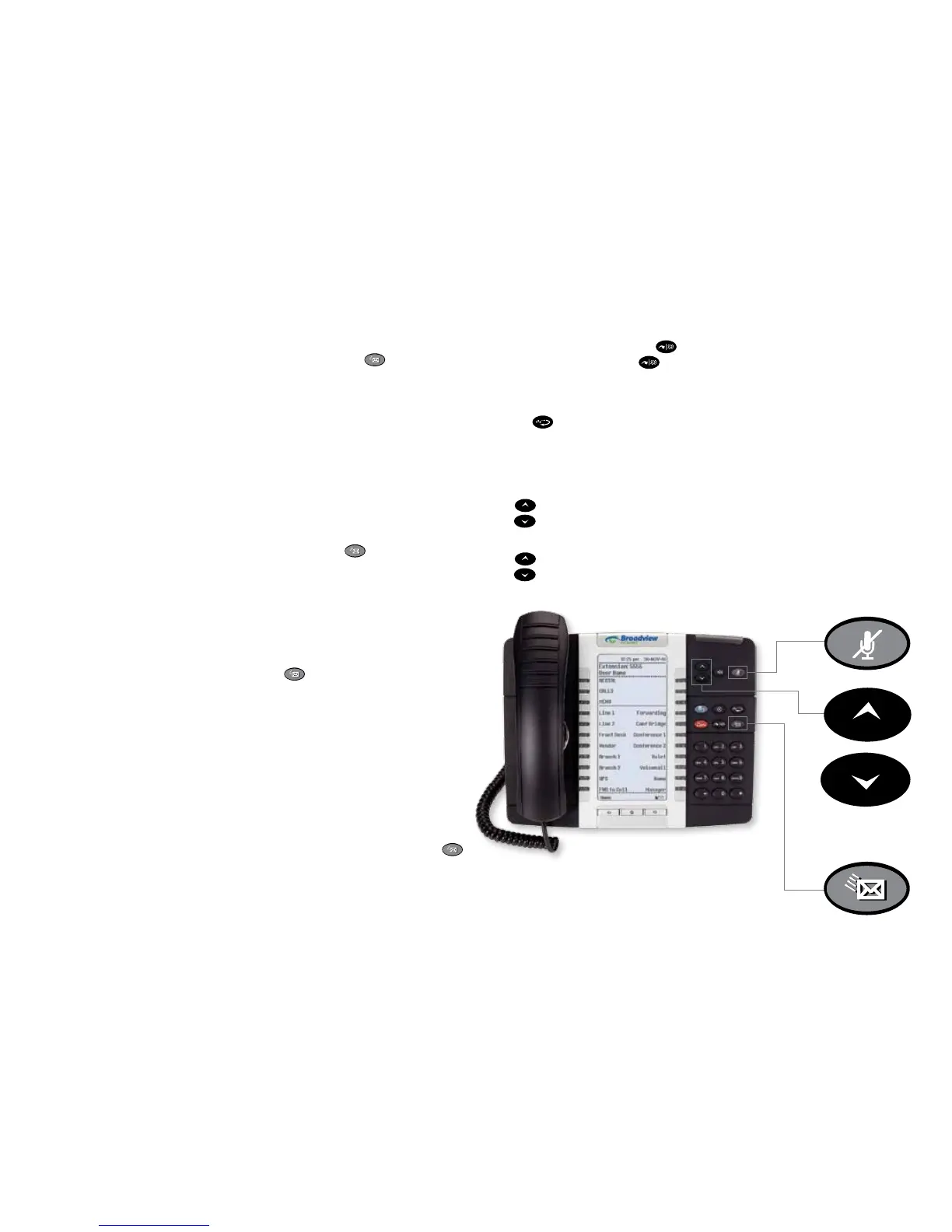
Mute Key
Voicemail Key
Volume/Ring
Volume/
Contrast Scroll



 To Next Page