Administering the System
MANAGING YOUR TOLLFREE
NUMBER AND SERVICE
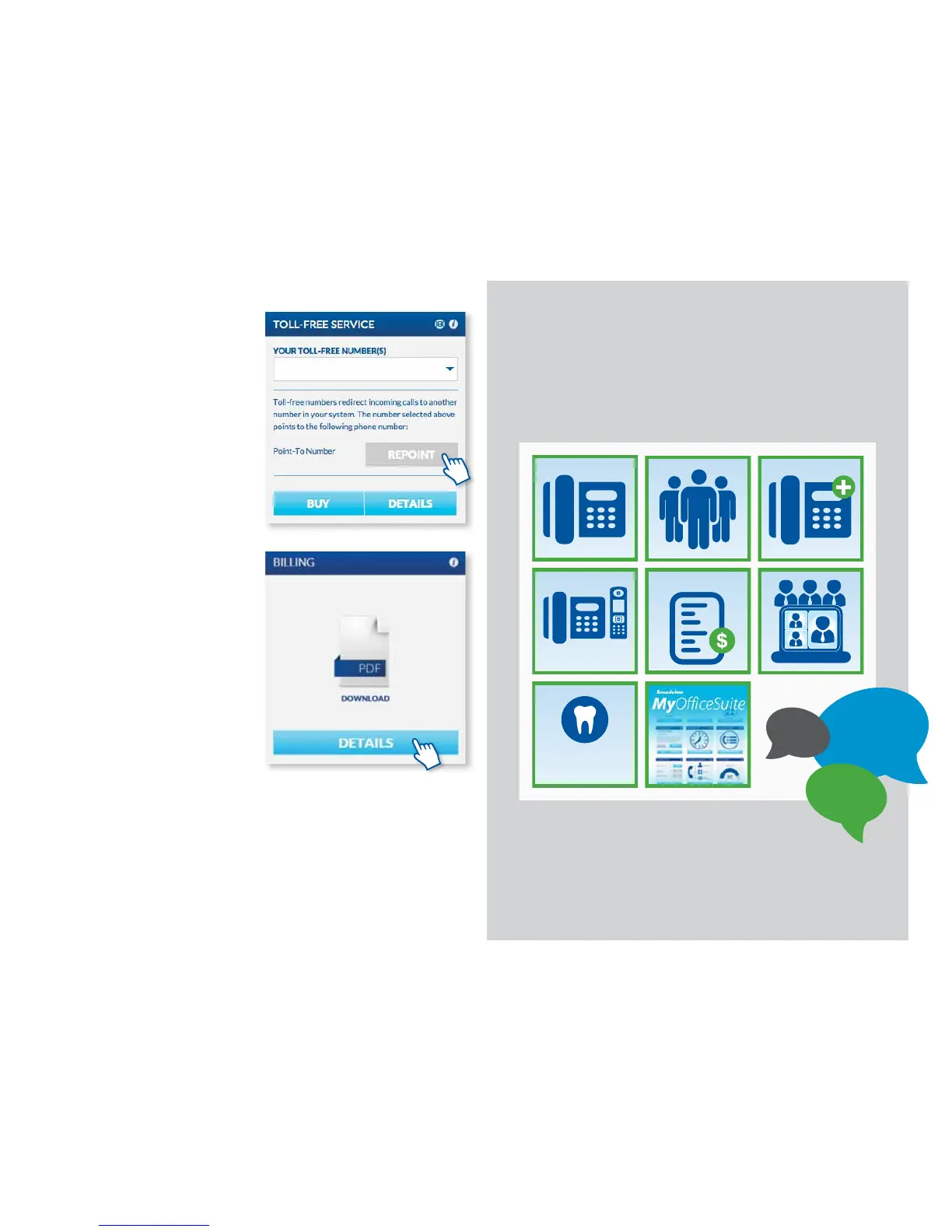
If you have purchased a toll-free number
for your business, you can manage it
through the MyOceSuite® portal. Here
you can manage your numbers, repoint
numbers and buy additional toll-free
numbers at anytime.
You can change which phone number
you’d like to have answer the toll-free
calls. This is referred to as pointing. To do
this, click on Repoint on the Toll-Free
Service widget and enter the number
you’d like to retrieve the calls, then press
Save.
REVIEWING SERVICE CHARGES
AND PAYING YOUR BILL
You can quickly and easily review all
charges and pay your bill online by clicking
on the Billing tab on the My Account
Dashboard or by clicking on Details
on the Billing Widget. Here you can
download a copy of your bill, review your
payment history and more.
Get answers on OceSuite
®
Phone
and other cloud services.
https://community.broadviewnet.com
OFFICESUITE
DENTAL™
CORDLESS
Bill
COMMUNITY
Visit our new
• FAQs
• Videos
• Guides
Help
?
19



 To Next Page