EasyManua.ls Logo

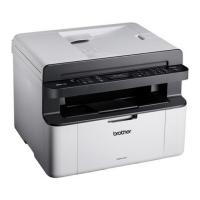
Brother DCP-1600E - User Manual

Brother DCP-1600E
124 pages
Print Icon
To Next Page IconTo Next Page
Loading...
User’s Guide
DCP-1600E
DCP-1602(E)
DCP-1610W(E)
DCP-1612W
MFC-1900(E)
MFC-1905
MFC-1910W(E)
Not all models are available in all countries.
Version 0
UK

Table of Contents

Questions and Answers

  • M
    molly03Sep 9, 2025
    What to do if my Brother DCP-1600E All in One Printer shows 'Comm.Error'?
    • L
      Lacey PerkinsSep 9, 2025
      If you encounter a 'Comm.Error' on your Brother All in One Printer, it indicates a communication error likely caused by poor telephone line quality. Try sending the fax again.
  • L
    Lauren GonzalesAug 23, 2025
    Why does my Brother DCP-1600E All in One Printer say 'Drum End Soon Replace Drum'?
    • E
      Ethan IrwinAug 23, 2025
      If your Brother All in One Printer displays 'Drum End Soon Replace Drum', it indicates that the drum unit needs replacement or the drum unit counter was not reset when a new drum was installed. Replace the drum unit or reset the drum unit counter when a new drum is installed. (See the instructions that are supplied with the new drum unit.)
  • K
    Katie BennettAug 25, 2025
    What does 'Toner Low' mean on my Brother DCP-1600E All in One Printer?
    • B
      Brandi AlexanderAug 25, 2025
      If the LCD of your Brother All in One Printer shows 'Toner Low', it means the toner cartridge is near the end of its life, but you can still print. It's recommended to order a new Brother toner cartridge now, so you have a replacement available when the LCD shows 'Replace Toner' or 'Toner Ended'.
  • Z
    zandersonAug 27, 2025
    What to do when my Brother DCP-1600E All in One Printer says 'Toner Low'?
    • L
      lindamcbrideAug 27, 2025
      If your Brother All in One Printer displays 'Toner Low', it means the toner cartridge is near the end of its life. You can still print, but it's recommended to order a new Brother toner cartridge now, so you have a replacement available when the LCD shows 'Replace Toner' or 'Toner Ended'.
  • Z
    zbennettAug 27, 2025
    How to fix 'Document Jam' on my Brother DCP-1600E?
    • M
      Mr. Eric BlackAug 28, 2025
      If your Brother All in One Printer shows 'Document Jam', it indicates that the document was not inserted or fed correctly, or the document scanned from the ADF was too long. To resolve this, pull the jammed paper out of the ADF unit.
  • E
    erinarcherAug 29, 2025
    How to fix 'Cartridge error Put the Toner Cartridge back in' on Brother DCP-1600E?
    • R
      Robert MorenoAug 29, 2025
      If your Brother All in One Printer displays 'Cartridge Error', it indicates that the toner cartridge is not installed correctly. To solve this, firmly put the toner cartridge into the drum unit, and then put it back in the machine. Also, make sure that you are using a Brother toner cartridge and a Brother Original drum unit.
  • E
    Emily BenderSep 18, 2025
    What does 'Self-Diagnostic' mean on my Brother All in One Printer and how to fix it?
    • D
      Dwayne MontgomerySep 18, 2025
      If your Brother All in One Printer shows 'Self-Diagnostic', it could be due to the fuser unit's temperature not rising to the specified level within the specified time, or because the fuser unit is too hot. Turn the machine off, wait a few seconds, and then turn it on again. Leave the machine idle for 15 minutes with the power on.
  • D
    Donald ButlerSep 18, 2025
    What does 'Comm.Error' mean on my Brother DCP-1600E?
    • J
      James RobinsonSep 22, 2025
      If your Brother All in One Printer displays 'Comm.Error', it means that poor telephone line quality caused a communication error. Try sending the fax again.
  • S
    Stephanie LopezSep 8, 2025
    What does 'Self-Diagnostic' mean on my Brother DCP-1600E All in One Printer?
    • S
      Scott ButlerSep 8, 2025
      If your Brother All in One Printer shows 'Self-Diagnostic', it could be due to the fuser unit's temperature not rising to the specified level within the required time. Turn the machine off, wait a few seconds, and then turn it back on. Leave the machine idle for 15 minutes with the power on.
  • M
    michaelhansonSep 5, 2025
    How to fix 'Cartridge Error' on Brother DCP-1600E?
    • Y
      ywilsonSep 5, 2025
      If your Brother All in One Printer displays a 'Cartridge Error', it could be due to the toner cartridge not being installed correctly. Make sure to firmly insert the toner cartridge into the drum unit, and then put it back into the machine. Also, ensure that you are using a Brother Original drum unit and Brother Original toner cartridge.

Brother DCP-1600E Specifications

General IconGeneral
BrandBrother
ModelDCP-1600E
CategoryAll in One Printer
LanguageEnglish

Related product manuals