17
1
Insert the supplied CD-ROM into your
CD-ROM drive.
2
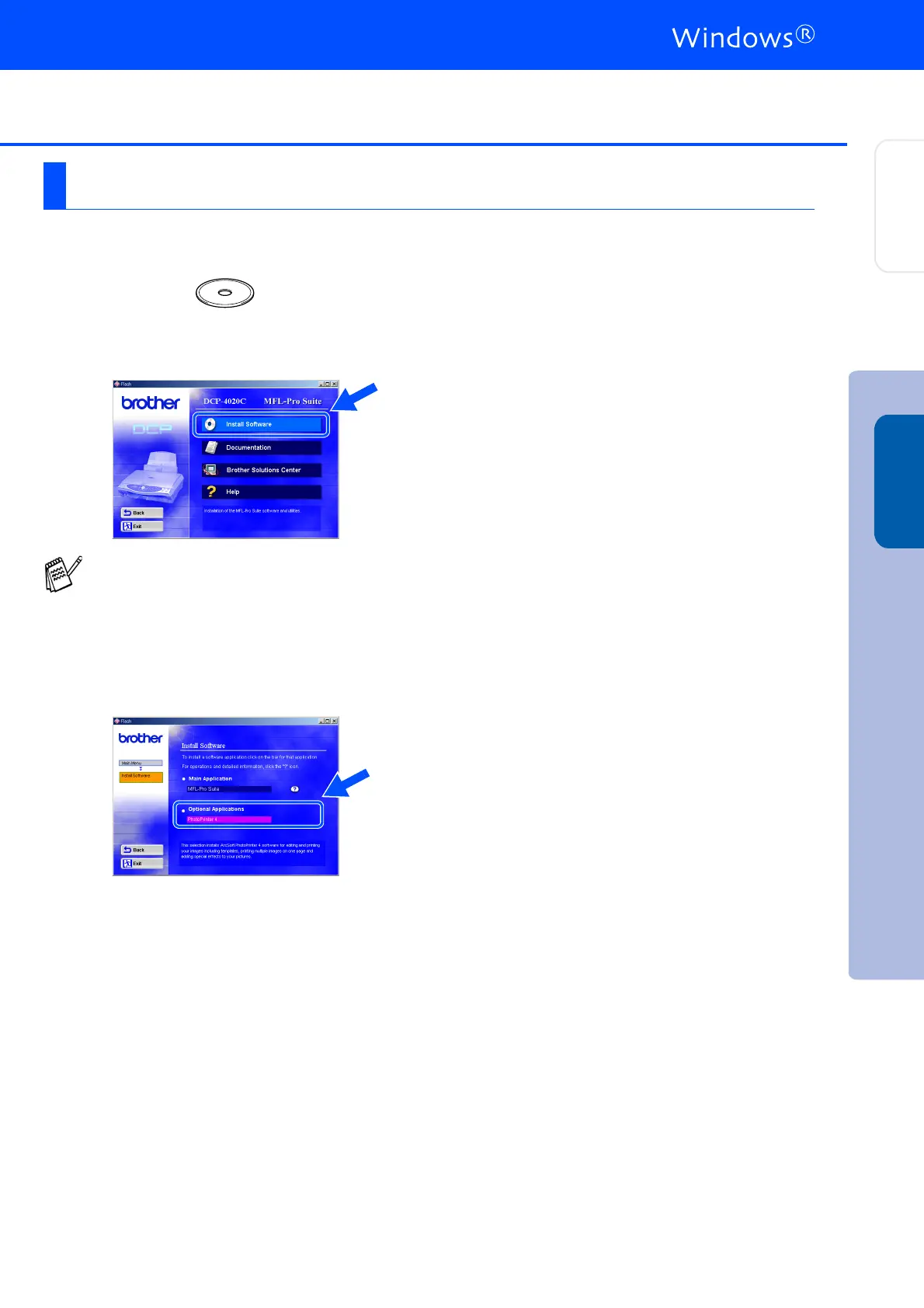
The CD-ROM main menu will appear.
Click Install Software.
3
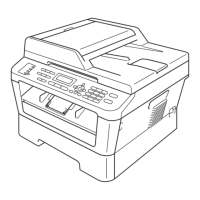
Click PhotoPrinter
®
4 in the Optional
Applications menu and follow the on-screen
instructions to complete the installation.
Installing Optional PhotoPrinter
®
4 Software
If this window does not appear, use
Windows
®
Explore to run the setup.exe
program from the root directory of the
Brother CD-ROM.
Installing the Driver & Software
Setting Up
the DCP
Windows
®



 To Next Page