19
9
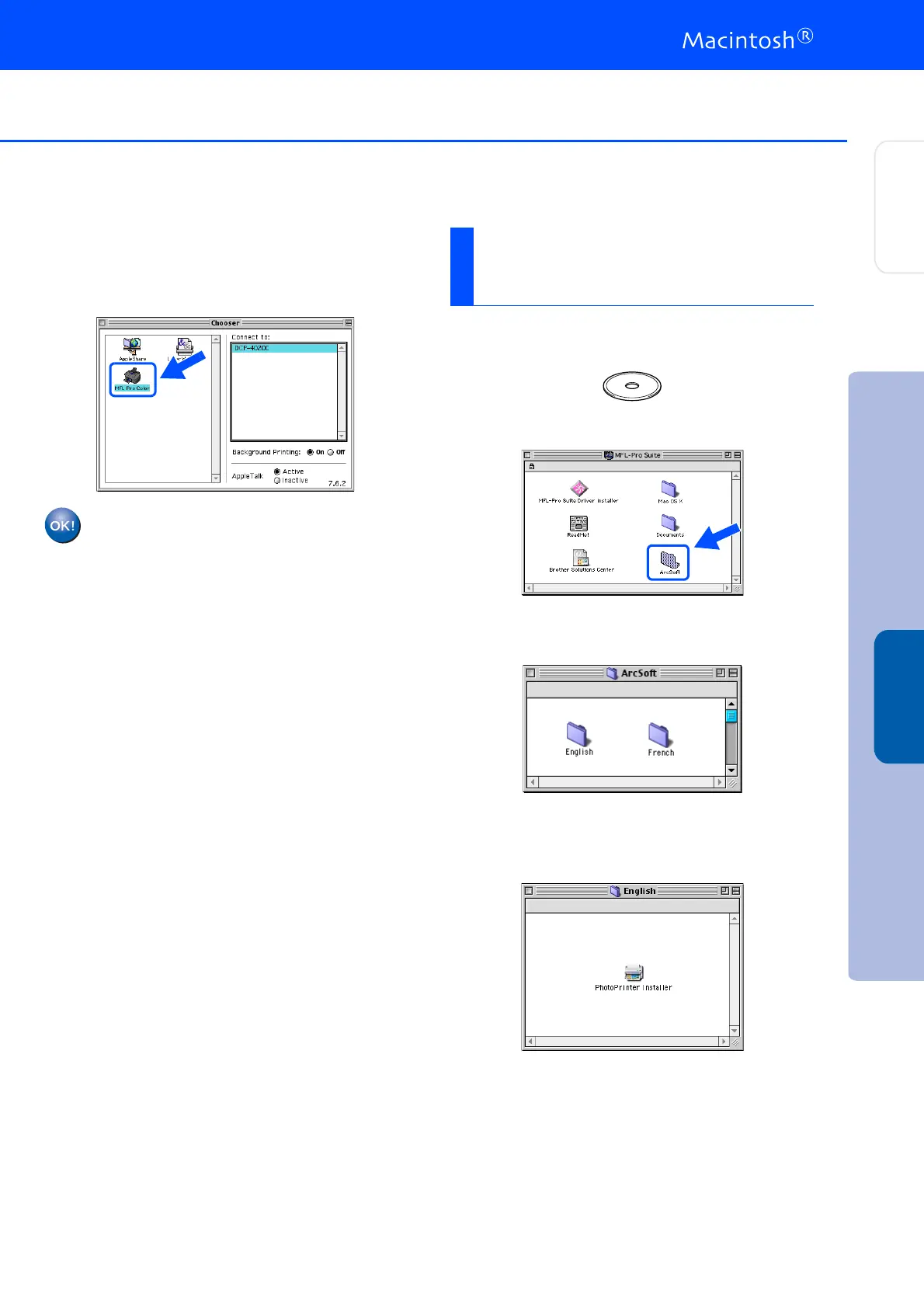
Click the MFL-Pro Color icon you installed.
On the right side of the Chooser, select the
printer to which you want to print.
Close the Chooser.
The Brother Printer and Scanner
drivers have been installed and the
installation is now complete.
1
Insert the supplied CD-ROM into your
CD-ROM drive.
2
Double-click the ArcSoft folder.
3
Double-click the appropriate language
folder.
4
Double-click the PhotoPrinter Installer
icon and follow the on-screen instructions to
complete the installation.
Installing Optional
PhotoPrinter
®
4 Software
Installing the Driver & Software
Setting Up
the DCP
Mac
®
OS
8.6-9.2



 To Next Page