21
0
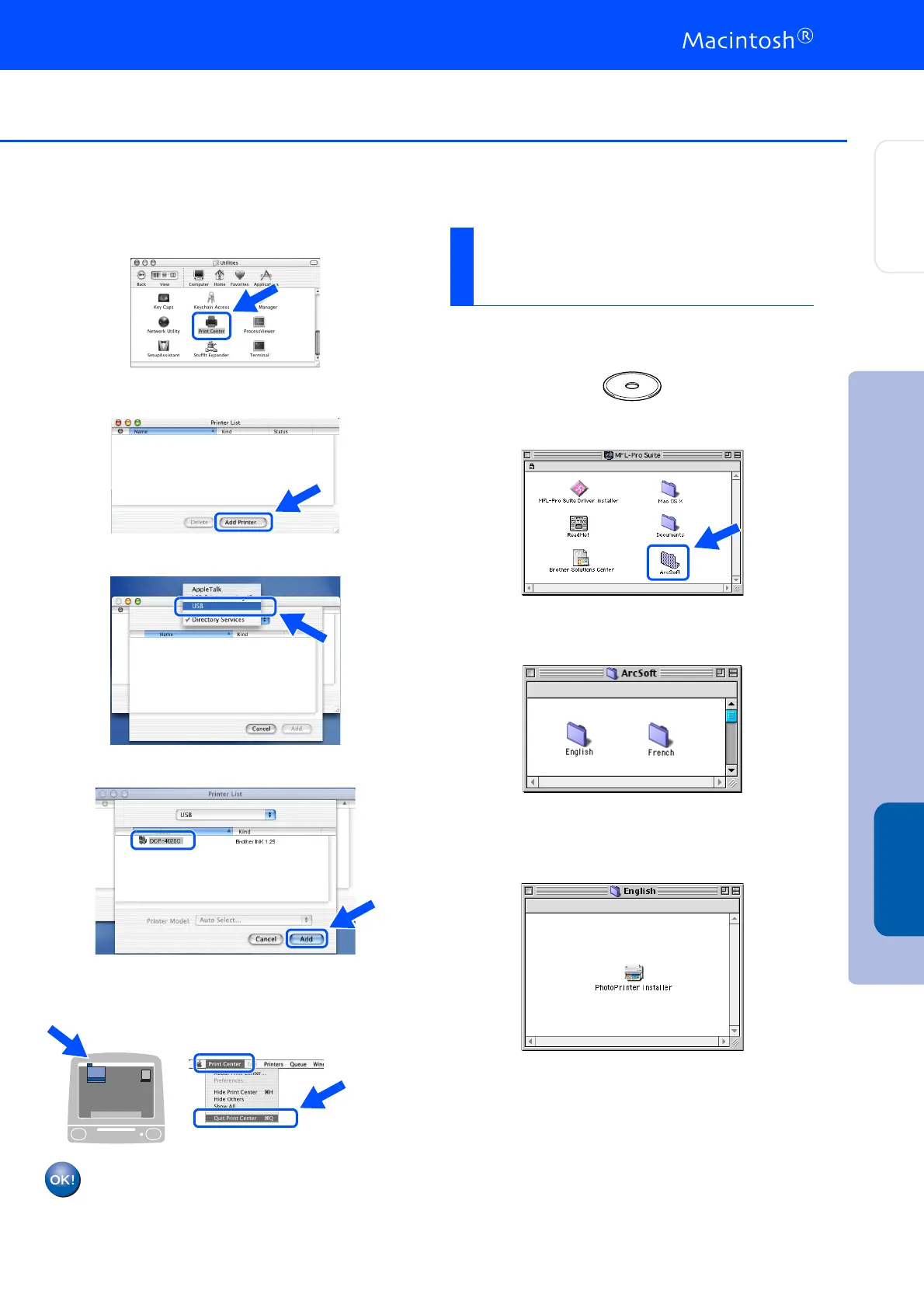
Open the Print Center icon.
A
Click Add Printer....
B
Select USB.
C
Select DCP-4020C, and then click Add.
D
Select Quit Print Center from the Print
Center menu.
The Brother Printer and Scanner driver
have been installed and the installation
is now complete.
1
Insert the supplied CD-ROM into your
CD-ROM drive.
2
Double-click the ArcSoft folder.
3
Double-click the appropriate language
folder.
4
Double-click the PhotoPrinter Installer
icon and follow the on-screen instructions to
complete the installation.
Installing Optional
PhotoPrinter
®
4 Software
Step 2
Installing the Driver & Software
Setting Up
the DCP
Mac
®
OS X
10.1/10.2.1 or greater



 To Next Page