EasyManua.ls Logo

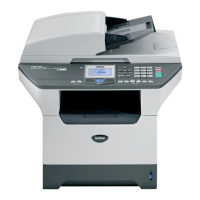
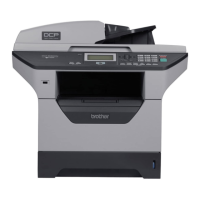
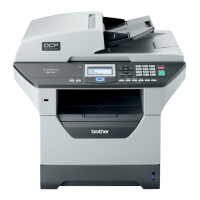
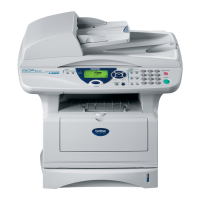
Brother DCP-8040 - User Manual

Brother DCP-8040
284 pages
Print Icon
To Next Page IconTo Next Page
Loading...
USER’S GUIDE
¨
DCP-
8045
D
DCP-
8040

Table of Contents

Other manuals for Brother DCP-8040

Questions and Answers

  • O
    Olivia PearsonSep 4, 2025
    How to resolve 'Check Paper Size' error on Brother DCP-8040 All in One Printer?
    • E
      Erik GutierrezSep 4, 2025
      The 'Check Paper Size' error on your Brother All in One Printer means that the paper in the paper tray does not match the paper size you set in Menu. Load the correct size paper or change the default setting.
  • R
    rachelweaverSep 18, 2025
    What does 'No DX Tray' mean on my Brother DCP-8040 All in One Printer?
    • J
      Jonathan WhiteSep 18, 2025
      The 'No DX Tray' message on your Brother All in One Printer means you tried to make duplex printing with the duplex cover open. Install the duplex tray correctly.
  • P
    Pamela MercerSep 16, 2025
    How to fix 'DX Lever Error' on Brother DCP-8040?
    • A
      Amy AguilarSep 16, 2025
      The 'DX Lever Error' on your Brother All in One Printer means the paper adjustment lever for duplex printing is not correctly set for the paper size. Set the duplex lever to the correct position.
  • M
    Mary LucasSep 14, 2025
    Why does my Brother DCP-8040 show 'Fuser Open'?
    • R
      russellmichaelSep 14, 2025
      The 'Fuser Open' message on your Brother All in One Printer means that the fuser cover is open. Close the jam clear cover.
  • T
    Timothy JonesSep 12, 2025
    What to do if my Brother DCP-8040 displays 'Face Up Open'?
    • G
      gscottSep 12, 2025
      The 'Face Up Open' message on your Brother All in One Printer means that the face-up output tray is open. Close the face-up output tray.
  • C
    Carol CisnerosSep 12, 2025
    Why does my Brother All in One Printer say 'Check Original'?
    • M
      Melanie DuncanSep 12, 2025
      The 'Check Original' message on your Brother All in One Printer means that the documents were not inserted or fed properly, or a document scanned from the ADF was too long.
  • M
    Michelle AndersonSep 9, 2025
    What does 'Check Scan Lock' mean on my Brother DCP-8040 All in One Printer?
    • N
      Natalie ScottSep 9, 2025
      The 'Check Scan Lock' message on your Brother All in One Printer means that the scanner lock is locked. Release the scanner lock lever, and then press Stop/Exit.
  • J
    Jose SantosSep 7, 2025
    How to fix 'Out of Memory' error on Brother All in One Printer?
    • M
      masonstevensSep 7, 2025
      The 'Out of Memory' error on your Brother All in One Printer means it can't store data in the memory. If copying, press Stop/Exit and wait for other operations to finish. Alternatively, reduce print resolution if printing, or clear data from memory.
  • B
    Brittany HolmesSep 5, 2025
    What to do if my Brother DCP-8040 All in One Printer says 'Check Paper MP'?
    • B
      Brandon EvansSep 5, 2025
      The 'Check Paper MP' error on your Brother All in One Printer means that the paper in the MP tray has run out. Reload paper into the MP tray.
  • D
    dwilliamsAug 20, 2025
    How to fix 'Change Drum Soon' message on Brother All in One Printer?
    • D
      Danielle DavisAug 21, 2025
      The 'Change Drum Soon' message on your Brother All in One Printer means the drum unit is near the end of its life. You can continue using it until print quality degrades, then replace it with a new one. If the message persists after replacement, open the front cover, press Clear/Back, and then press 1 to reset the drum counter.

Brother DCP-8040 Specifications

General IconGeneral
FunctionsPrint, Copy, Scan, Fax
Printing TechnologyLaser
Print Resolution2400 x 600 dpi
Copy Resolution600 x 600 dpi
Fax Modem Speed33.6 Kbps
Paper Capacity250 sheets
Operating System CompatibilityWindows, Mac OS
Media SizeLetter, Legal, A4
Duplex PrintingAutomatic
ConnectivityUSB, Parallel

Related product manuals