EasyManua.ls Logo

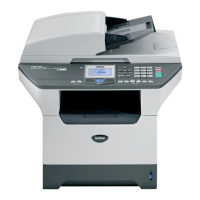
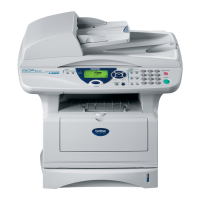
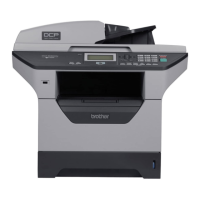
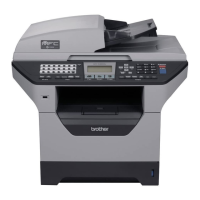
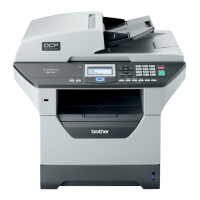
Brother DCP-8065DN - Service Manual

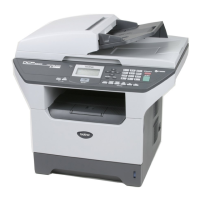
Brother DCP-8065DN
492 pages
Print Icon
To Next Page IconTo Next Page
Loading...
Confidential
FACSIMILE EQUIPMENT
SERVICE MANUAL
MODELS: MFC-8460N/8860DN/8870DW
DCP-8060/8065DN

Table of Contents

Other manuals for Brother DCP-8065DN

Questions and Answers

  • C
    Chad HodgeJul 26, 2025
    How to troubleshoot Brother Print Server not found during network setup?
    • D
      Debra CooperJul 26, 2025
      If the Brother Print Server is not found, first ensure you've configured the IP address as described in Chapter 2 or 3 of the user guide before installing network print software or the printer driver. Also, verify the machine is powered on, online, and ready to print. Check the LEDs: the Link/Activity LED should be green for an Ethernet connection, and the Speed LED should be orange for a 100 BASE TX Fast Ethernet connection or off for a 10BASE T Ethernet network. Print the Network Configuration List to check IP address settings. Ensure the IP address is correctly loaded into the print server and ping the print server from the command prompt. If problems persist, reset the print server to factory defaults. Finally, temporarily disable any personal firewalls like ICF on Windows XP.
  • D
    David FarleyAug 5, 2025
    What to do if Brother Print Server print job is not printed?
    • P
      Paul LyonsAug 5, 2025
      If your print job isn't printing on the Brother Print Server, first ensure the machine is powered on, online, and ready to print. Also, verify that the IP address is correctly loaded into the print server. Try pinging the print server from the host operating system command prompt. If the issue persists, reset the print server back to the default factory settings and try the initial setup again.
  • K
    Kathleen ReyesAug 15, 2025
    How to fix Brother Print Server issues when using Port 631 for IPP printing?
    • T
      Tracy FieldsAug 15, 2025
      If you're using Port 631 for IPP printing with your Brother Print Server and encountering issues, your firewall might be blocking the print data. Try using a different port (port 80) or configure your firewall to allow Port 631 data through.

Summary

Preface

How This Manual Is Organized

CHAPTER 1 PARTS NAMES AND FUNCTIONS

Contains external views and names of components and describes their functions.

CHAPTER 2 SPECIFICATIONS

Lists the specifications of each model, enabling comparison of different models.

CHAPTER 3 THEORY OF OPERATION

Gives an overview of scanning/printing mechanisms, sensors, actuators, and control electronics.

CHAPTER 4 TRANSFER OF DATA LEFT IN THE MACHINE TO BE SENT FOR REPAIR

Describes how to transfer data left in the machine to be sent for repair.

CHAPTER 5 DISASSEMBLY;REASSEMBLY AND LUBRICATION

Details procedures for disassembling/reassembling the machine with related notes.

CHAPTER 6 ADJUSTMENTS AND UPDATING OF SETTINGS REQUIRED AFTER PARTS REPLACEMENT

Details adjustments and updating of settings required after parts replacement.

CHAPTER 7 CLEANING

Provides cleaning procedures not covered by the User's Manual.

CHAPTER 8 MAINTENANCE MODE

Describes the maintenance mode for checks, settings, and adjustments.

CHAPTER 9 ERROR INDICATION AND TROUBLESHOOTING

Details error messages and codes, and provides troubleshooting procedures.

APPENDIX 1 SERIAL NUMBERING SYSTEM

Shows the location of serial number labels and lists coding information.

APPENDIX 2 FIRMWARE INSTALLATION

Provides instructions on how to update firmware stored in the flash ROM.

APPENDIX 3 CUSTOMIZING CODES ACCORDING TO SHIPPING DESTINATION

Lists customizing codes for various preferences designed for each destination.

APPENDIX 4 FIRMWARE SWITCHES (WSW)

Describes the functions of firmware switches for customization and modification.

APPENDIX 5 WIRING DIAGRAM

Provides the wiring diagram to understand connections between PCBs.

APPENDIX 6 CIRCUIT DIAGRAMS

Provides circuit diagrams of the NCU PCB and power supply PCB.

APPENDIX 7 VIEWING THE EVENT LOG FILE

Views a sample of the event log file recorded during printer driver installation.

APPENDIX 8 GEAR LAYOUT DRAWING

Shows the gear layout drawings for different models.

APPENDIX 9 READMARKS

Provides retrieve information and links to instructions.

Brother DCP-8065DN Specifications

General IconGeneral
Duplex printingYes
Print technologyLaser
Maximum resolution1200 x 1200 DPI
Time to first page (black, normal)8.5 s
Print speed (black, normal quality, A4/US Letter)28 ppm
Scan toe-mail, file, image, OCR
Input color depth48 bit
Copier resize25 - 400 %
Maximum copy resolution1200 x 600 DPI
Maximum number of copies99 copies
Copy speed (black, normal quality, A4)28 cpm
Total input capacity250 sheets
Total output capacity150 sheets
Auto document feeder (ADF) input capacity50 sheets
Internal memory32 MB
Maximum internal memory544 MB
Sound power level (standby)30 dB
Sound pressure level (printing)55 dB
DisplayLCD
Market positioningBusiness
ISO A-series sizes (A0...A9)A4, A5, A6
ISO B-series sizes (B0...B9)B5, B6
Maximum ISO A-series paper sizeA4
Font styles66 Scaleable fonts, Letter, Gothic 16.66, OCR-A, OCR-B, 11 Barcodes
Dimensions (WxDxH)531 x 450 x 475 mm
Networking features10/100 Base-TX
All-in-one functionsCopy, Scan
Color all-in-one functionsscan, n
Compatible operating systemsMac OS X 10.2.4 or greater Windows XP
Standard interfacesUSB 2.0
Sustainability certificatesENERGY STAR
Power consumption (standby)85 W
Power consumption (PowerSave)15 W
Power consumption (average operating)660 W

Related product manuals