10
Macintosh
USB
For USB Interface Cable Users
10
Before you install
a Make sure your machine is connected to the
power and your Macintosh is ON. You must be
logged on with Administrator rights.
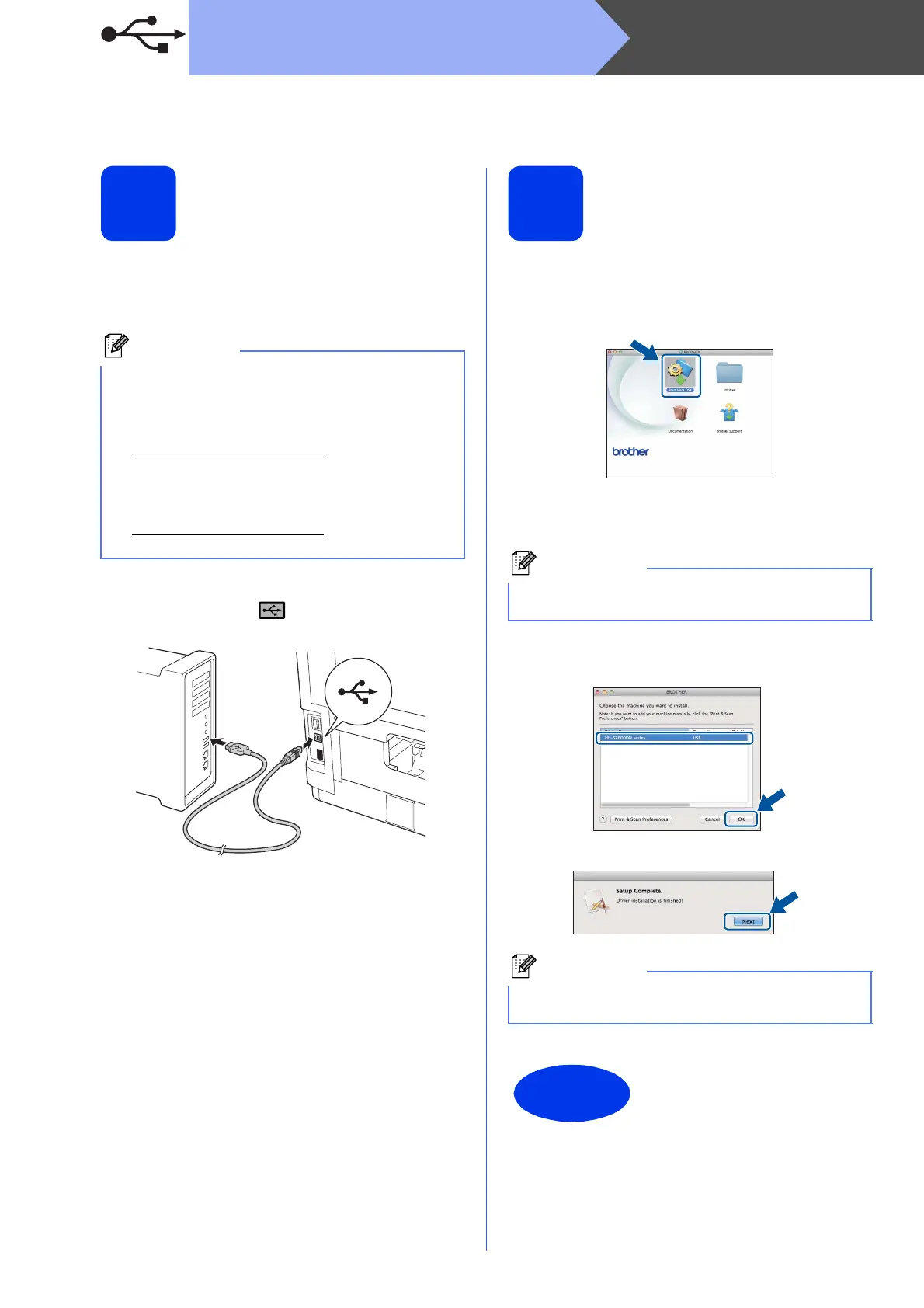
b Connect the USB cable to the USB port
marked with the symbol on your machine,
and then connect the cable to your Macintosh.
c Make sure your machine’s power switch is on.
11
Install the printer driver
a Put the installation CD-ROM into your
CD-ROM drive.
b Double-click the Start Here OSX icon.
c Choose Local Connection (USB) and then
click Next. Follow the on-screen instructions.
d Choose your machine from the list, and then
click OK.
e When this screen appears, click Next.
• For users of Mac OS X 10.5.7 or lower,
upgrade to Mac OS X 10.5.8 - 10.7.x. (For the
latest drivers and information for the Mac OS X
you are using, visit
http://solutions.brother.com/
.)
• If you want to add the PS driver (BR-Script3
printer driver), please go to the Brother
Solutions Center at
http://solutions.brother.com/
and visit FAQ’s on
your model page for instructions.
It may take a few minutes for the installation to
complete.
When the Brother Support screen appears,
follow the on-screen instructions.
The installation is now
complete.



 To Next Page
 Loading...












