Troubleshooting
117
B
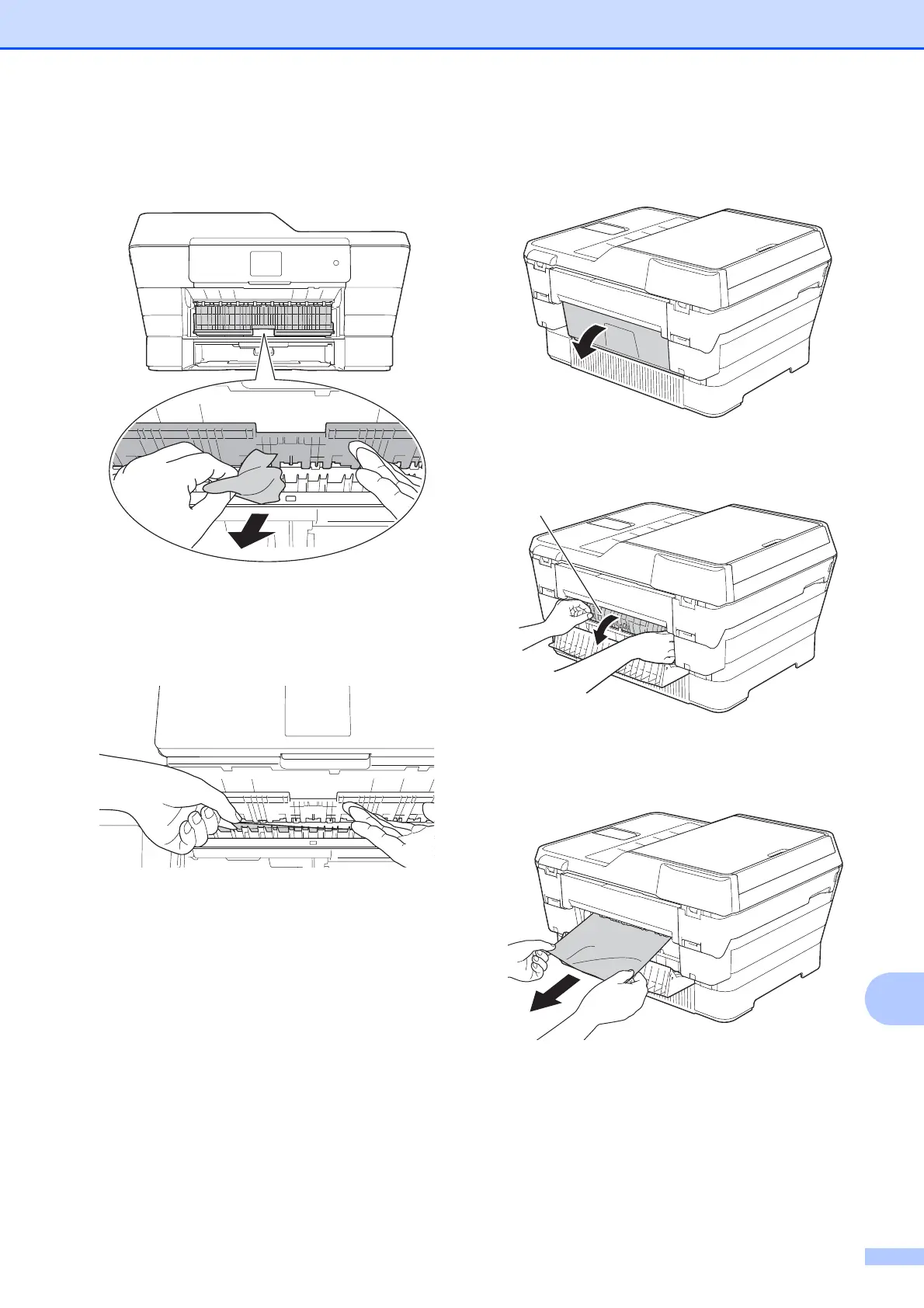
d Lift the green Jam Clear Flap, and
remove the jammed paper.
e Make sure you look carefully inside the
machine above and below the green
Jam Clear Flap for any pieces of paper.
With the tray removed, do one of the
following:
If the Touchscreen shows
Paper Jam [Front], go to
step j.
If the Touchscreen shows
Paper Jam [Front,Rear], go to
step f.
f Open the Jam Clear Cover at the back
of the machine.
g Open the inside cover (1).
h Pull the jammed paper out of the
machine.
1



 To Next Page
 Loading...











