2-107
Confidential
4.2.2 No paper feeding from MP tray
<User Check>
• Check that the paper is set in the MP tray deeply.
• Check that too much paper is not loaded in the MP tray.
• Check if the machine is used with the MP tray support and MP flap are in closed state.
• Check that the thickness of the paper is 60 to 163 g/m
2
.
• Check that the T1 is not set as the paper tray by the printer driver.
• Flip through the paper and reset it in the MP tray.
• Clean the MP paper pick-up roller.
• Check whether the paper tray is closed correctly.
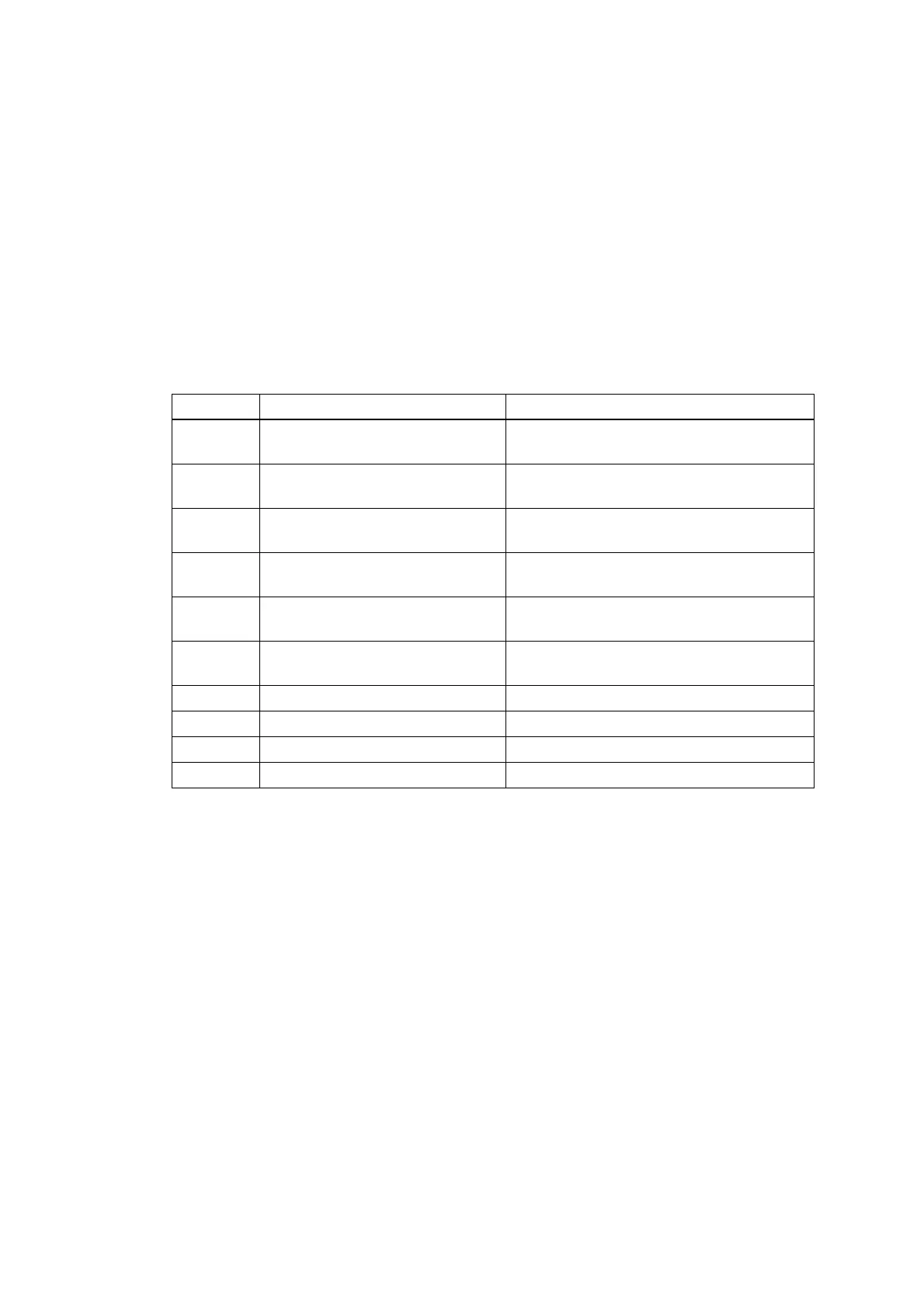
Step Cause Remedy
1
MP roller holder ASSY
attachment failure
Reattach the MP roller holder ASSY
correctly.
2
Connection failure of the paper
feed motor flat cable
Reconnect the paper feed motor flat
cable.
3
Connection failure of the MP
paper empty sensor harness
Reconnect the MP paper empty sensor
harness.
4
Connection failure of the MP
registration sensor harness
Reconnect the MP registration sensor
harness.
5
Abrasion of the MP paper pick-
up roller
Replace the PF kit MP.
6
Damaged gears in the paper
feed drive unit
Replace the paper feed drive unit.
7 Paper feed motor failure Replace the process drive unit.
8 Paper feed unit failure Replace the paper feed unit.
9 Damaged fuser unit Replace the fuser unit.
10 Main PCB failure Replace the main PCB.








 To Next Page