S-7300A
5. USING THE OPERATION PANEL (BASIC OPERATIONS)
5-6. Using the production counter
・ The production counter can be used to let you know how many items have been sewn.
・ The production counter increases by 1 each time thread trimming is carried out.
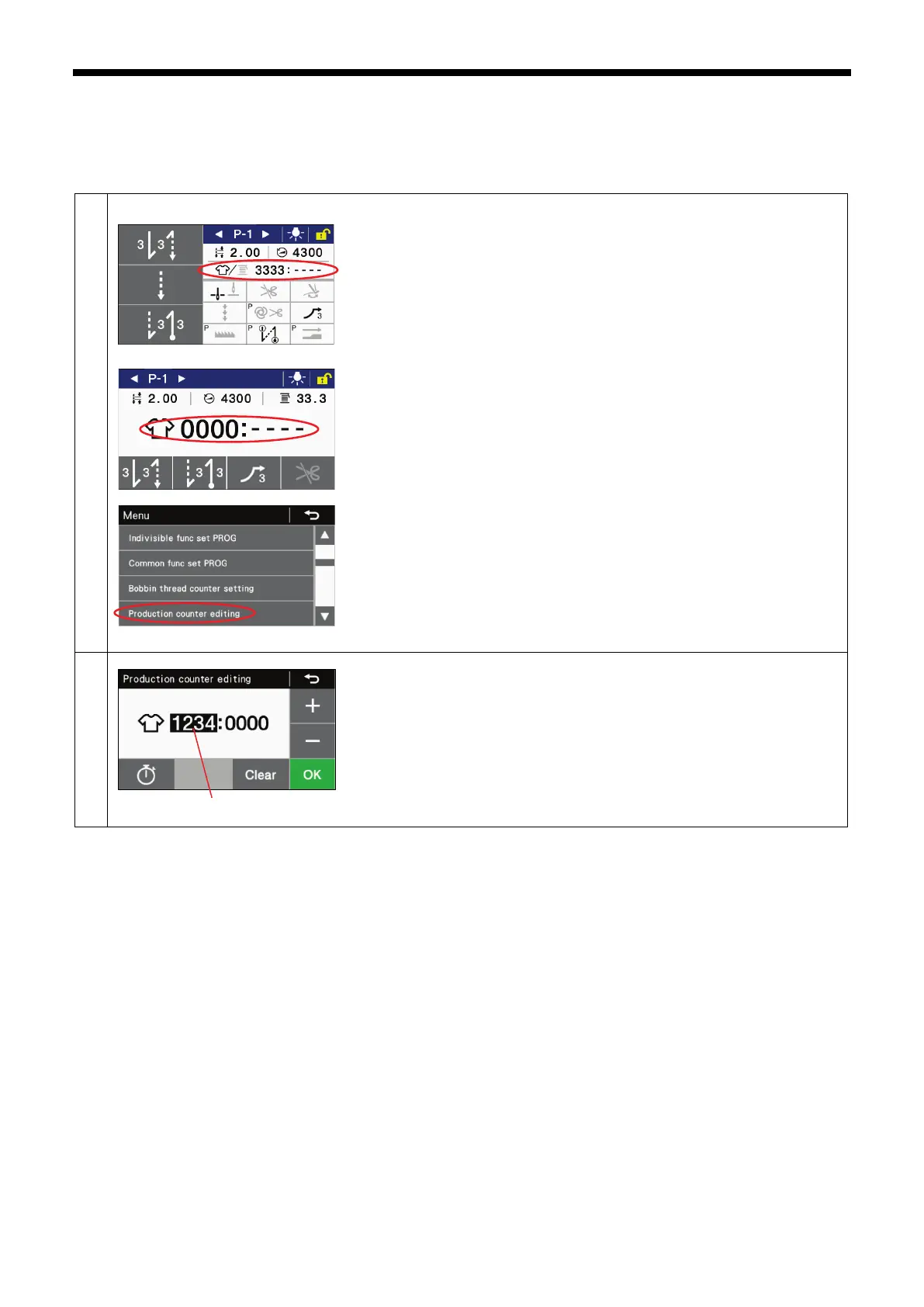
Switching to production counter editing mode
For the detailed home screen
Set the counter display so that it is displaying the production counter icon, and
then keep pressing the production counter key to switch to production counter
editing mode.
For the simple home screen
Keep pressing the production counter key to switch to production counter
editing mode.
Select "Production counter editing" to switch to the production counter editing
screen.
・
Use the + and - keys to change the value of the production counter (1).
When the value is changed, the production counter (1) will flash.
・ If you would like to return the setting to "0000", press the Clear key.
・
If you press the OK key, the value will be confirmed and the display will
return to the home screen.



 To Next Page