82
FUEL AND OIL PRIMING
OIL SUPPLY PRIMING
15 – 90 HP Models
Use Evinrude Diagnostics software to m ake sure
the EMM is pro grammed for the type of oil being
used.
Start the outboard. Use th e oil priming function in
the sof tware to mak e sure the s ystem i s co m-
pletely primed.
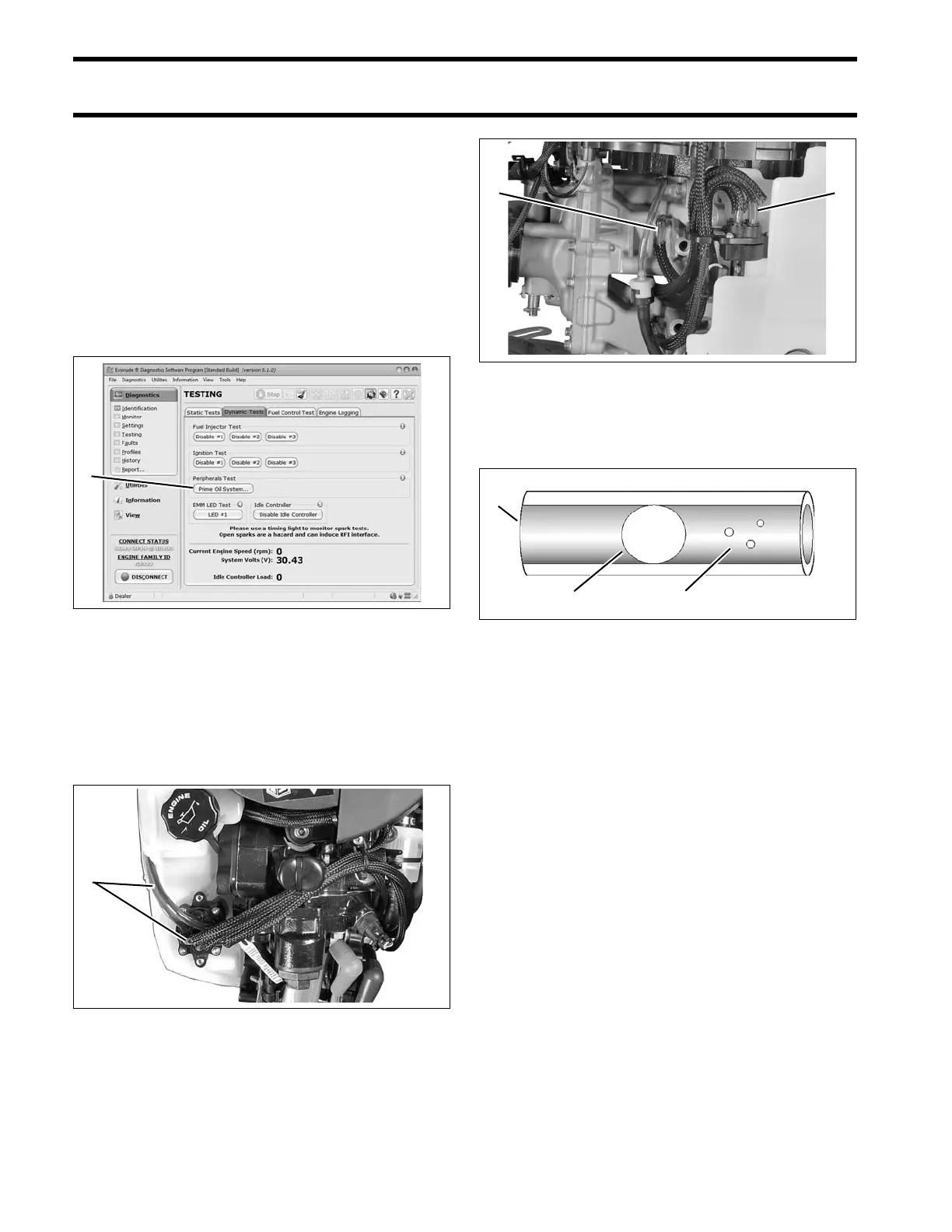
Use the Prime Oil S ystem button of the Dynamic
Test screen to prime the oil pump.
If the “LOW OIL” warnin g was previously tested
(see LOW OIL Warning Test on p. 77), the warn-
ing should turn OFF during oil system priming.
Observe oil flow through all oil distribution hoses.
Air must be purged during the priming procedure.
Small bubbles are accept able. Large bubbles
must be eliminated through continued priming.
Repair any fuel or oil leaks.
The oiling system on the se mod els can also be
primed using the Self-Winterizing featu re if diag-
nostics software is not available. Refer to Opera-
tor’s Guide.
Dynamic Test Screen
1. Prime Oil System button
008570A
40 – 90 HP Models
1. Oil distribution hoses
007997
15 – 30 HP Models
1. Oil distribution hoses
007130
1. Oil distribution hose
2. Small bubbles
3. Large bubbles
004398





 To Next Page