Installation and Connections
SM-DIN/MULTILOOP.. - 2.1 -
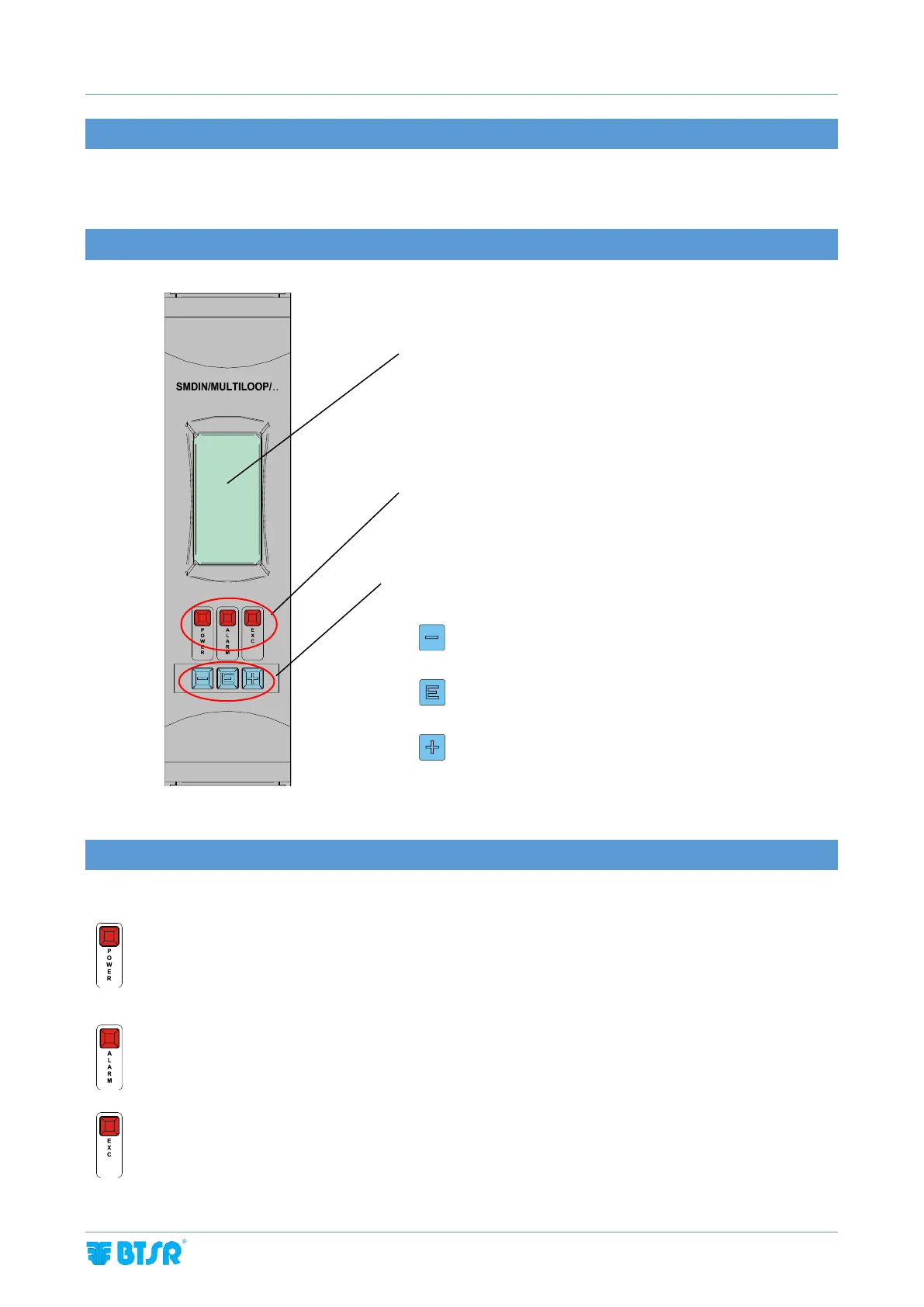
2.1 BOARD OPERATION
All the operations such as Configuration, Operating Parameter Setting, Data and Error display etc. can be managed by
the Operator in quick and intuitive way, directly on the SM-DIN/MULTILOOP.. Board.
2.2 NAVIGATION THROUGHOUT THE DISPLAY WINDOWS
2.3 LED SIGNALING INTERPRETATION
OFF = ETHERNET/PROFINET connection missing
Blinking = the Board IP address configuration has been completed, but the communication with the PLC is
not yet active (check the configuration on the PLC)
ON = the system operates correctly
Blinking = an alarm has been detected
ON = the exclusion signal is active
Machine status
indication LEDs
To scroll down the menu or decrease the value of a
parameter
To move from one page to the other within a
parameter list. Keep pressed to save the setting.
To scroll up the menu or increase the value of a
parameter.



 To Next Page