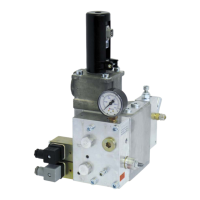
iValve Lift Control Valve 5 Operating controls and indicators
15/31
300-I-9010544-EN-01/10.2014
5.3 Elektronic card iCon
ATTENTION!
Electrostatic discharge (ESD)
The iCon can be damaged by incorrect handling.
Always keep the iCon in its ESD protective bag and only hold it
by the frame.
errror
s1
s2
pwr
run
up
down
misc.
card
ok
select
12 45 678
GND
GND
GND
+SMA
m0(9) m1(10)
-+
-+
com/meas
GND
PE
+24V DC
errror
s1
s2
X9
RS232
C011
1
1
1
1
111
300-P-10024940-00
X8
X10
X3
X6X7
X5
X4
X1
X8
X2
X4X5
X6
X7
X10
X3
2
1
X2
X1
X9
3
4
5
5
5
Item Description Item Description
1 ParamCard X4 Connection, iBox
2 Top-hat rail TS15, TS35 (EN50022) or
G-type rail G32 (EN50035)
X5 Connector block, solenoids
3 Push putton ok X6 Connector block, command signals K6…K8
4 Push button select X7 Connector block, command signals K1…K5
5 LED X8 Socket for options boards
X1 Connector block, power supply X9 Socket for options boards
X2 Connector block, switching outputs X10 Connector block, SMA
X3 Connection, Handterminal / PC
Reference: 300-I-9010544-EN-01


 To Next Page
 Loading...