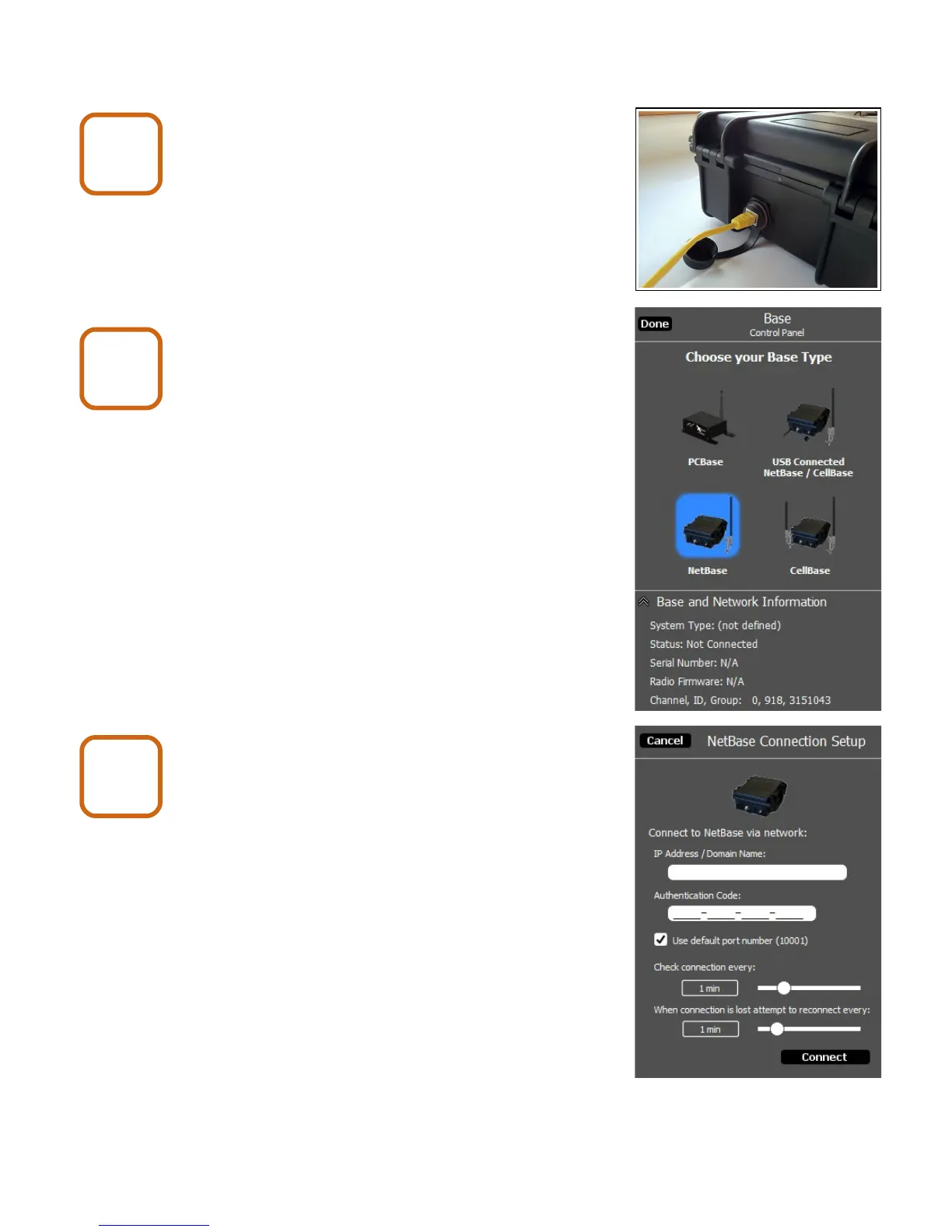
6. Connecting to a Net Base
Connect to the network with an
Ethernet cable.
Start X-Series Network Manager and
click on the Net Base icon.
Enter the IP Address / Domain Name.
In order for X-Series Network Manager to
connect to a Net Base, it must know the IP
address that has been assigned to it.
The IP address is assigned to the Net Base
by a DHCP server running on the local network.
The DHCP server may be running on a gateway
or router. You will need to access the client list
table and find the IP address that matches the
MAC address that is on the sticker inside of the
Net Base.
You may need to refer to the gateway or router
documentation for instructions on how to access
the client list table.
X80 Wireless Camera User's Manual v2.0 13 of 35
Net Base
6
Net Base
7
Net Base
8


 To Next Page