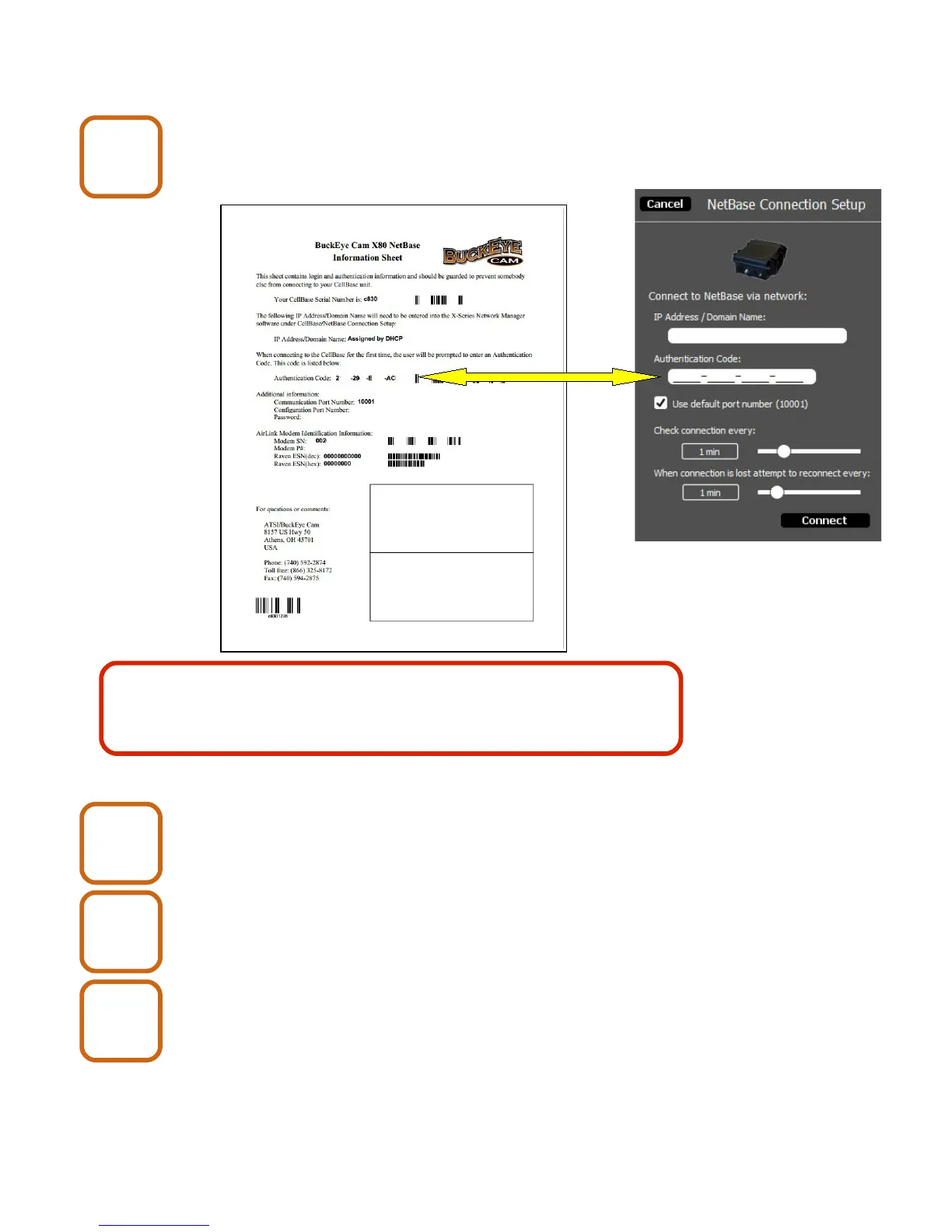
6. Connecting to a Net Base
Enter the Authentication Code from the Net Base
Information Sheet.
Set the Check connection and lost connection times.
The default time of 1 minute is adequate for most applications.
Click the connect button.
Close the enclosure lid.
X80 Wireless Camera User's Manual v2.0 14 of 35
Net Base
9
Keep the Net Base Information Sheet in a safe place. You may
need it again if you need to re-enter the connection setup or if you
need to contact Buckeye Cam tech support.
Net Base
10
Net Base
11
Net Base
12


 To Next Page