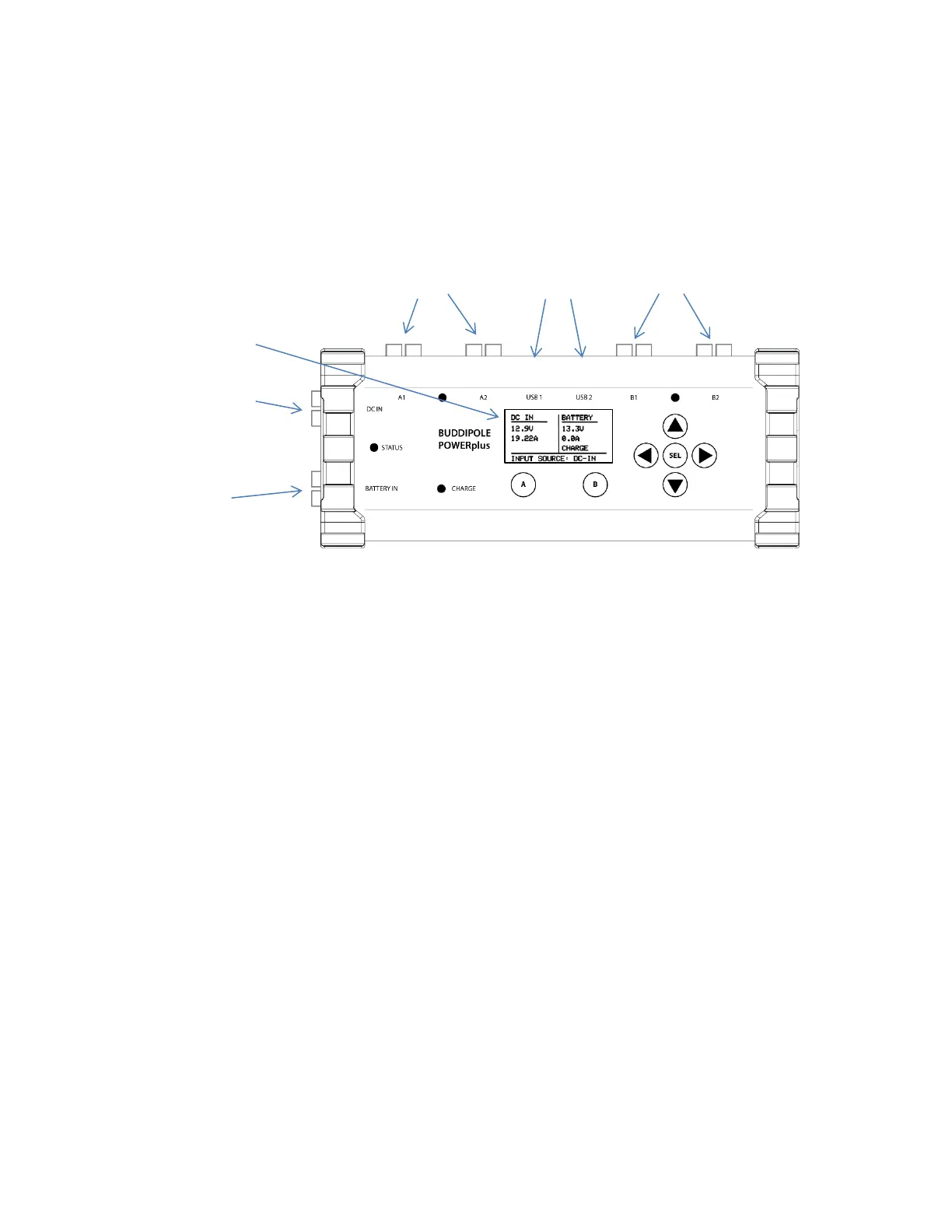
The front panel contains the following:
• OLED graphical display.
Provides a comprehensive view of the 12 VDC power system status and user editable
parameters.
• Five navigation buttons provide simple control of the front panel display.
o SEL button (SEL) is the center button used to enter edit mode.
o ADJUST buttons located on either side of the SEL button used to change user settings.
o UP/DOWN buttons located above and below the SEL button used to switch between
menu pages and to select parameters for adjustment in the setup menus.
• A and B output control buttons located below the display used to reset the GROUP A and B
output circuit breakers.
Turns A and B output groups on and off independently.


 To Next Page