3
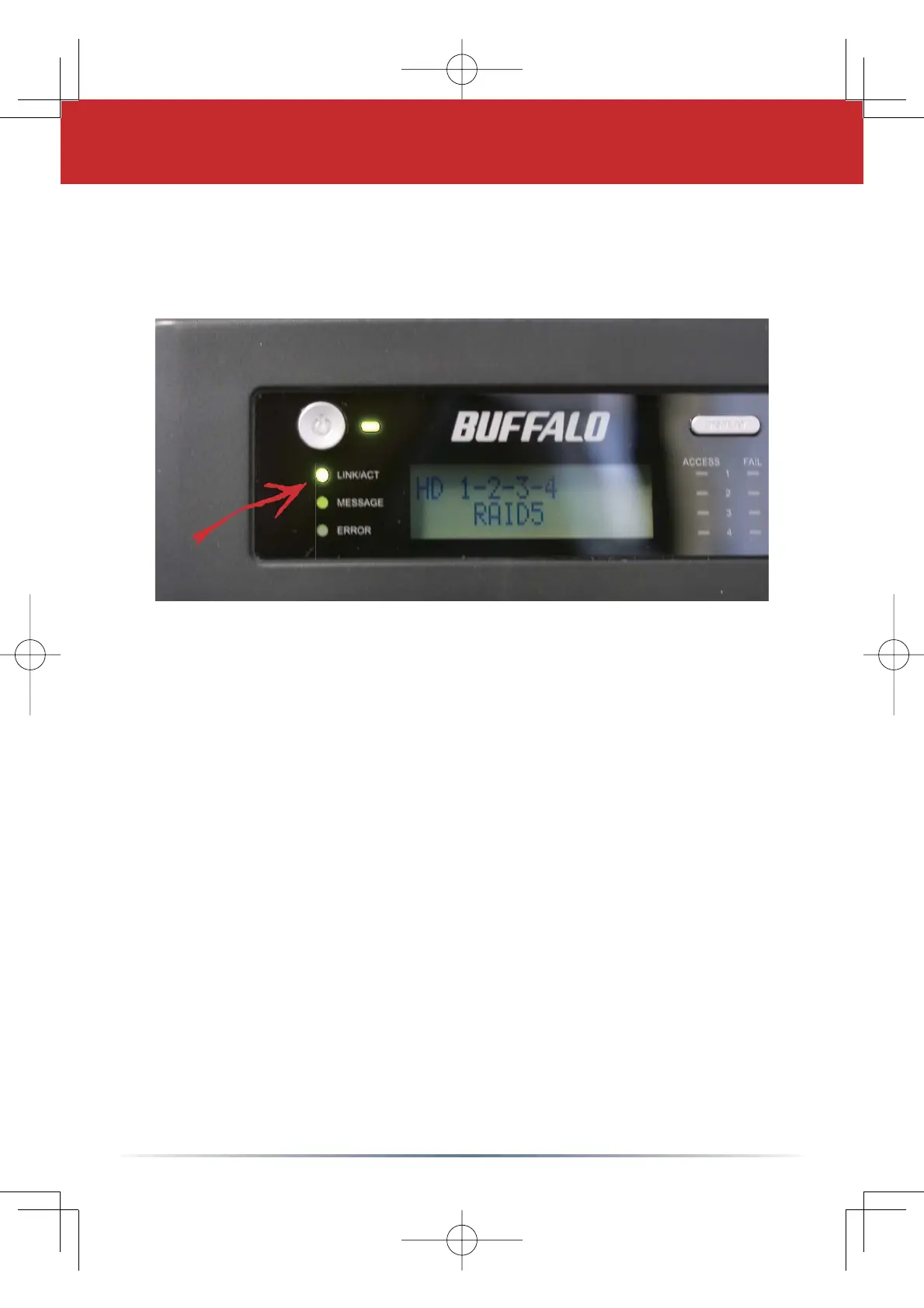
Check the LINK/ACT LED on the front of the TeraStation. If it’s
lit, then your TeraStation is connected to your network. Please
turn to Page 4 to continue setup.
If the LINK/ACT LED on the front of TeraStation is not lit, your
TeraStation is not properly connected to your network. Make sure
that:
If problems persist, contact our technical support. Refer to
Page 9 for details.
• Both TeraStation and the hub, switch, or PC are powered on,
• The Ethernet cable is securely fastened to both devices, and
• The Ethernet cable is not damaged. To verify, try using another
Ethernet cable.
Step 2: Check your Connection









 To Next Page