4
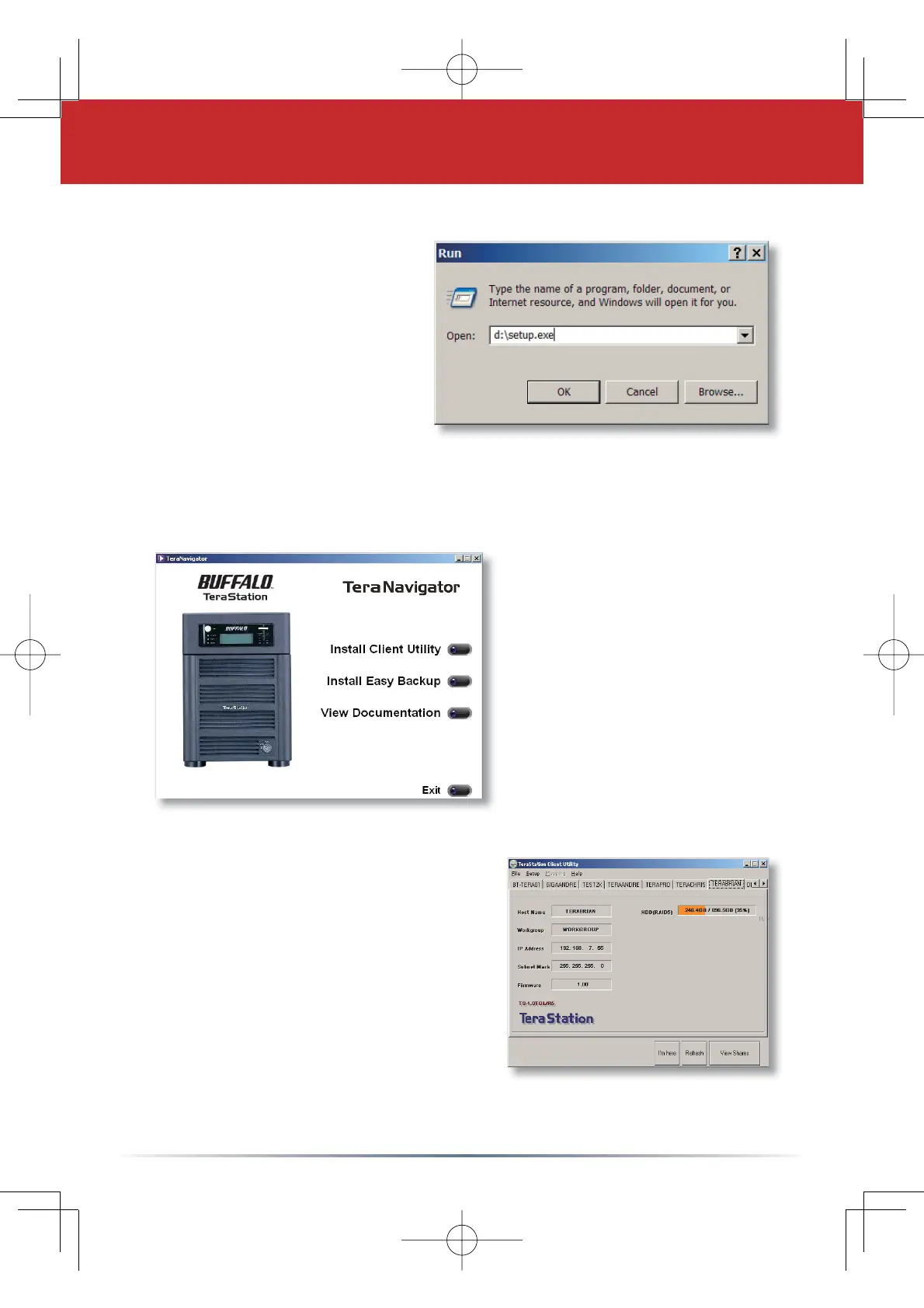
Insert the TeraNavigator
CD into a PC’s CD-ROM
drive. If Setup doesn’t
launch automatically, you
can launch it manually by
clicking
Start, then Run....
When the Run dialog
opens, type
d:\setup.exe
(where “d” is the drive letter
of the CD-ROM drive).
Press
OK to continue.
Each TeraStation on the network
will have a tab in the client utility.
Make sure that your Terastation’s
tab is selected, click
Setup from
the pull down menu and choose
Browser Management.
Step 3: Using the Client Utility
TeraNavigator should now
be running.
Press the
Install Client
Utility
button, and then
press the
Start button.
Once the installation
has completed, press the
Launch button.









 To Next Page