If
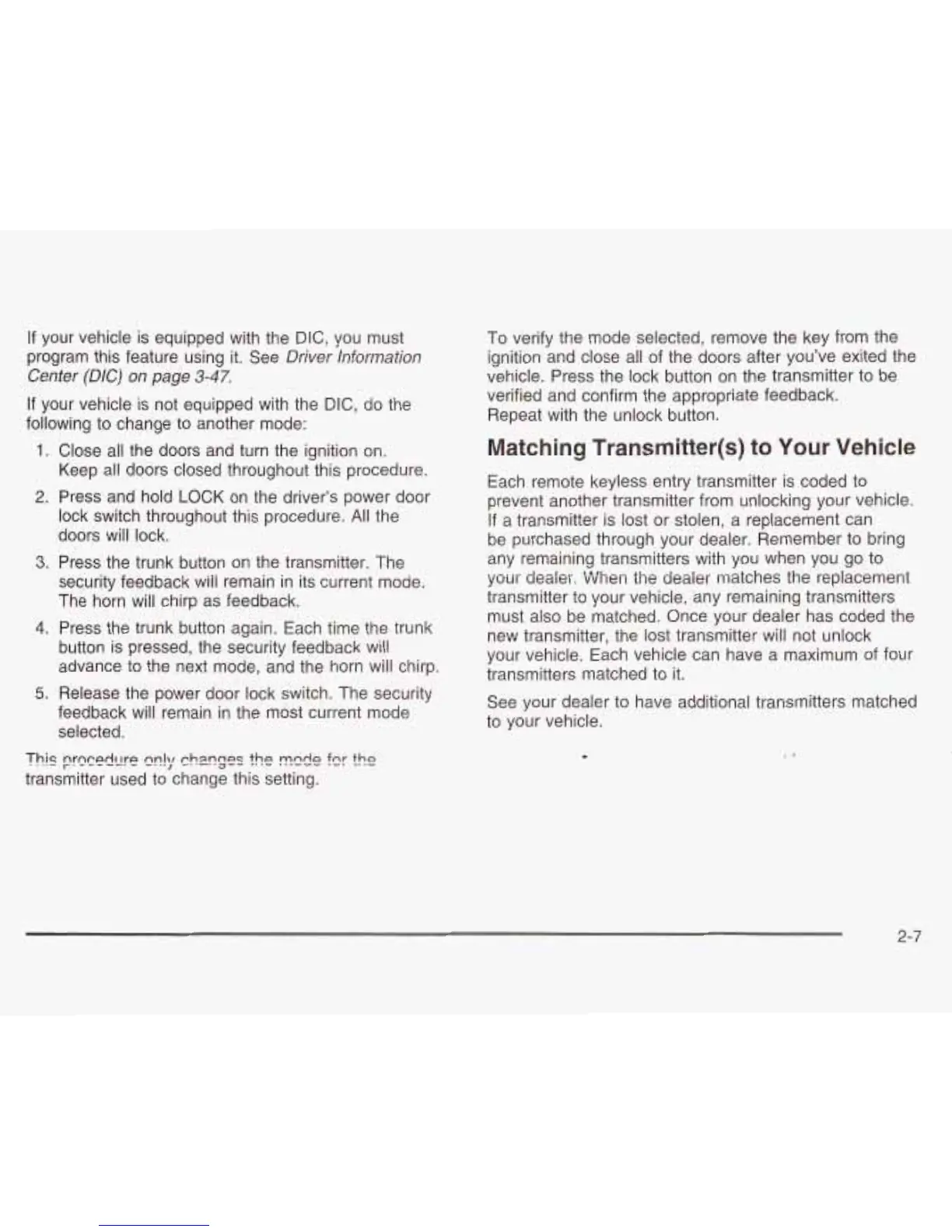
your vehicle is equipped with the DIC, you must
program this feature using it. See
Driver
information
Center (DIC) on page
3-47.
If
your vehicle is not equipped with the DIC, do the
following to change to another mode:
1.
Close all the doors and turn the ignition on.
Keep all doors closed throughout this procedure.
2.
Press and hold LOCK on the driver’s power door
lock switch throughout this procedure.
All
the
doors will lock.
3.
Press the trunk button on the transmitter. The
security feedback wiii remain in its current mode.
The horn will chirp as feedback.
4.
Press the trunk button again. Each time the trunk
button is pressed, the security feedback will
advance to the next mode, and the horn will chirp.
5.
Release the power door lock switch. The security
feedback will remain in the most current mode
selected.
To verify the mode selected; remove the key from the
ignition and close all of the doors after you’ve exited the
vehicle. Press the lock button
on
the transmitter to be
verified and confirm the appropriate feedback.
Repeat with the unlock button.
Matching Transmitter(s) to
Your
Vehicle
Each remote keyless entry transmitter is coded to
prevent another transmitter from unlocking your vehicle.
If
a transmitter is lost or stolen, a replacement can
be purchased through your dealer. Remember to bring
any remaining transmitters with you when you go to
your
dealer. When the dealer matches the replacement
transmitter to your vehicle, any remaining transmitters
must also be matched. Once your dealer has coded the
new transmitter, the lost transmitter will not unlock
your vehicle. Each vehicle can have a maximum of four
transmitters matched to it.
See your dealer to have additional transmitters matched
to
your vehicle.
This
prQcedL!re
E!;/
ch2nges
the
MAdC1
f9r
the
transmitter used to change this setting.
2-7







 To Next Page