11
operating manual
operating manual Product appearance and specications are subject to change without notice
Video Standard: Change the video standard for dierent countries. NTSC_M is used primarily
in the USA and Canada, while PAL_D is used mostly in Europe. There are many other standards
available, which you can select by using the pull-down menu on the right side.
Power-O Timer: When enabled, the Bullet DVR unit will stop recording and shut down
after the pre-set amount of minutes. This is useful for unattended use, or to prevent the
internal battery from completely discharging itself.
Enable Beep/Vibration: When selected, the unit will emit an audio alert whenever the
status of the DVR changes, such as record, stop, etc. The vibration feature is not currently
supported.
Record on Power On: Allows the unit to automatically start recording, whenever power
is applied, without having to press any buttons. You only need to press the Stop key
when nished.
Recording Setting: There are 3 modes available, used for dierent purposes. Normal
mode is selected by default, and intended for most users. The other two cycle modes
are generally used for other applications, such as surveillance video.
Normal mode records continuously, but the le size limit is 2Gb. When this limit is
reached, a new le will be created on the CF memory card, starting from where the
previous le ended. You can store as many les as the capacity of the CF card is able to
hold. During post-production, you can simply place each le one after the other to create
one large continuous video.
Cycle (Single File) records continuously, but when the 2Gb limit is reached, it will
overwrite the current le, starting from the beginning. You cannot store more than one
le with this setting, so if the CF memory card is bigger than 2Gb, you will not be able to
use it completely.
Cycle (Disk) is similar to Normal mode, and will record many les of 2Gb maximum
each, one after the other. Except once the total capacity of the card is reached, it will
overwrite the previous les, starting with the oldest recording on the card.
Warning: When the Bullet DVR is set to Cycle recording mode, any video le already
present on the CF memory card will be deleted at startup.
Only Record Key Frame is for video surveillance applications, where a very long
recording time is required. When selected, the Bullet DVR will record only 2 frames for
every second of video (NTSC). When PAL standard is selected, it will record 3 frames for
every 2 seconds of video.
This option will not record any audio, and can only record in mpeg-4 mode.
Audio Source: Allows you to change how the sound will be recorded. Line-In is used
for recording with a microphone attached to the A/V cable. External Mic is not currently
supported, and Internal Mic will record o the internal microphone inside the Bullet DVR unit.
CAM Voltage: Allows you to determine the voltage sent to the external Bullet Camera.
Although most will operate on 12V supply, try to leave it on 10V so that the unit will not
run as hot, especially on warm/sunny days.
LCD Display: Allows you to congure the name which will appear on the LCD screen at
startup. The maximum number of characters is 8 per every line, and you may only use
printable characters, excluding “~”.
File prex: Denes the name of the
recorded le on the CF memory card.
The default name is DVR_ xxx.avi and
is incremental from 000 to 999, for a
total of 1000 les maximum on the
same CF card. You may change the
default name at any time.
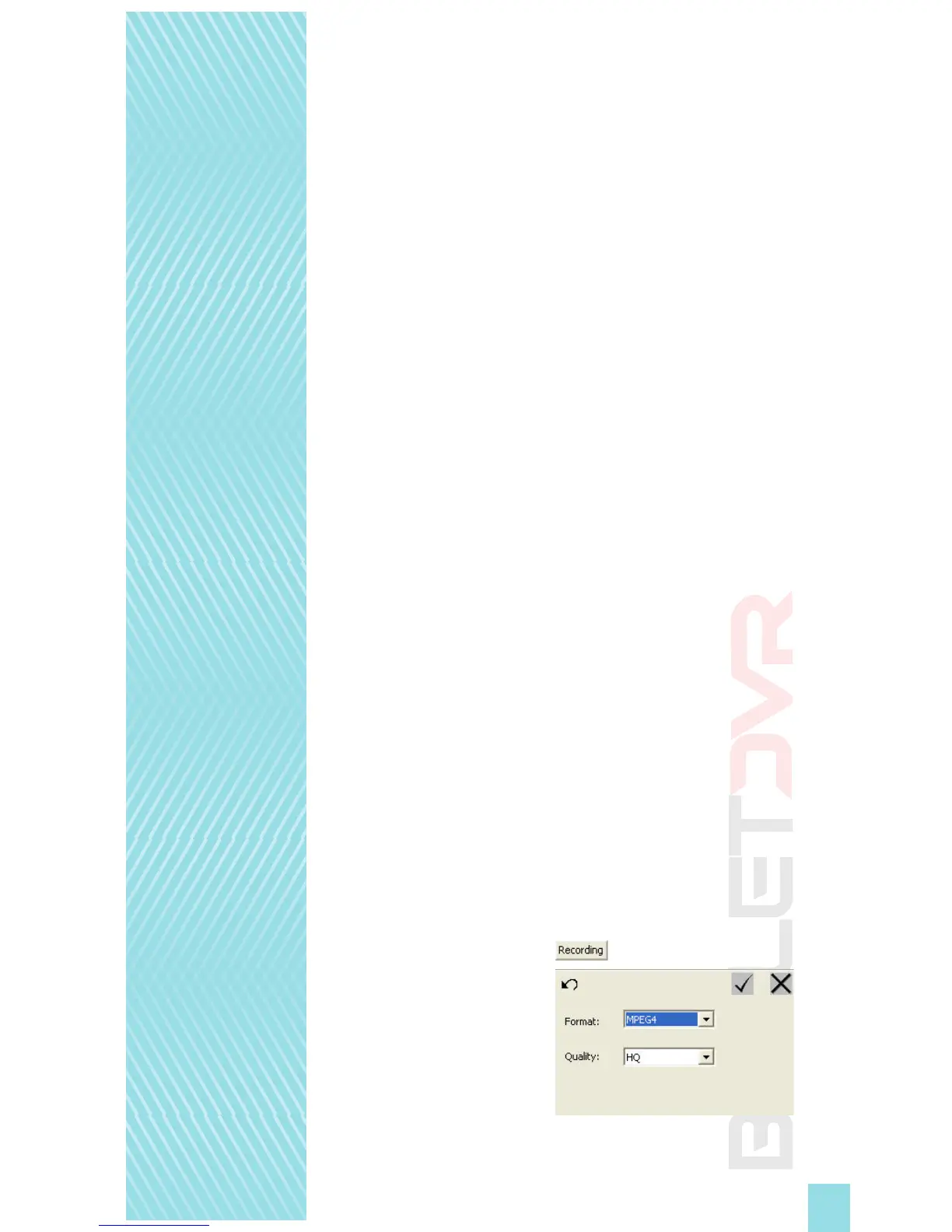
Format: Select the MPEG4 format for
videos intended for use on the internet,
website, streaming server, etc. This format
is widely popular and supported by
many media players. Select MPEG2 to record in a format better suited for making movies
in high resolution, when the nal contents is to be distributed on DVD discs. MPEG2 is an
industry leading format which provides a very high level of details and accuracy.


 To Next Page