6
operating manual
operating manual Product appearance and specications are subject to change without notice
Quick-Start guide:
Your Bullet DVR has been fully tested at the factory, prior to shipping. The internal battery has some
charge into it, but may need to be topped o to be fully loaded (see section: battery).
The CF card and adapter are already inserted inside the unit, which is pre-congured and operational
right out of the box.
Step 1: Connect the A/V cable to the A/V connector on the side of the unit.
Step 2: Connect the Bullet Camera (or any video source) to the A/V cable.
Step 3: Turn the Power Switch to the ON position, or plug-in the AC Charger.
Using the A/V cables:
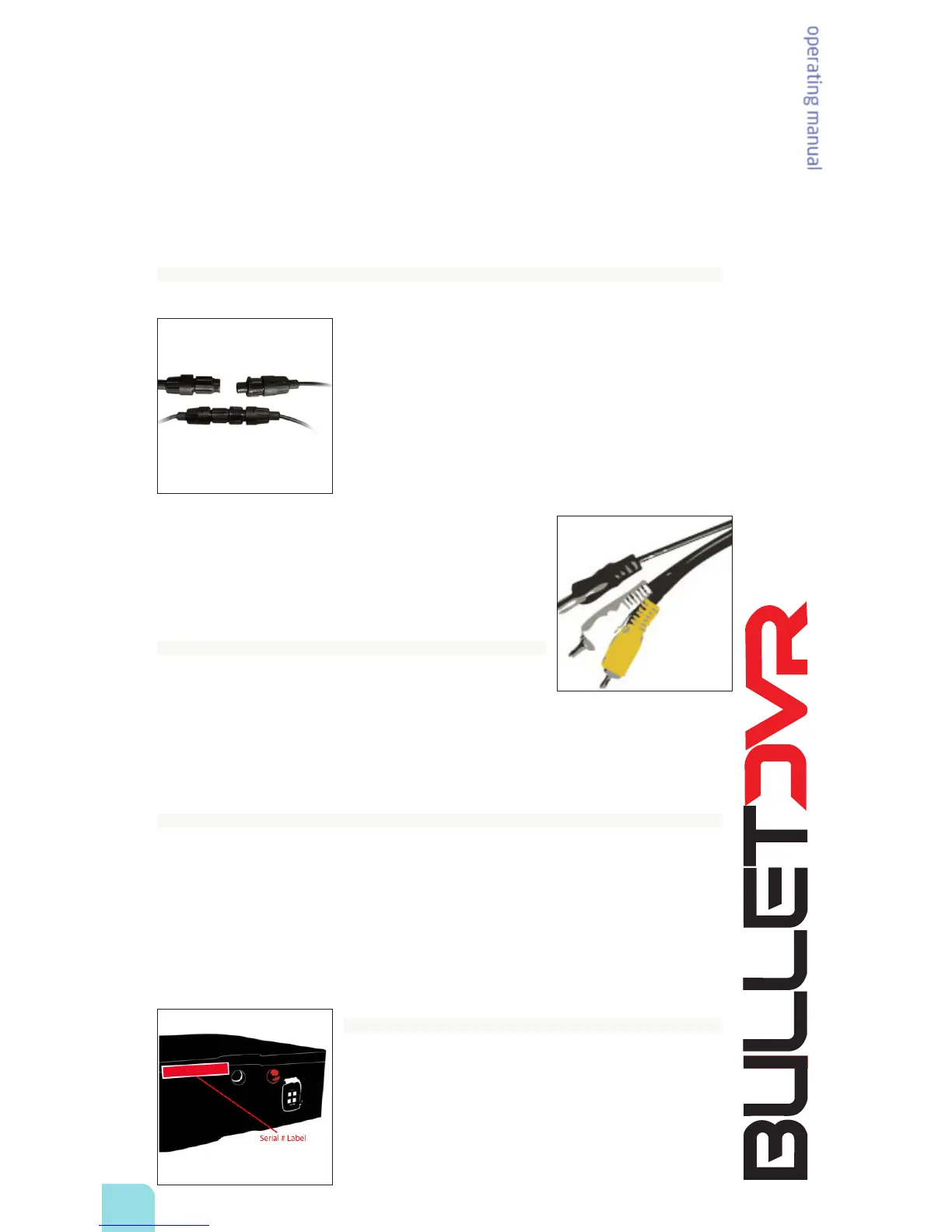
When using the Waterproof video cable, the connectors can only mate together when they are
aligned correctly. Once aligned, push them together and then twist
the connector 90 degrees to the right, in order to lock the barrels. To
release, simply grab the barrels again and twist to the left, then pull
them apart.
The Standard A/V cable is used for connecting the Bullet DVR with
other brands of Bullet Cameras or a dierent video source, such as a
TV or DVD player. The Bullet DVR can record any signal from any video
source, so it is possible to use it for backing up your home DVD movies
or record a TV program just like any other DVR.
When using the Standard A/V cable, the colors correspond to:
o Yellow = Video (Connect to VIDEO OUT from source)
o White = Audio (Connect to AUDIO OUT from source)
o Black = DC power Out (Connect to DC connector of other
Bullet Cam)
Bullet DVR Operation:
1. Press and hold the Record button for at least 1 second to start
recording a new video le.
2. Press and hold the Stop button for at least 2 seconds to end
the recording.
3. Turn the Power Switch to OFF and/or disconnect the AC Charger.
4. Insert the CF card into the computer to playback your videos.
Safety and Warning:
o Never connect any power adapter to the black DC power connector from the A/V cable or it
may damage the interface and board.
o Never insert or remove the CF card from the unit while power is applied.
o Restrict input voltage to the range of 9-15 VDC, do not go over this limit.
o Restrict powering other devices from the DC power output, like Bullet cameras, to 200 mA
maximum.
o There are no user serviceable parts inside, please do not open the unit. Doing so will void your
warranty and can cause damage to the unit.
Serial number identification label:
Your Bullet DVR serial number is located on a label on the side of
the unit. Each unit has its own unique identication number, which
is required in case of damage or warranty claim. DO NOT TAMPER
OR REMOVE THIS LABEL!! Doing so will void your manufacturer’s
warranty. There are no user serviceable parts inside the unit. If you
have any technical problem, please contact your dealer and ask for
support.


 To Next Page