13
operating manual
operating manual Product appearance and specications are subject to change without notice
About the Lap Timer feature:
o The Driver Information elds and Lap times will be saved to the CF
memory card, in the le named DVR_xxx.txt The le name may dier, if the
user changed the default le name in the program.
o When the Lap Timer option is enabled, the Time Stamp option will be
automatically turned o. They cannot work both at the same time.
o The Lap Timer feature (when set to
enabled) will start to work whenever
the IR receiver crosses the path of a
compatible beacon.
o The Bullet DVR can record a
maximum of 129 Lap Times for any
given recording session.
o The Bullet DVR unit is compatible
with the main signal beacons from
AIM, Alfano, XT Racing and many
more who use the same IR signal.
For split times support, you can use
the XT Racing split time beacon
(up to 4 split beacons added).
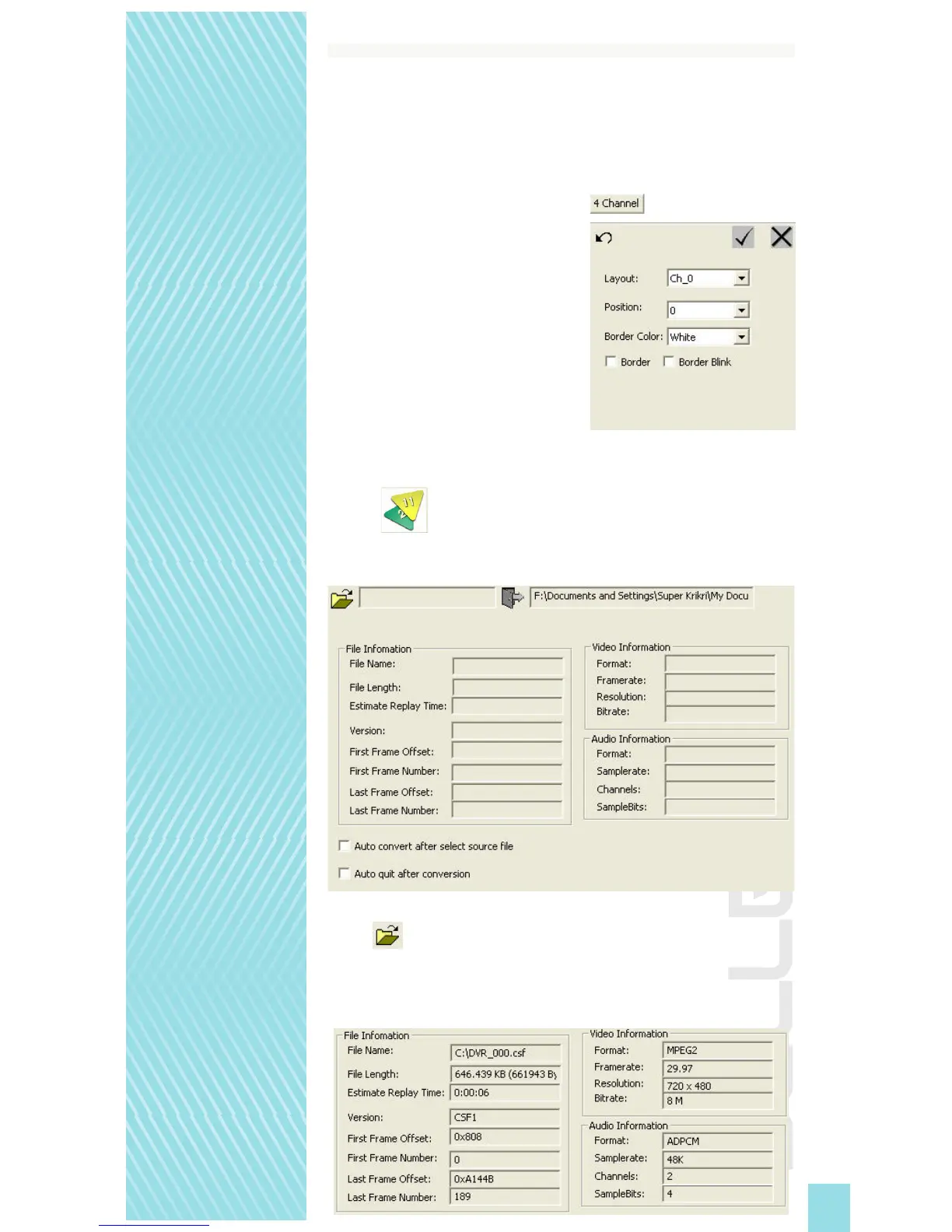
The 4 Channel tab is a feature reserved for future releases, it is not currently used with
your Bullet DVR unit. Please do not change any of the settings under the 4 Channel tab.
Convert: Click this tab to use the le conversion utility, when you need to
convert raw mpeg-2 les into a suitable le format for PC. You do not need to convert
les recorded with the mpeg-4 format.
Click the icon to browse and select the mpeg-2 le you wish to convert. Any le
recorded using the mpeg-2 format will be saved on the memory card, with a .CSF extension.
After you select the source le to convert from the CF memory card, detailed information
about the mpeg-2 recording will be displayed. Below is an example of how it will look:


 To Next Page