5
operating manual
operating manual Product appearance and specications are subject to change without notice
Checking the minimum PC requirements:
In order to install the conguration software and to playback your video
les, make sure that your computer meets the following minimum
requirements:
• Pentium III processor and above, 1Gb or faster
• 512Mb of RAM memory
• Windows 2000 (sp4), XP (sp2) or Vista operating system
• 7200 RPM Hard drive
• 10Gb of free Hard Drive space
• Color monitor, 1024x768 resolution or higher
• DirectX 9.0c display adapter or latest
• PCMCIA (PC card) or CF card slot or Card Reader
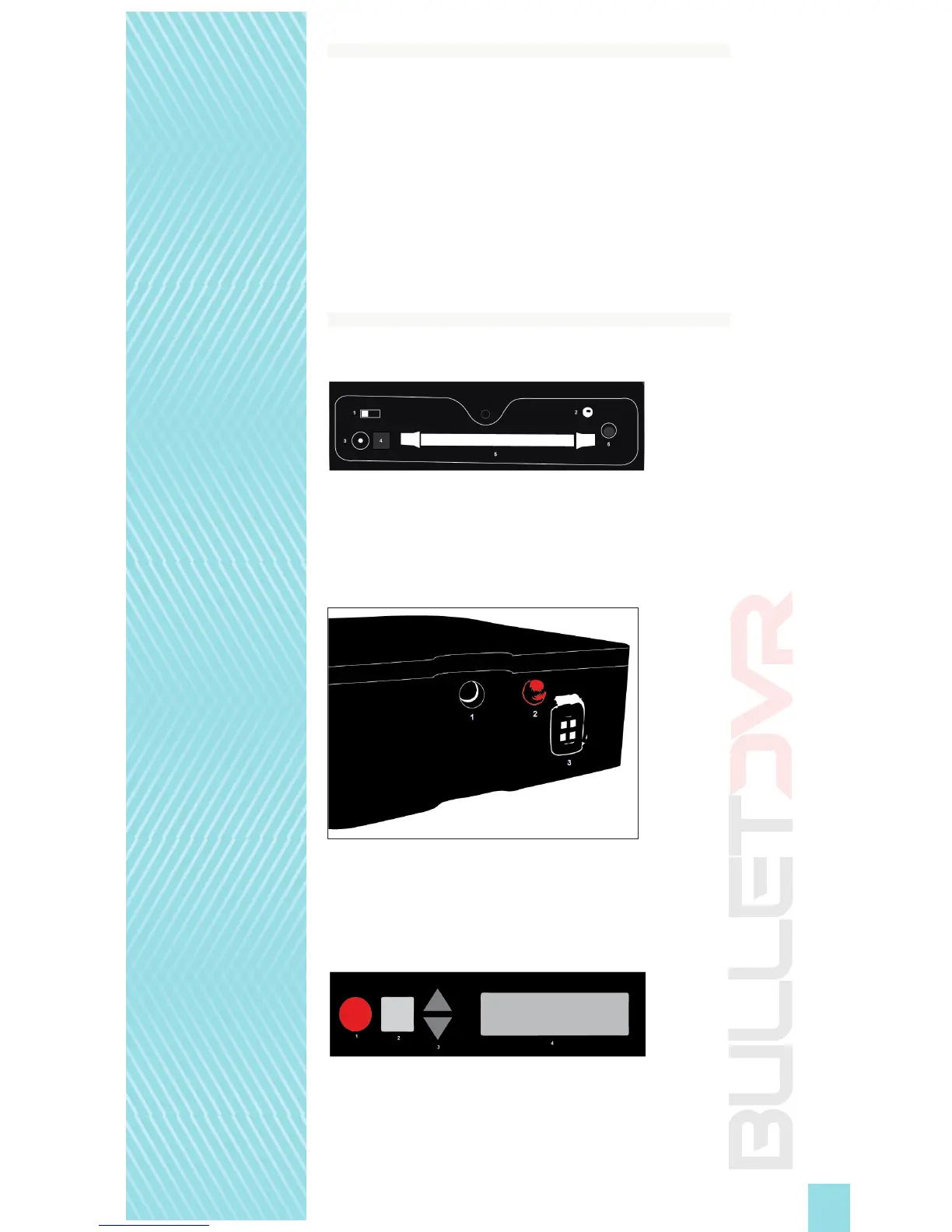
Understanding the buttons and functions:
FRONT:
Power Switch
Status Light
AC Power
Eject Button
PCMCIA Slot
LANC Connector
SIDE:
IR Connector
Charging Light
A/V Connector
BACK:
RECORD Button
STOP Button
Menu Selection Arrows
LCD Screen


 To Next Page