14
Installation and wiring
Body
Screw
x4
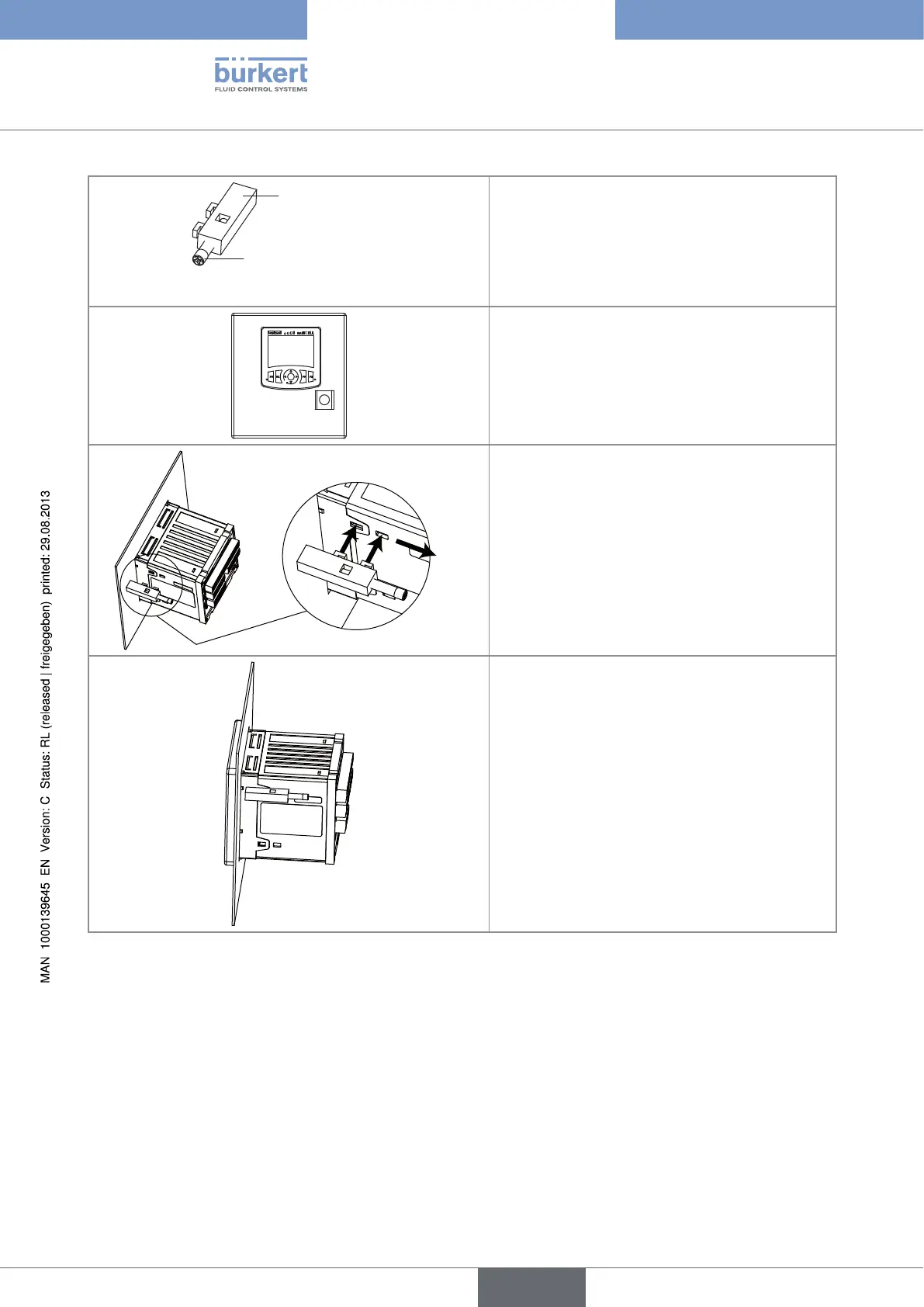
Stage 2:
Prepare the 4 locking systems:
→ Insert a screw into each device.
→ Tighten the screw until the end of the shaft of the
screw is flush with the device.
Stage 3:
→ Slide the housing into the cut-out with the con-
nectors to the back until it can go no further.
1
2
Stage 4:
→ Insert (1) the hooks on the first locking system
into the slots on the housing.
→ Pull the locking system (2) until you hear a click.
The click may be heared when tightening the
locking system at stage 6.
Stage 5:
→ Place the locking system flush against the mul-
tiCELL by hand, so that the hooks remain in place.
Type 8619
english



 To Next Page