28
Adjustment and commissioning
_
_
a b c d e f g 7 8 9
h i j k l m n 4 5 6
o p q r s t u 1 2 3
v w x y z + - . 0
' ? ! : ; % * / < >
f
2/3
Edit name
ABORT SEL
SAVE
F3
F4
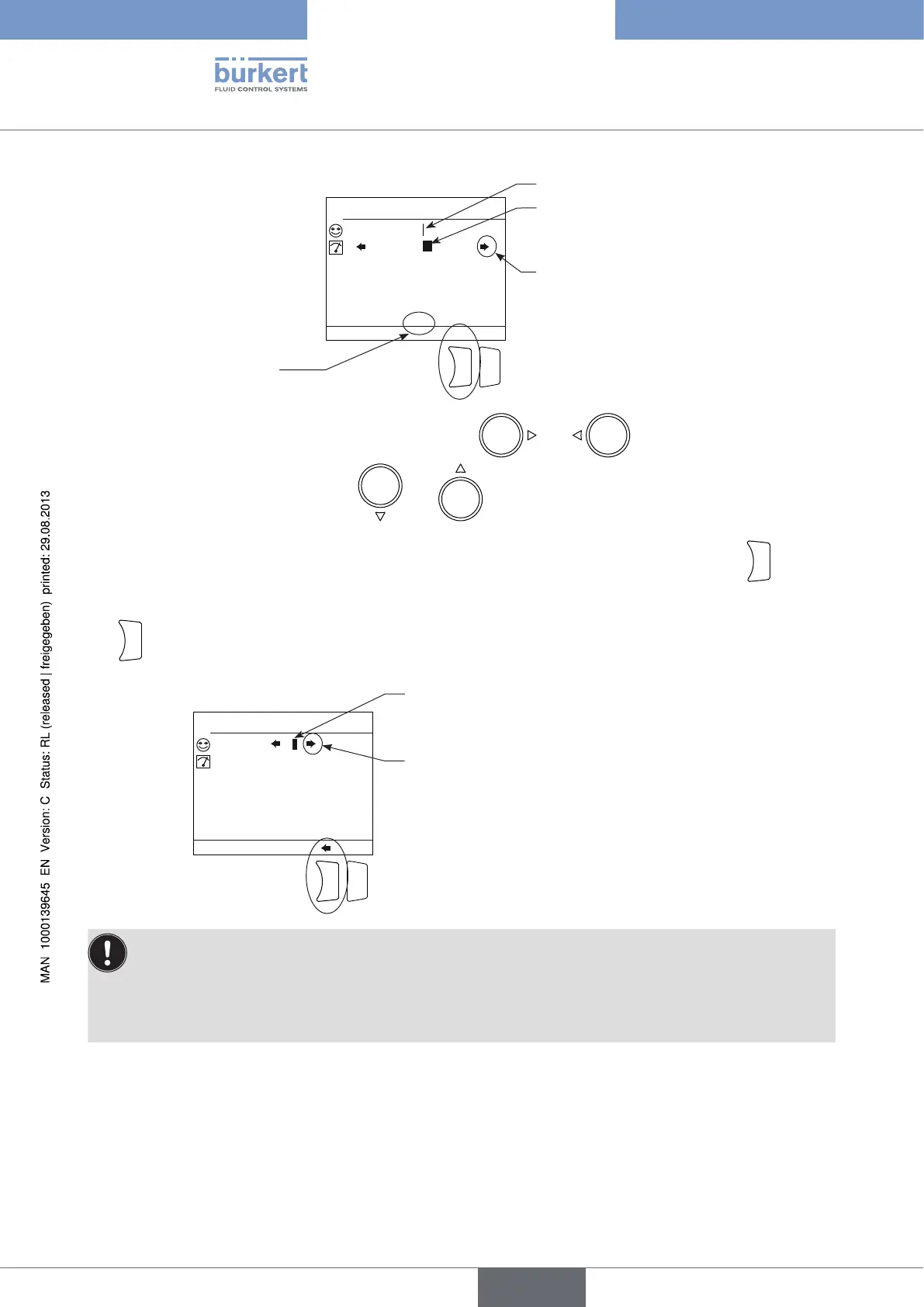
Cursor of the data entering area
The arrows indicate that the selector
can be moved on the line or that the
3 available character pages can be
scrolled through.
Indicates the active page
among 3 pages
Selector
→ To move the cursor in the data entering area using keys and , first move the selector into
the data entering area using the keys
and .
→ To insert a character in place of the cursor, move the selector over this character and press key
F3
(function "SEL").
→ To remove the character before the cursor, move the selector into the data entering area then press key
F3
(function "backspace"):
a b c d e f g 7 8 9
h i j k l m n 4 5 6
o p q r s t u 1 2 3
v w x y z + - . 0
' ? ! : ; % * / < >
_
_
f
2/3
Edit name
ABORT
SAVE
F3
F4
selector
The arrows indicate that the selector can be
moved on the name entering area.
To retrieve the original name of a variable, even after modification and saving:
→ move the selector into the customized name entering area.
→ delete all the characters.
→ save.
8.6. Operating levels
The device has 2 operating levels: the Process level and the Configuration level which is made of the following
5 menus : "Parameters", "Calibration", "Diagnostics", "Tests" and "Information".
Type 8619
english



 To Next Page