EasyManua.ls Logo

Burkert 8175 - User Manual

Burkert 8175
66 pages
Print Icon
To Next Page IconTo Next Page
Loading...
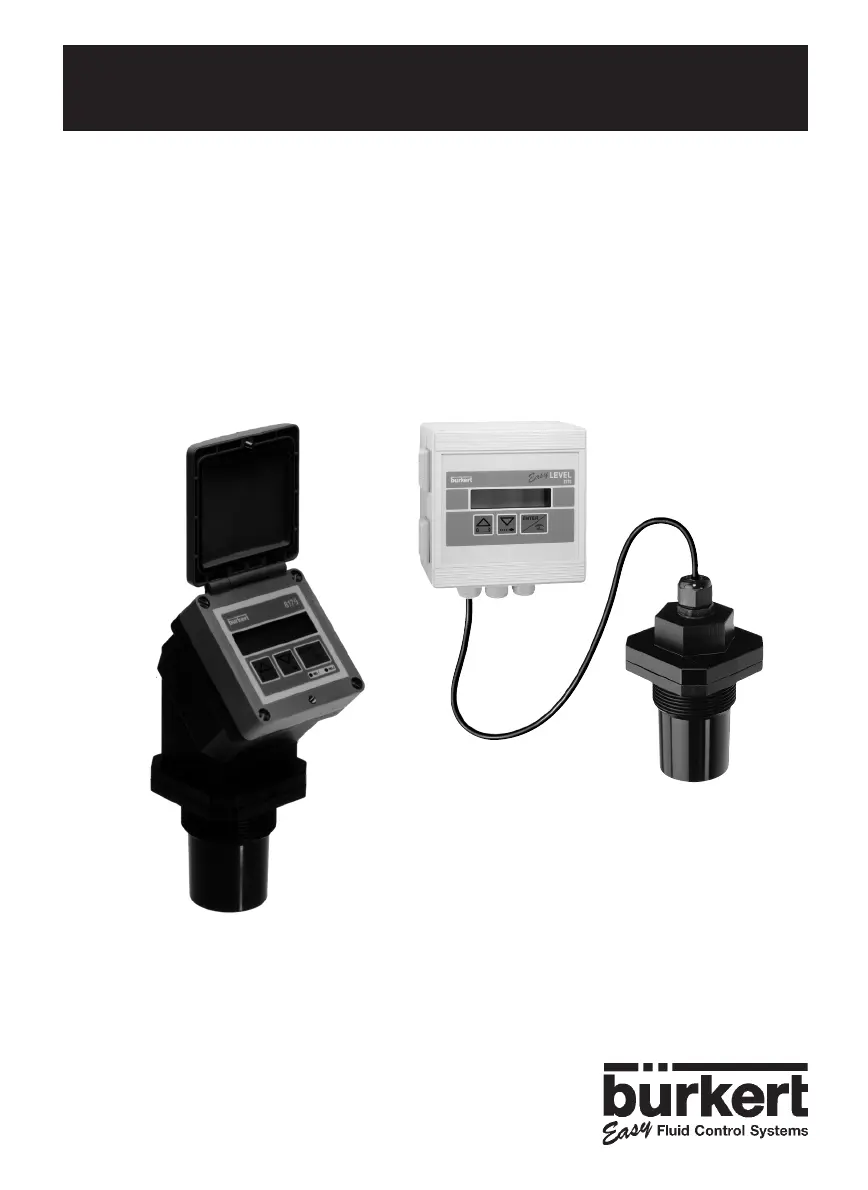
TYPES 8175 / 8170
ULTRASONIC LEVEL TRANSMITTER
COMPACT AND SEPARATE VERSIONS
Instruction Manual Ident. 427998P

Questions and Answers

  • C
    Charles FrenchAug 19, 2025
    What to do if my Burkert Transmitter does not work?
    • B
      Brett PopeAug 19, 2025
      If your Burkert Transmitter isn't functioning, try these steps: First, replace the fuses. Next, ensure the switch is in the ON position. Finally, verify the connection at point 3.3.
  • H
    hickskeithAug 21, 2025
    What to do if my Burkert Transmitter displays 'ERROR'?
    • A
      Anthony RamseyAug 21, 2025
      If your Burkert Transmitter displays 'ERROR', the issue might be an EEPROM failure. In this case, try restarting the device. If the problem persists, perform the Teach-In again.
  • A
    Andre McdonaldAug 25, 2025
    How to fix Burkert Transmitter programming unavailable?
    • R
      Rebecca MillerAug 25, 2025
      If programming is unavailable on your Burkert Transmitter, set the SW01 switch to the right. If this doesn't resolve the issue, try resetting the device to its factory settings.
  • J
    Jacqueline OlsonAug 26, 2025
    Why does my Burkert Transmitter display '---- °C' or '---- °F'?
    • B
      Brian AndersonAug 26, 2025
      If your Burkert Transmitter shows '---- °C' or '---- °F', it could be due to the device being out of range. Ensure the Pt1000 is properly connected. You may also try opening the transmitter connector.
  • K
    Kyle PerryAug 28, 2025
    How to stop blinking display of Burkert Transmitter?
    • R
      Roberto HuberAug 28, 2025
      If the display of your Burkert Transmitter is blinking, check the connection of the 3.3 connectors.
  • F
    Frank TurnerAug 30, 2025
    How to troubleshoot a Burkert 8175 that does not work?
    • T
      taraleonardAug 30, 2025
      If your Burkert Transmitter isn't working, try these steps: First, ensure the device is properly connected. Next, check and replace the fuses if necessary. Then, make sure the power switch is in the ON position. Finally, verify all connections to the transmitter are secure.
  • S
    sherry95Sep 1, 2025
    What to do if Burkert Transmitter display shows «ERROR»?
    • D
      David Martin DVMSep 1, 2025
      If your Burkert Transmitter displays 'ERROR', the issue might be an EEPROM failure. Try restarting the device. You can also try to configure the device again or perform a new Teach-in.
  • J
    Joel HaneySep 3, 2025
    What to do if devices connected to Burkert 8175 Transmitter relays do not work?
    • D
      David MartinSep 3, 2025
      If devices connected to the relays of your Burkert Transmitter are not working, attempt the following: Try programming the relay output again. Ensure the relays are properly connected. Check if the connections of relays 1 and 2 are inverted and connect them accordingly. Also, verify and change the fuses if needed.
  • T
    Tyler PerezSep 5, 2025
    Why is the current output value zero or different from the display on my Burkert Transmitter?
    • J
      john73Sep 5, 2025
      If the current output value is zero or different from the display on your Burkert Transmitter, try these solutions: Modify SW2, connect the current output, and set the offset and span.
  • M
    Michael MooreSep 8, 2025
    Why does my Burkert Transmitter display «--- °C» or «--- °F»?
    • S
      Susan AguilarSep 8, 2025
      If your Burkert Transmitter displays '--- °C' or '--- °F', it indicates that the device is out of range. Connect the Pt1000 to resolve this issue.

Summary

1 INTRODUCTION

1.2 General Safety Instructions

Provides essential safety guidelines for product installation and use.

2 QUICKSTART

2.1 Installation

Guide to installing the 8175 Level Transmitter.

2.2 Programming

Guide to programming the 8175 Level Transmitter.

3 INSTALLATION

3.1 General Installation Guidelines

General advice for installing the 8175 ultrasonic level transmitter.

3.2 INSTALLATION

3.2.1 PANEL VERSION INSTALLATION

3.2.2 WALL-MOUNTED VERSION INSTALLATION

3.4 GENERAL ELECTRICAL CONNECTION

3.4.1 WIRING VIA A CABLE PLUG

Details on wiring the 18-32 VDC version using a cable plug.

3.4.2 8175 COMPACT VERSION, 18-32 VDC, WITH PG 13.5

8175 COMPACT VERSION, 115;230 VAC

3.4.3 8175 PANEL VERSION 18-32 VDC

8175 PANEL VERSION 18-32 VDC, WIRING

Wiring diagrams for the panel version, 18-32 VDC.

3.4.4 8175 WALL MOUNTED VERSION 18-32 VDC

3.4.4 8175 WALL MOUNTED VERSION, 18-32 VDC; WIRING

4 OPERATION

4.1 OPERATING AND CONTROL GUIDE

Explains the LCD display and key functions.

4.2 MENU GUIDE

4.4 CALIBRATION MENU

4.4.3 FILTER FUNCTION

4.4.4 GAS CHARACTERISTICS

4.4.5 ECHO FILTERING

4.4.6 TEACH-IN PROCEDURES

4.4.6.1 TEACH-IN FOR LEVEL AND DISTANCE

Defines relationship between transmitter and fluid by distance or level.

4.4.6.2 TEACH-IN FOR VOLUME

D - MANUAL INPUT OF DISTANCES AND ASSOCIATED VOLUMES

E - VOLUME TEACH-IN PROCEDURE

4.4.7 OUTPUT CURRENT

4.4.8 RELAY (OPTION)

4.5 TEST MENU

4.5.1 OFFSET COMPENSATION

4.5.2 SPAN COMPENSATION

4.5.6 RESETTING OF THE TRANSMITTER

5 MAINTENANCE

5.2 TROUBLE SHOOTING GUIDE

Assists with problems during installation or operation.

5.2 TROUBLE SHOOTING GUIDE (CONTINUED)

6 SPECIFICATIONS

6.1 SPECIFICATIONS (CONTINUED)

6.4 DESIGN AND MEASURING PRINCIPLE

Burkert 8175 Specifications

General IconGeneral
BrandBurkert
Model8175
CategoryTransmitter
LanguageEnglish

Related product manuals