39
8175
ENGLISH
CALIBRATION MENU
- MANUAL INPUT OF DISTANCES AND ASSOCIATED VOLUMES
This function uses distances between the base of the sensor, fluid surface and
associated volumes to fix the relationship between the transmitter display and real
measurement.
● This function allows upto 12 individual distance and associated volume
measurements to be entered.
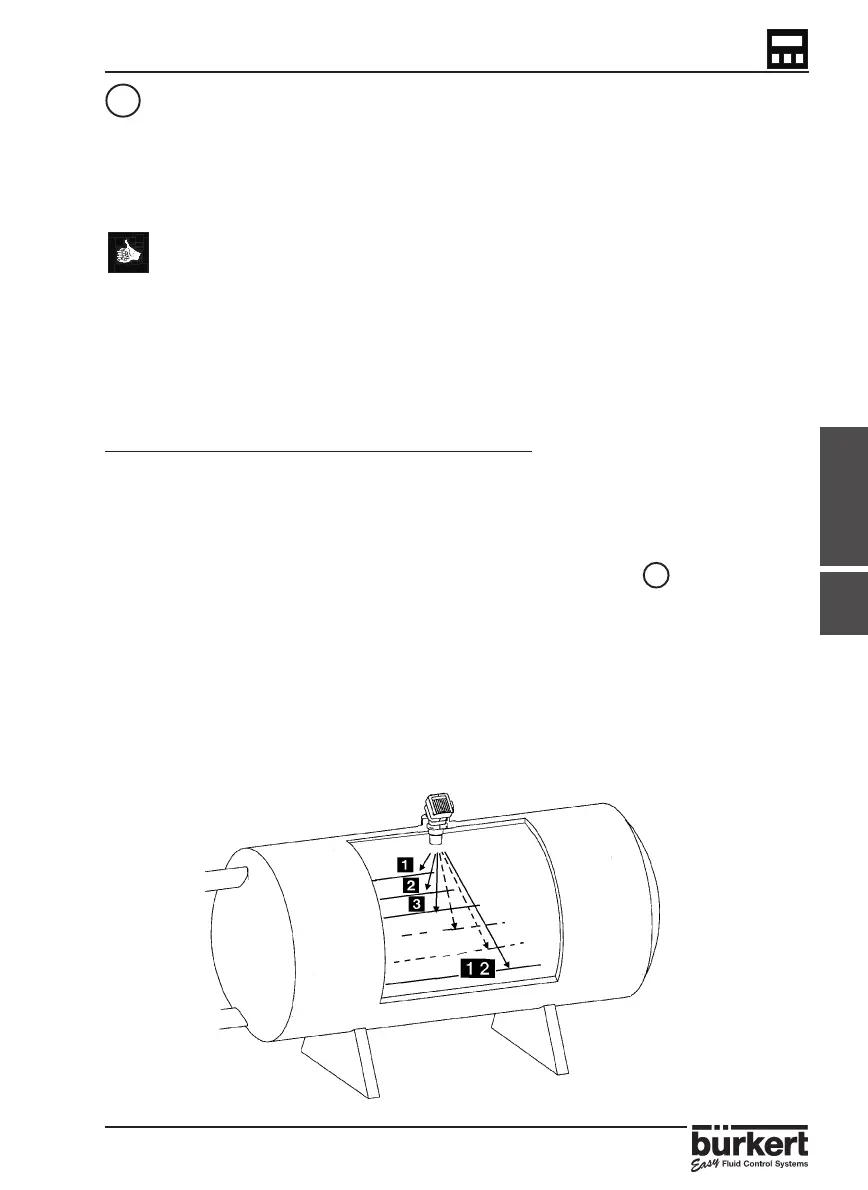
● This option is generally used for irregular shapped tanks and vessels as
it allows the input of individual distances and volumes.
● This function can be completed before the transmitter is installed onto
the fitting.
● The accuracy of this function is highly dependent on the selected
reference points according to the shape of the tank or vessel.
STEPS FOR SUCCESSFUL MEASUREMENT:
● Identify at least 2 reference points according to the shape of the tank or vessel
for measuring the distances and entering the associated volumes.
● The values can be entered in either an increasing or decreasing order although
the maximum volume which can be entered is 599.99m
3
or 5999.9 litre/Gal.
● Select ‘MANUAL‘ within the ‘Input of Tank Dimensions‘ menu and press enter.
● Enter the first distance measurement and press enter.
● Enter the associated volume which corresponds to the distance entered
previously and press enter.
● Repeat the last 2 steps of entering the distance and associated volume.
● After entering the 2nd associated volume it is possible to quit the function by
selecting ‘END YES‘ and select to validate the option or ignore and advance to the
next function. Alternatively it is possible to continue and enter a distance
measurement and associated volume by selecting ‘END NO‘ when the option
appears. This can be repeated to enter a total of 12 measurements.
4.4.6



 To Next Page