23
8175
ENGLISH
OPERATION
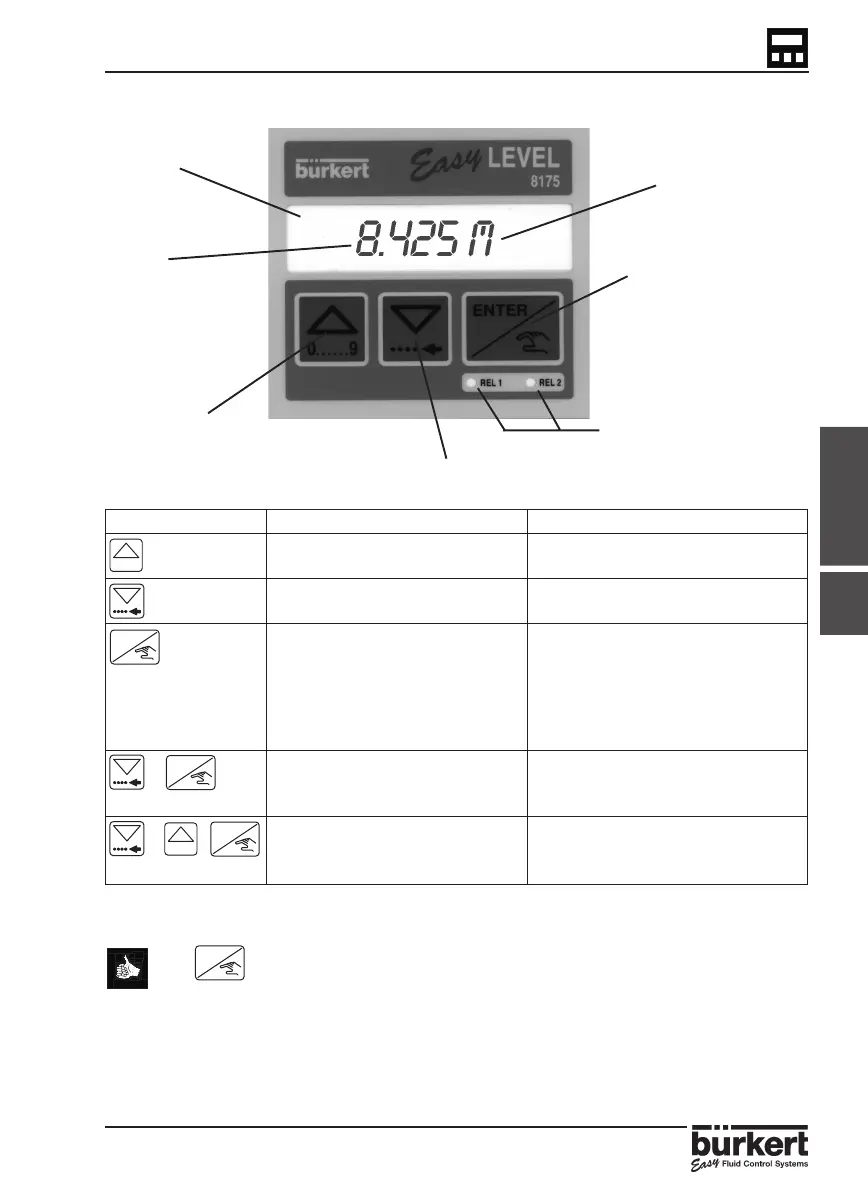
4.1 OPERATING AND CONTROL GUIDE
LCD display
Measured value
Selection of parameters
and digits.
Keys Mode Menu Finding a value
Previous Menu Increase from the blinking digit
Next Menu Advance to the next digit
Activate the menu display Validate the displayed value
(If “END“ is displayed,
save the modified
parameters and return
to the main menu
+ Access to the
5 Seconds
CALIBRATION MENU*
+ + Access to the TEST MENU*
5 Seconds
* Only available within the main menu.
The Key can be locked to avoid accidental or unauthorised access.
For further information see section 3.3.
Unit selected
Selection and
confirmation.
Indication of the state of
relays 1 and 2.
( LED on = closed contact )
Selection of parameters
and digits.
ENTER
0......9
ENTER
0......9
ENTER
ENTER
4.1



 To Next Page