32
8175
ENGLISH
CALIBRATION MENU
4.4.5 ECHO FILTERING
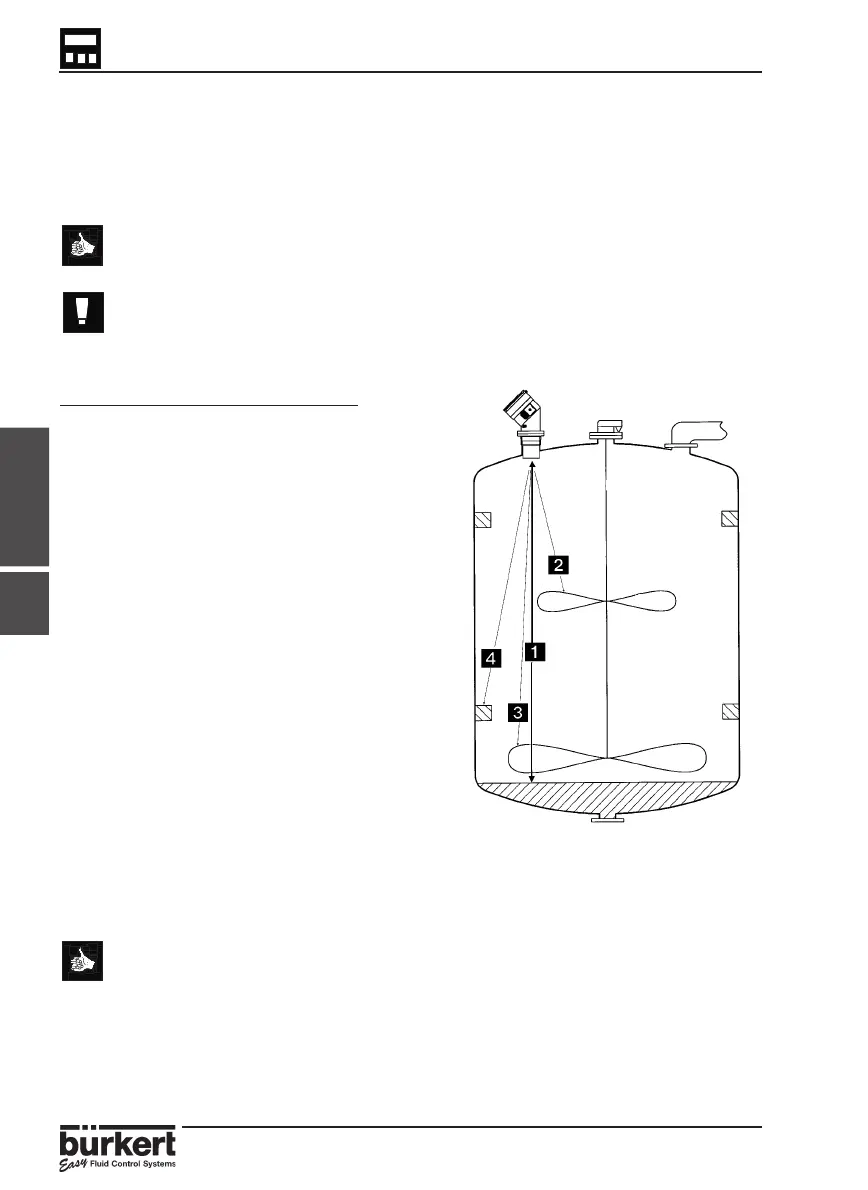
This function eliminates any fixed obstacles such as mounting elements, blades and
inlet pipes which may interfere with the transmitter measurement giving an incorrect
value and reading.
This function will only be available if a filter value between 3 and 9 has been
selected within the filter function - section 4.4.3
This function should only be used if the echo returned and the displayed
value is not the expected target.
● To assist with the completion of this function a schematical diagram is
displayed in the next page.
● The echo identified and stored by this procedure can be erased by the
reset function within the test menu ( interference table) - section 4.5.6.
Steps for successful echo filtering
● All obstacles to be identified must be
between the transmitter and selected
target.
● Enter the target distance and press
‘Enter‘ ( fig.4.1 ) and the transmitter will
process the information for approx. 10
seconds.
● The transmitter will search for the
required target distance within +/- 0.5m.
● After processing the transmitter will
display upto 10 echos identified in
decreasing power order (the target level
is generally the first value displayed) or
the message ‘ERROR‘ will be displayed.
● After select the echo for the target level
and validate the procedure or exit.
● If the message ‘ERROR‘ is displayed there
has been no obstacles identified at the
selected distance.
Fig. 4.1 Echo Filtering
4.4.5



 To Next Page