25
Adjustment and commissioning
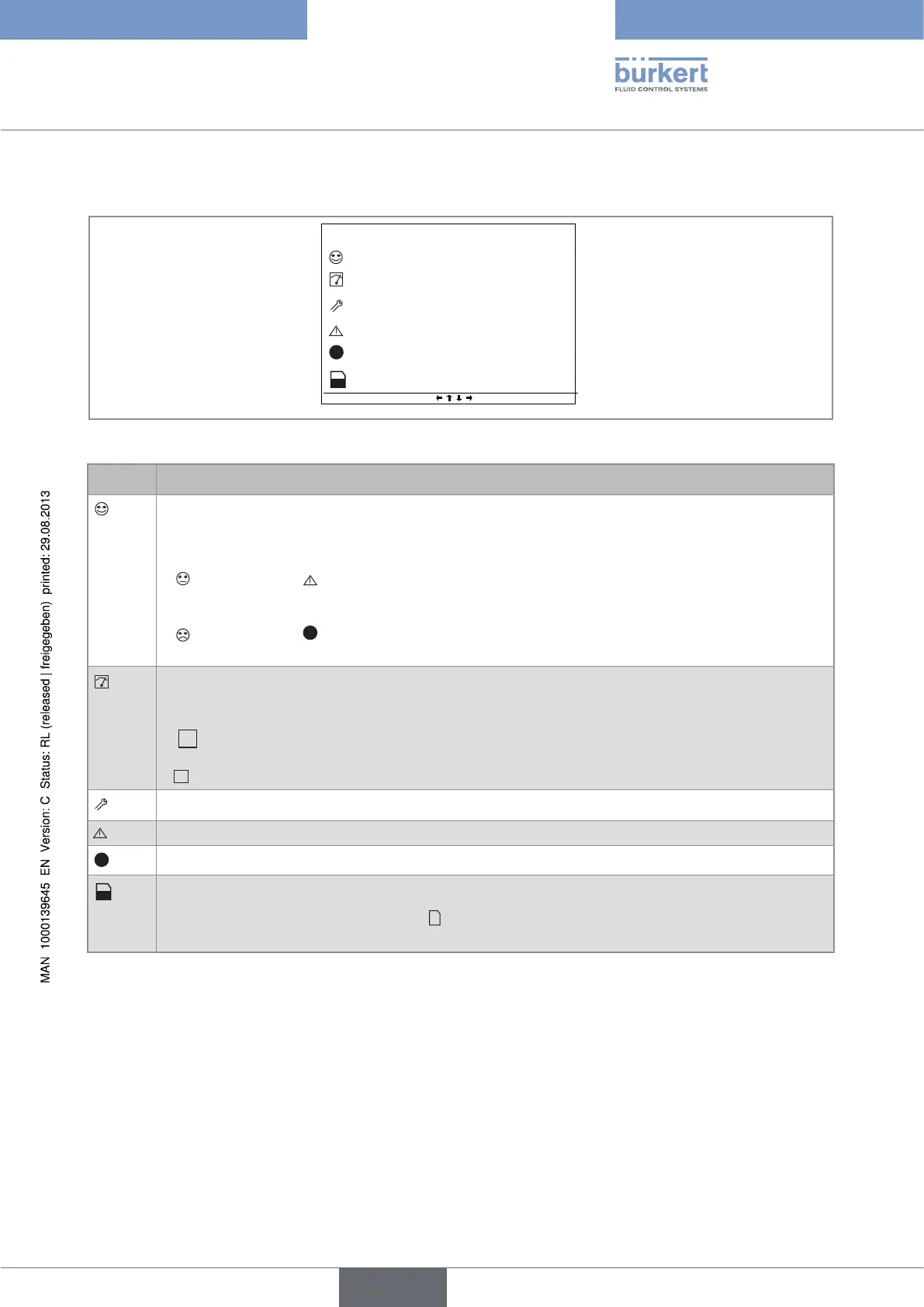
8.3. Description of the icons
13:40
M0:MAIN
X
MENU
mA
AO1
6.000
20.00
OFF
DO2
mA
AO2
OFF
DO1
OFF
DI2
OFF
DI1
2010/06/29
Figure 19 : Position of the icons
Icon Meaning and alternatives
Default icon when process monitoring is not activated via the "Diagnostics" menu; if monitoring is
activated, this icon indicates that the parameters monitored are not out of range.
If at least one monitoring is activated, the alternative icons in this position are:
•
, combined with : go to the menu "Information -> System log" to read the associated warning
message.
•
, combined with
X
: go to the menu "Information -> System log" to read the associated error
message.
Device currently measuring.
The alternative icons in this position are:
•
flashing: HOLD mode activated.
•
flashing: running check that an output is working and behaving correctly.
"Maintenance" event; Go to the menu "Information -> System log" to read the associated message.
"Warning" event; Go to the menu "Information -> System log" to read the associated message.
X
Error" event; Go to the menu "Information -> System log" to read the associated message.
Memory card inserted and datalogger activated.
The alternative to this position is the icon
X
indicating an error. Go to the menu "Information ->
System log", to read the associated error message.
Type 8619
english



 To Next Page