107
107774-01- 9/17
XIII. Operation E. Boiler Sequence Of Operation (continued)
3. Status Screens
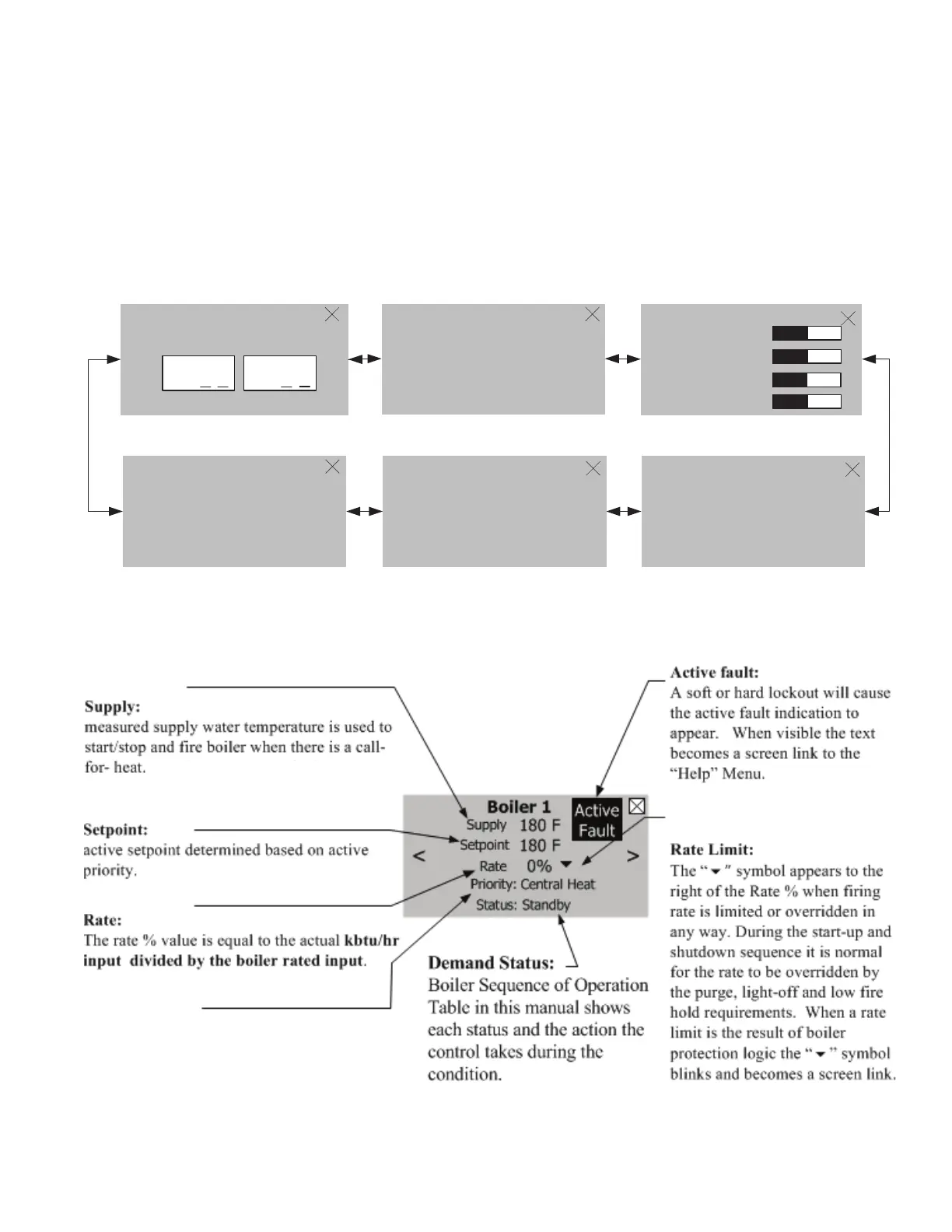
Boiler Status screens are the primary boiler monitoring screens. The user may simply “walk” though boiler operation
by repeatedly selecting the right or left “arrow” symbol. These screens are accessed by selected the “Status” button
from the “Home” screen.
Figure 13.6: Status Screens
Figure 13.7: Boiler Status Screen Denitions
>
50%
Setpoint
Supply
180
F
Priority: Central Heat
Status: Running
180
F
Rate
<
Zone Control Status
press for zone cycles
><
Panel 1
1
, 2 , 3 , 4
Panel 2
1
, 2 , 3 , 4
i
>
<
50%
Rate
Stack
180 F
180 F
Return
Supply
180
F
Heat Demand
Central Heat ON
Auxiliary Heat Off
Domestic Hot Water Off
Frost Protection Off
>
<
<
>
System Circ. ON 98
Boiler Circ. ON 23
DHW Valve CH 0
Circulator Status/ Cycles
i
<
>
Flame Signal 9.43 uA
Boiler Cycles 10
Run Time Hours 2
Burner Status
i
NOTE
Only visible if Sage Zone Panel
is connected. Zone Panel 1 and 2
shown typical for 1 through 4.
Priority:
The selected Priority is shown. Available Priorities
are: Standby (no call for heat is present), Sequencer
Control, Central Heat, Auxiliary Heat, Domestic
Hot Water, Frost Protection, or Warm Weather
Shutdown.


 To Next Page