Getting to know your DAB Micro System with
Bluetooth
You’ll be up and running in no time
Getting to know your DAB Micro System with Bluetooth 17
section of these instructions, or online at www.argos-support.co.uk If you still require further assistance, call one of our experts on 0345 600 3021.
Power connection
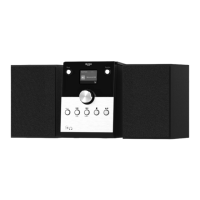
1. Connect the speakers to the Left and Right speaker sockets on the back of the Micro.
Please note that the speakers are shaped and so you will need to view them from the
front before you connect them to the speaker sockets.
2. Fully extend the wire radio aerial on the back of the Micro to receive the best possible
radio reception and sound quality.
3. Open the CD compartment (push and release the lid on the front right), and remove
the cardboard shipping protector. Close the CD lid.
4. Plug the mains power plug into the mains power wall socket and switch on. Welcome
to Digital Radio will be displayed and then your Micro will go to Standby mode.
5. Pull out the safety strip on the remote control to activate the battery.
Initial set-up
Press and release the Power button on the front of your Micro System. The first time you
switch on your Micro or if the station list is empty, your Micro will automatically begin to
scan for DAB radio stations. A progress bar will show the progress of the scan and the
number of stations found during the scan will also be displayed.
When the scan is complete your Micro will select the first available station and begin to
play. Stations are listed in numerical and then alphabetical order by default.
Change the mode
Press and release the Mode button to change between DAB radio, FM radio,CD, Bluetooth
and Aux in modes. Please check the display, which will confirm the mode.


 To Next Page